An e-poster is a digital conference poster that attendees view on a screen, in an online gallery or on their phone, instead of on a printed board. A printed poster is the familiar physical board in the poster hall. If you run a scientific meeting, you've probably weighed which to use, and the honest answer is often both.
The choice affects authors, attendees, and your budget in different ways. This guide compares the two formats, explains how to run them side by side, and covers what to look for in an e-poster platform.
What's the difference between e-posters and printed posters?
A printed poster is a fixed, physical document. The author prints it, brings it, stands beside it, and when the session ends, it comes down.
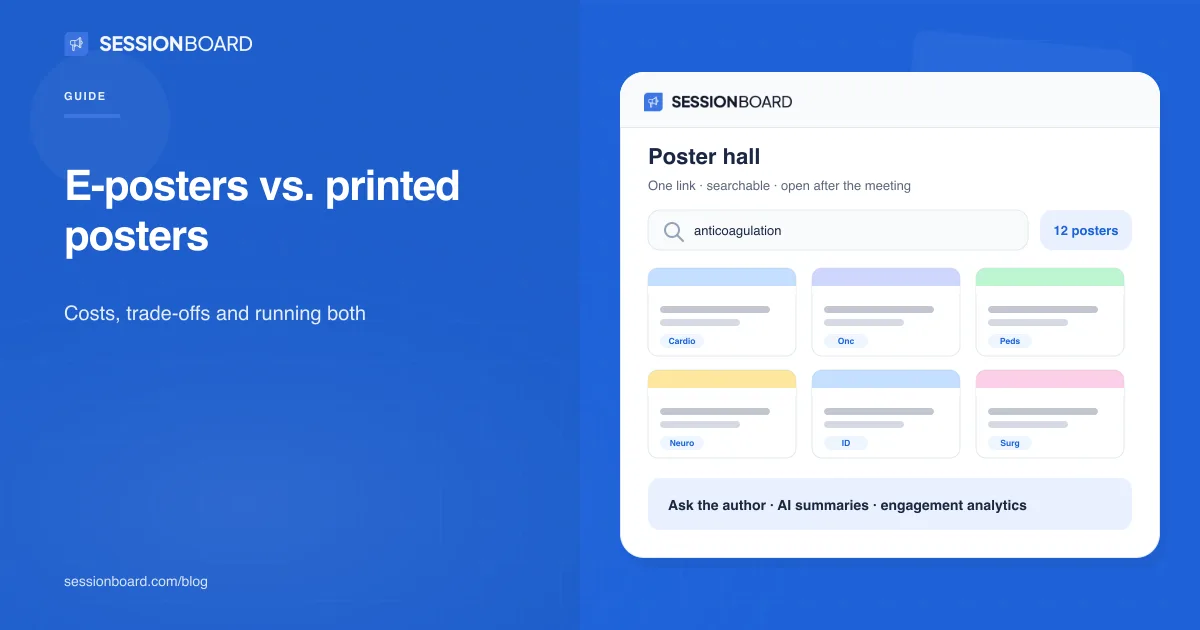
An e-poster is a file: usually a PDF, but it can also be a slide deck or a video. It can be shown on screens in the hall, published in an online gallery, or both. Because it's digital, it can be searched, updated before the meeting, and kept available after it.
What are the pros and cons of printed posters?
Printed posters are familiar to everyone, need no hardware, and make the conversation at the board easy: the author stands next to their work and talks to whoever stops.
The cost falls mostly on authors. As Sessionboard co-founder and CTO Josh Parolin described it in our recent webinar, authors upload a poster for approval, send it to a print shop, pick it up, roll it into a tube, and carry it on a flight, hoping nobody crushes it in the overhead bin. Once printed, it can't be corrected. And when the boards come down, the poster leaves with the author, along with any record of who saw it.
What are the pros and cons of e-posters?
E-posters remove printing and travel from the author's list. They can include video or slides, authors can fix errors up to the deadline you set, attendees can search the whole hall from their phones, and the posters can stay available to members after the meeting. You also learn which posters drew attention.
The trade-offs are real. Screens in the hall cost money, need power and space, and show one poster at a time, whereas a row of boards shows many. Authors need clear file instructions. And if nobody plans for it, the conversation at the board, which is the point of a poster session, can get lost.
Can you run printed posters and e-posters together?
Yes. Josh's framing in the webinar was "yes and": keep printed boards if they work for your community, and add a digital layer on top. In practice, that means collecting a digital file from every author, publishing an online gallery, and putting a QR code on each printed board that opens the poster on a phone.
A hybrid setup costs little beyond the gallery itself, and it gives remote members and attendees who missed a poster a way back to it. If you later add screens or move fully digital, the files and gallery are already in place. Our guide to running a poster session covers the author instructions and timeline that make this work.
How do you keep the conversation at the board with e-posters?
Plan for the three things an author does standing at their board. First, they explain the work. Let authors record a short narration over their poster, which helps most with dense posters, a point Sessionboard co-founder and CEO Chris Carver made during the webinar. Second, they answer questions. Let attendees send questions to the author, with your team able to review them before they're forwarded. Third, they hand out extras. Let authors attach supporting files, such as data, a handout, or a video, that open from the same QR code.
What should you look for in an e-poster platform?
Start with how the poster connects to the rest of your program.
"The abstract is the session; it is the poster, ultimately. It's one record." Josh Parolin, co-founder and CTO, Sessionboard
If posters live in a separate tool, someone has to match files to abstracts by hand. Beyond that, check for:
- Upload deadlines and reminders: a due date, a choice on late uploads, and automatic reminders to authors
- File control: the formats you accept, such as PDF, PowerPoint, or video
- Revisions and approvals: versioned uploads, sign-off from one person or several, and embargoes until a set date
- Gallery control: more than one gallery if needed, filters by track or format, and access limited to people with the link, certain email domains, or your members' single sign-on
- In the hall: printable QR labels for every board and a touch-friendly mode for kiosk screens
- Engagement: bookmarks, voting for awards like people's choice, and questions to authors
- Analytics: opens, most-viewed posters, and searches that returned nothing, which show topics attendees wanted that your program didn't cover
Which format is right for your meeting?
If your screen budget is tight and your community values the hall, keep printed boards and add an online gallery with QR codes. If space is limited, authors travel far, or a large share of your audience is remote, lean digital. If you're unsure, start hybrid. It's the easiest setup to change later, because every poster already exists as a file.
E-posters in Sessionboard
In Sessionboard's Poster Gallery, the poster is attached to the accepted abstract, so there's nothing to match by hand. You set upload deadlines and reminders, choose accepted file types, and route posters through one or more approvals. Authors upload revisions and record narration from their portal. You can publish multiple branded galleries, print QR labels for every board, run Kiosk Mode on touch screens, and turn on voting, bookmarks, and moderated author questions. Analytics show views, top posters, and searches with no results.


E-posters vs. printed posters for conferences, answered
What is an e-poster?
An e-poster is a digital conference poster, usually a PDF, slide deck, or video, that attendees view on screens in the hall, in an online gallery, or on their phones instead of on a printed board.
Are e-posters better than printed posters?
Neither is better in every case. E-posters save authors printing and travel, can include video, and stay available after the meeting. Printed posters need no hardware and suit communities that value the hall. A common middle ground is both: printed boards with a QR code linking to an online gallery.
How much do e-posters cost?
The main costs are the e-poster platform and, if you want posters on screens in the hall, the screens themselves. A hybrid setup, printed boards plus an online gallery and QR codes, avoids the hardware cost.
What file formats work for e-posters?
PDF is the most common. Many platforms also accept slide decks and video. Tell authors exactly which formats you accept and the deadline in their poster instructions.
How do attendees talk to authors with e-posters?
Through recorded narration on the poster, questions sent to the author through the gallery, and scheduled times when authors stand at a screen or join online. Moderating questions before they reach authors keeps the exchange useful.
What should I look for in an e-poster platform?
Posters connected to the accepted abstract, upload deadlines and reminders, revisions and approvals, gallery access controls, QR labels, a kiosk mode for touch screens, voting and bookmarks, author questions and analytics, including searches that returned no results.
Planning posters for your next annual meeting? See how Sessionboard's Poster Gallery connects every poster to its abstract. Explore the Poster Gallery → or request a demo →