PROGRAM OR MEETING DIRECTOR
Run the call and the agenda from one chat
Ask how many sessions are pending review, draft and edit the agenda, and manage sessions, rooms and tracks. Decision emails are previewed before they send.

Works in Claude and ChatGPT
 ChatGPT
Sessionboard is in Claude’s connectors directory. Sign in, pick your organization, and ask about your program, awards, learning, marketing and CRM in plain language. Publishing, opening a call, inviting reviewers and announcing winners wait for a person to approve.
Also published for ChatGPT.
How many sessions are still pending review for the Northwind Health Summit 2027?
find_eventsearch: Northwind Health Summitok{
"matches": [
{
"id": 6808,
"name": "Northwind Health Summit 2027",
"timezone": "America/Denver",
"starts_at": "2027-04-12T00:00:00.000Z",
"ends_at": "2027-04-15T00:00:00.000Z",
"features": {
"primary_speakers": false,
"speaker_acceptance": false,
"translated_fields": false
}
},
…query_dataevent_id: 6808 · prompt: Count of sessions by statusok{
"query": "FIND Session\nINCLUDE display_status AS status\nGROUP BY display_status\nCOMPUTE COUNT(*) AS session_count\nORDER BY session_count DESC",
"explanation": "This query groups all sessions by their display status (which shows custom status names when assigned, falling back to the core status) and counts the number of sessions in each status bucket. Results are ordered from highest to lowest count so the most common statuses appear first. No status filter is applied so every session — regardless of status — is included in the breakdown.",
"rows": [
{
"status": "accepted",
"session_count": "15"
},
{
"status": "pending",
"session_count": "4"
},
{
"status": "accept_queue",
…For Northwind Health Summit 2027, 4 sessions are still pending review. They've been submitted, but nobody has made a decision on them yet.
Another 6 sessions have been reviewed but don't have a final decision yet:
Counting those, 10 of the 25 sessions still need a final call. The other 15 are accepted.
Ask your program a question in plain English.
Program · find events and sessionsQUICK ANSWER
Sessionboard's Claude connector lets Claude, and ChatGPT, find and read your events, sessions, people and reports, and draft agendas, sessions, courses and award programs, using the signed-in person's role and scopes. Publishing, opening calls, inviting reviewers and announcing winners wait for a person to approve. Every call is in the audit log.
WORKS IN
WHAT YOU GET DONE
Each job is what someone on your team is trying to get done, with the connector's tools.
PROGRAM OR MEETING DIRECTOR
Ask how many sessions are pending review, draft and edit the agenda, and manage sessions, rooms and tracks. Decision emails are previewed before they send.
AWARDS MANAGER
Draft a program, open nominations, invite reviewers, assign reviews and announce winners. Opening, inviting and announcing wait for your approval.
EDUCATION DIRECTOR
Draft a course from media, assign courses, see which learners to nudge, report to CE Broker and set course pricing.
MARKETING
Campaigns, content kits, galleries, sites and event pages, webinars and podcasts.
SPONSORSHIP
Ask for sponsored reach and Advocacy results.
MEMBERSHIP AND CRM
Find people, companies and contacts; check Sessionboard engagement and suggestions; pipeline, contracts and tags. Registration summaries and funnels are read-only.
HOW IT WORKS
Everything runs on the person who connected it: their role, the scopes they granted, their organization.
YOU ASK · IN CLAUDE OR CHATGPT
SESSIONBOARD CONNECTOR
Your role, your scopes, your organization. The same permissions, rate limits and audit log as the app.
RIGHT AWAY
WAITS FOR A PERSON TO APPROVE
ALWAYS
GUARDRAILS
A recorded conversation on our demo event: the assistant drafts, and each change waits for a person.
From a question to a published change
Draft the Day 2 agenda for the Northwind Health Summit 2027 from accepted sessions. Keep it as a draft for me to review in Sessionboard.
I'll start by finding the event.
find_eventget_event_overviewlist_metadataread_agenda_draftsread_event_ruleslist_metadatafind_eventsearch: Northwind Health Summit 2027ok{
"matches": [
{
"id": 6808,
"name": "Northwind Health Summit 2027",
"timezone": "America/Denver",
"starts_at": "2027-04-12T00:00:00.000Z",
"ends_at": "2027-04-15T00:00:00.000Z",
"features": {
"primary_speakers": false,
…get_event_overviewevent_id: 6808ok{
"event_id": "6808",
"total_sessions": [
{
"total": "26"
}
],
"accepted_sessions": [
{
"accepted": "15"
…list_metadataevent_id: 6808 · entity_type: roomok{
"rooms": [
{
"id": "839e5681-d341-4997-862f-0752da972389",
"type": "room",
"created_at": "2026-09-29T03:00:41.415Z",
"updated_at": "2026-09-29T03:00:41.415Z",
"name": "Workshop Room",
"capacity": 40,
"order": 5
…read_agenda_draftsaction: list · event_id: 6808ok{
"drafts": [
{
"id": "5c4ed0e1-a6e7-4c43-9b1e-42a9f0c0d0e1",
"event_id": 6808,
"title": "Program draft: rooms and time slots",
"description": "Scheduler proposal for the accepted sessions — review every placement before committing.",
"day_start_time": "09:00:00",
"day_end_time": "17:00:00",
"statuses": [
…read_event_rulesaction: list · event_id: 6808ok{
"rules": [
{
"id": "98d61496-2bd3-4941-9f42-7a0ca5e73d7d",
"name": "Auto-accept sessions flagged by reviewers",
"order": 1,
"event_id": 6808,
"created_by_user_id": 348998,
"updated_by_user_id": 348998,
"created_at": "2026-09-29T03:00:41.834Z",
…list_metadataevent_id: 6808 · entity_type: statusok{
"statuses": [
{
"id": "9e189259-24bb-4b10-8670-bb402c908c62",
"type": "status",
"created_at": "2026-09-29T03:00:41.419Z",
"updated_at": "2026-09-29T03:00:41.419Z",
"name": "Needs Revisions",
"color": "#E63946",
"status": "pending"
…There's already a scheduler draft covering accepted sessions. Let me look at it and at the accepted sessions before building Day 2.
list_draft_sessionsquery_dataexecute_sbqllist_draft_sessionsevent_id: 6808 · draft_id: 5c4ed0e1-a6e7-4c43-9b1e-42a9f0c0d0e1ok{
"draft_sessions": [
{
"id": "1dee8dae-786f-46b8-9694-a87c552b9e2a",
"draft_id": "5c4ed0e1-a6e7-4c43-9b1e-42a9f0c0d0e1",
"session_id": "09b5e383-e432-439b-b568-a6d903efe20e",
"starts_at": "2027-04-11T15:00:00.000Z",
"ends_at": "2027-04-11T16:30:00.000Z",
"room_id": "b9049986-5879-4cec-ad76-25791b0d4e5e",
"format_id": null,
…query_dataevent_id: 6808 · prompt: List all accepted sessions (approval status acc…ok{
"query": "FIND Session\n WHERE status_category = 'accepted'\n INCLUDE session_id AS \"Session ID\",\n title AS \"Title\",\n format.name AS \"Format\",\n track.name AS \"Track\",\n DATE(starts_at) AS \"Date\",\n TIME(starts_at) AS \"Start Time\",\n TIME(ends_at) AS \"End Time\",\n room.name AS \"Room\",\n PARTICIPANTS('speaker') AS \"Speakers\",\n capacity AS \"Capacity\",\n display_status AS \"Status\"\n ORDER BY starts_at ASC, title ASC",
"explanation": "This query retrieves all accepted sessions — including any custom statuses that map to the \"accepted\" bucket (such as \"Confirmed\") — using `status_category = 'accepted'` as the filter. Here's what each column provides:\n\n- **Session ID** — the formatted display ID (e.g., \"SESS-42\")\n- **Title** — session title\n- **Format** — session format (e.g., Panel, Workshop, Keynote)\n- **Track** — assigned track\n- **Date / Start Time / End Time** — scheduled timing, split for readability\n- **Room** — assigned room\n- **Speakers** — all speakers listed in submission order in one cell, via `PARTICIPANTS('speaker')` (no row fan-out)\n- **Capacity** — room/session capacity\n- **Status** — shows the custom status label (e.g., \"Confirmed\") when one is assigned, falling back to the core status otherwise\n\nResults are ordered by start time, then alphabetically by title.",
"rows": [
{
"Session ID": "SESS-1",
"Title": "Chapter Leader Exchange",
"Format": "Lightning Talk",
"Track": "Education & Certification",
"Date": "2027-04-12",
…execute_sbqlevent_id: 6808 · query: FIND Session WHERE starts_at IS NULL INCLUDE se…ok{
"rows": [
{
"session_id": "SESS-27-1",
"id": "54562506-e0b0-4e2a-9eee-2acd76b64608",
"title": "Nurse-Led Discharge Calls and 30-Day Readmissions: A Three-Hospital Study",
"format_name": null,
"name": "Research & Best Practices",
"display_status": "pending",
"status_category": "pending",
…Run manage_agenda_draft?
This tool can change data in Sessionboard.
DenyAllowed
manage_agenda_draftaction: create · event_id: 6808 · title: Day 2 Agenda — Tue, Apr 13 (for review) · description: Day 2 placements for the accepted sessions curr… · day_start_time: 09:00 · day_end_time: 17:00ok{
"id": "6366fda8-e24c-48ca-8dda-3997545d02d0",
"event_id": 6808,
"title": "Day 2 Agenda — Tue, Apr 13 (for review)",
"description": "Day 2 placements for the accepted sessions currently on Apr 13. Times kept; plenary-style sessions moved to Main Hall. Review before committing.",
"day_start_time": "09:00:00",
"day_end_time": "17:00:00",
"statuses": [],
"formats_durations": [],
"room_visibility": "all",
…Run manage_draft_sessions?
This tool can change data in Sessionboard.
DenyAllowed
manage_draft_sessionsaction: bulk · event_id: 6808 · draft_id: 6366fda8-e24c-48ca-8dda-3997545d02d0 · operations: 4 itemsok{
"batch_id": "b2441d4f-b25b-4cab-adbc-8f832e4ec4de",
"results": [
{
"index": 0,
"action": "create",
"status": "success",
"id": "c9e40969-4b00-4946-a568-f2a327c9c1ab"
},
{
…read_agenda_draftsaction: get_changes · event_id: 6808 · draft_id: 6366fda8-e24c-48ca-8dda-3997545d02d0ok{
"draft_id": "6366fda8-e24c-48ca-8dda-3997545d02d0",
"total_changes": 4,
"changes": [
{
"draft_session_id": "c9e40969-4b00-4946-a568-f2a327c9c1ab",
"session_id": "1e89a680-9f09-43f2-9c12-0c2c3ad3a858",
"session_title": "Presidential Address and Annual Business Meeting",
"session_friendly_id": 5,
"draft": {
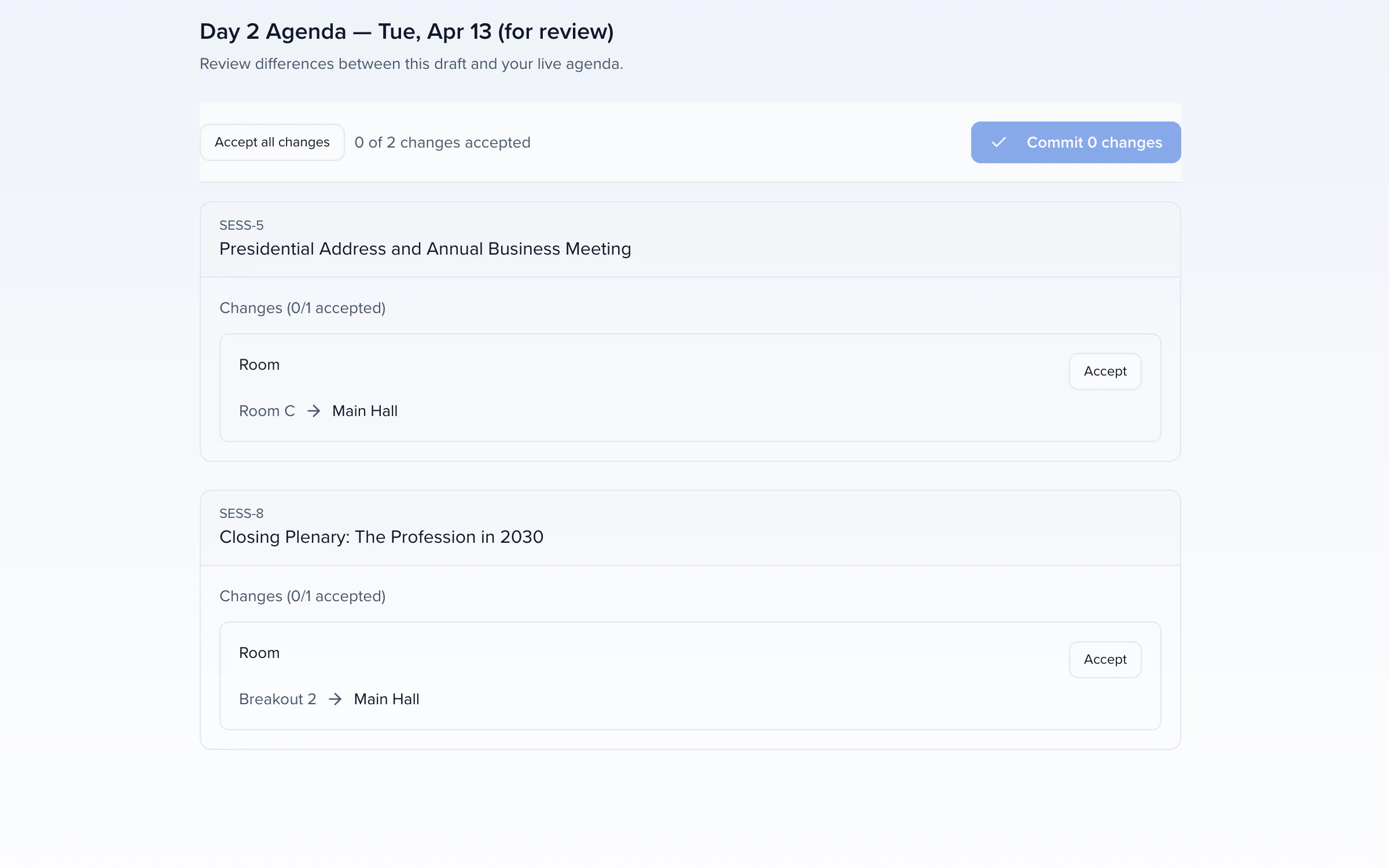
…I've created a new draft called "Day 2 Agenda — Tue, Apr 13 (for review)". Nothing is committed, so your live schedule is unchanged, and your two existing drafts are untouched.
I used the four accepted sessions currently scheduled on Day 2. They run one at a time, so there are no speaker or track clashes.
| Time (MT) | Session | Room | Change vs. live schedule |
|---|---|---|---|
| 10:00–11:00 AM | Presidential Address and Annual Business Meeting | Main Hall (500 seats) | Moved from Room C, which has no capacity set |
| 11:30 AM–12:30 PM | Ethics Case Studies: You Make the Call | Ballroom B (300 seats) | No change |
| 1:00–2:00 PM | Committee Showcase: Where to Volunteer Next Year | Breakout 1 (80 seats) | No change |
| 2:30–3:30 PM | Closing Plenary: The Profession in 2030 | Main Hall (500 seats) | Moved from Breakout 2, which only seats 80 |
Worth checking before you commit:
Open the draft in Sessionboard
Then, in Sessionboard
A real conversation, recorded 2026-11-02 on our demo event: claude-opus-5-5 with the Sessionboard MCP server. Answers and tool results are shown as they came back.
CONNECT
https://mcp.sessionboard.com/mcp.EU and Middle East organizations connect to their own region’s server. The Help Center has the steps. More on the Sessionboard MCP server.
TRY ASKING
CONNECT IN A FEW MINUTES
Add Sessionboard to Claude.
Sign in, pick your organization and ask your first question.
Yes. Sessionboard is a connector in Claude's connectors directory. Connect it, sign in to Sessionboard and pick your organization, then ask about your program, awards, learning, marketing and CRM in plain language.
Find Sessionboard in Claude's connectors directory, sign in to Sessionboard and pick your organization. The Help Center has the steps, including for EU and Middle East organizations.
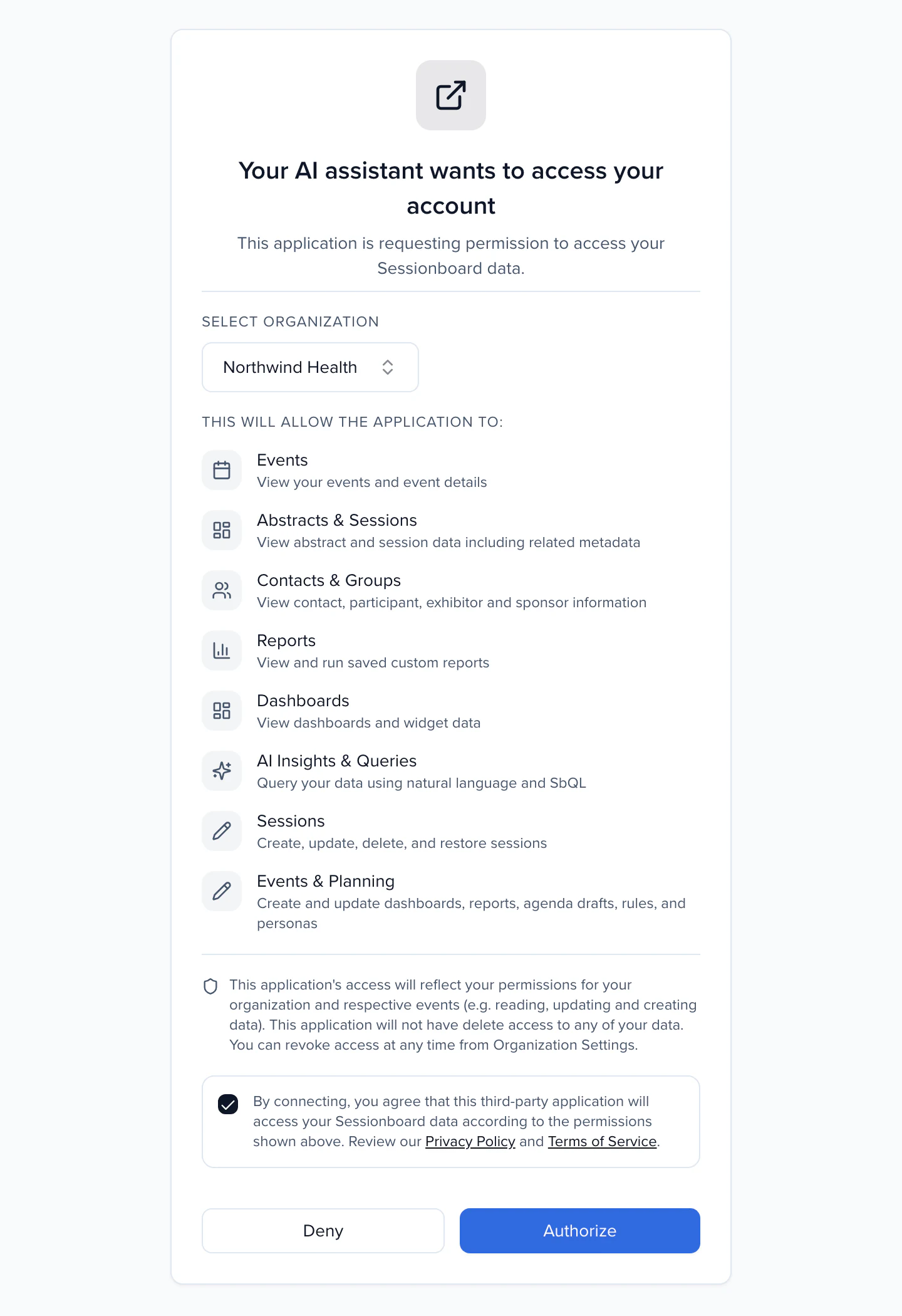
Only people whose role includes Connect AI assistants, in an organization with AI features turned on. The assistant sees only what that person's role and the scopes they granted allow.
No. Publishing, opening calls, inviting reviewers and announcing winners ask a person to approve first.
Yes. Sessionboard is also published for ChatGPT, with the same sign-in, permissions and approvals.
No. Every query is scoped to the organization from the sign-in token, never from what the prompt says.
Yes. The connector is the Sessionboard MCP server, at https://mcp.sessionboard.com/mcp for US organizations; EU and Middle East organizations connect to their own region's server.
Updated
Claude is a trademark of Anthropic. ChatGPT is a trademark of OpenAI. Other names are trademarks of their respective owners.
YOUR NEXT CALL FOR PAPERS IS THE PLACE TO START
Make this year's program the reason next year's is bigger.