REPORTS
An event report and a debrief for each day
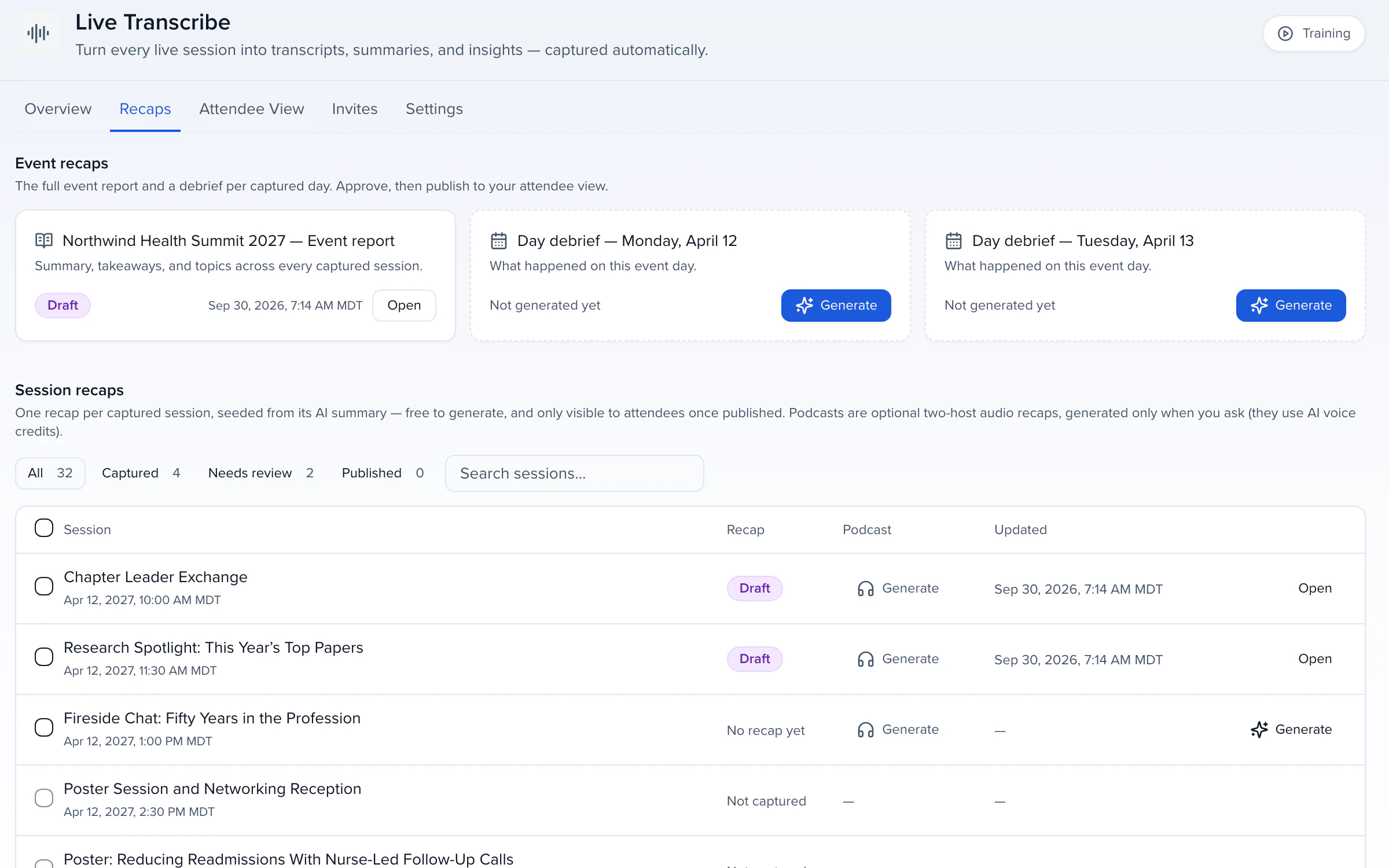

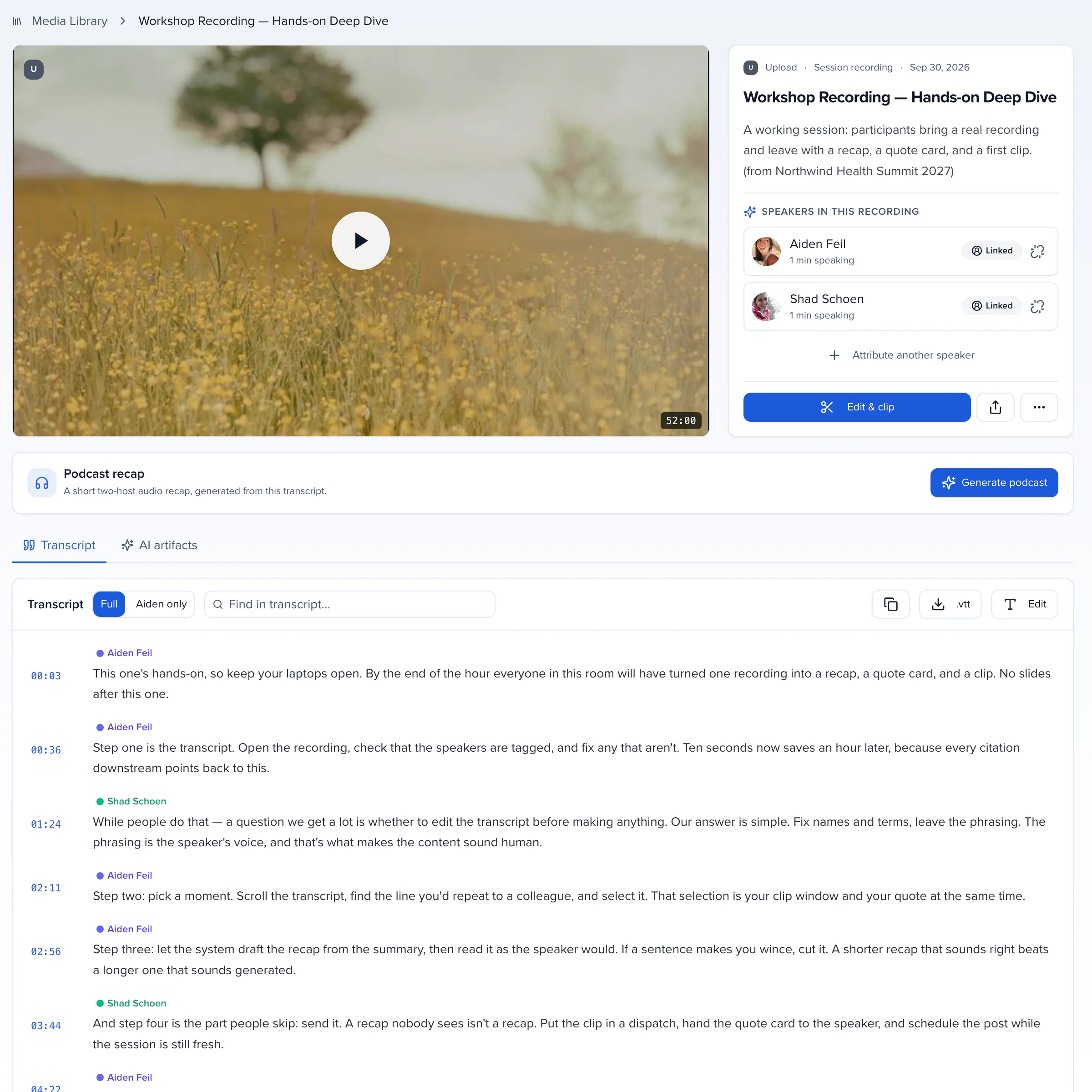
Live Transcribe runs in the room or from Zoom, ON24 and Goldcast, with speaker names resolved to your CRM records. Captions for the audience as it happens; a transcript, summary and recap drafts the moment the session ends.
Booking a captioning vendor for every room adds up fast.
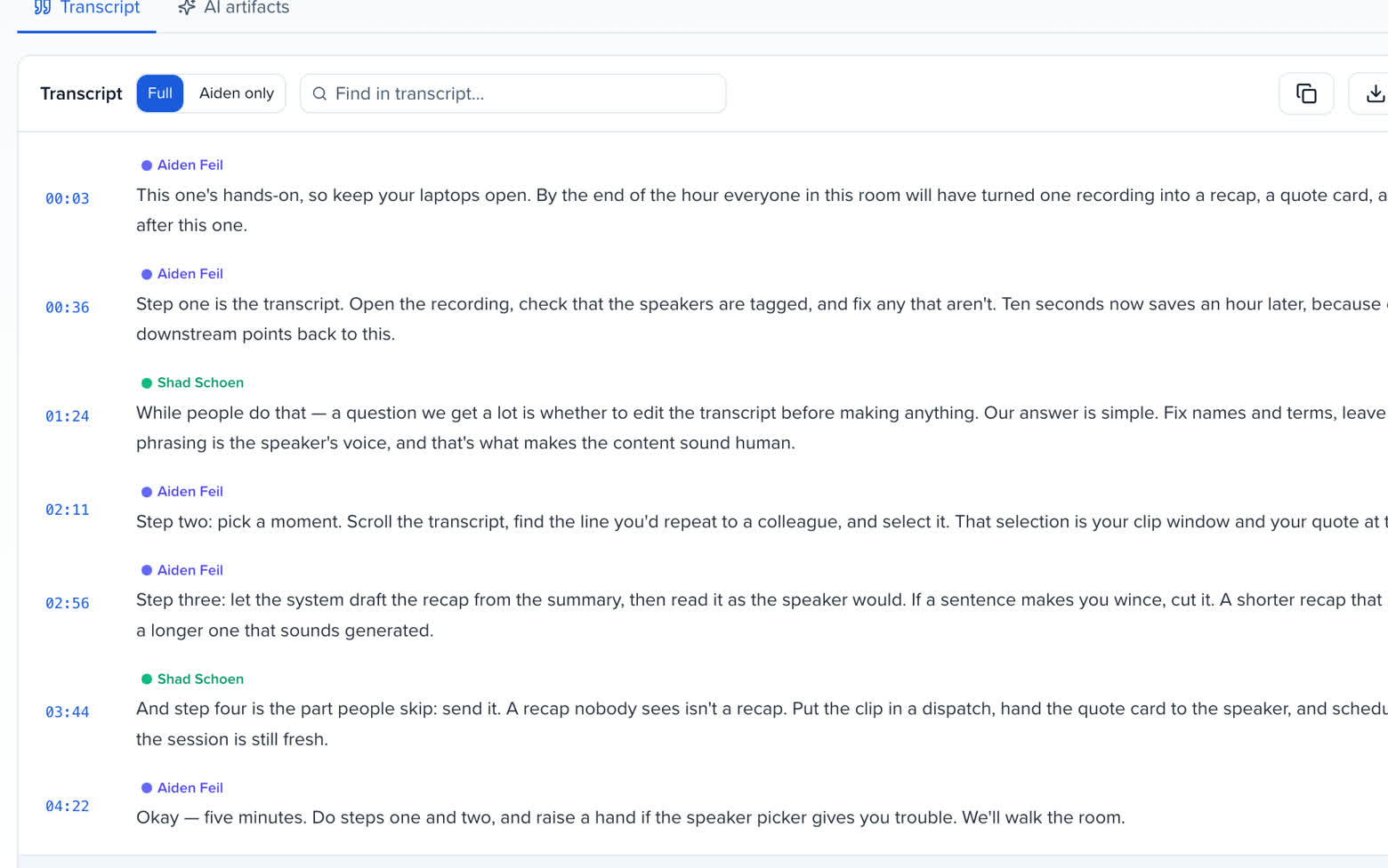
Transcripts and captions with a name on every line.
QUICK ANSWER
Conference transcription turns what is said on stage into live captions and a written transcript, usually through a captioning vendor or a post-event service. Sessionboard does it inside the program: Live Transcribe captures the room's audio from a laptop, attributes every line to the speaker on the agenda, and files the transcript, captions and recap to the session and the speaker's record.
HOW IT WORKS
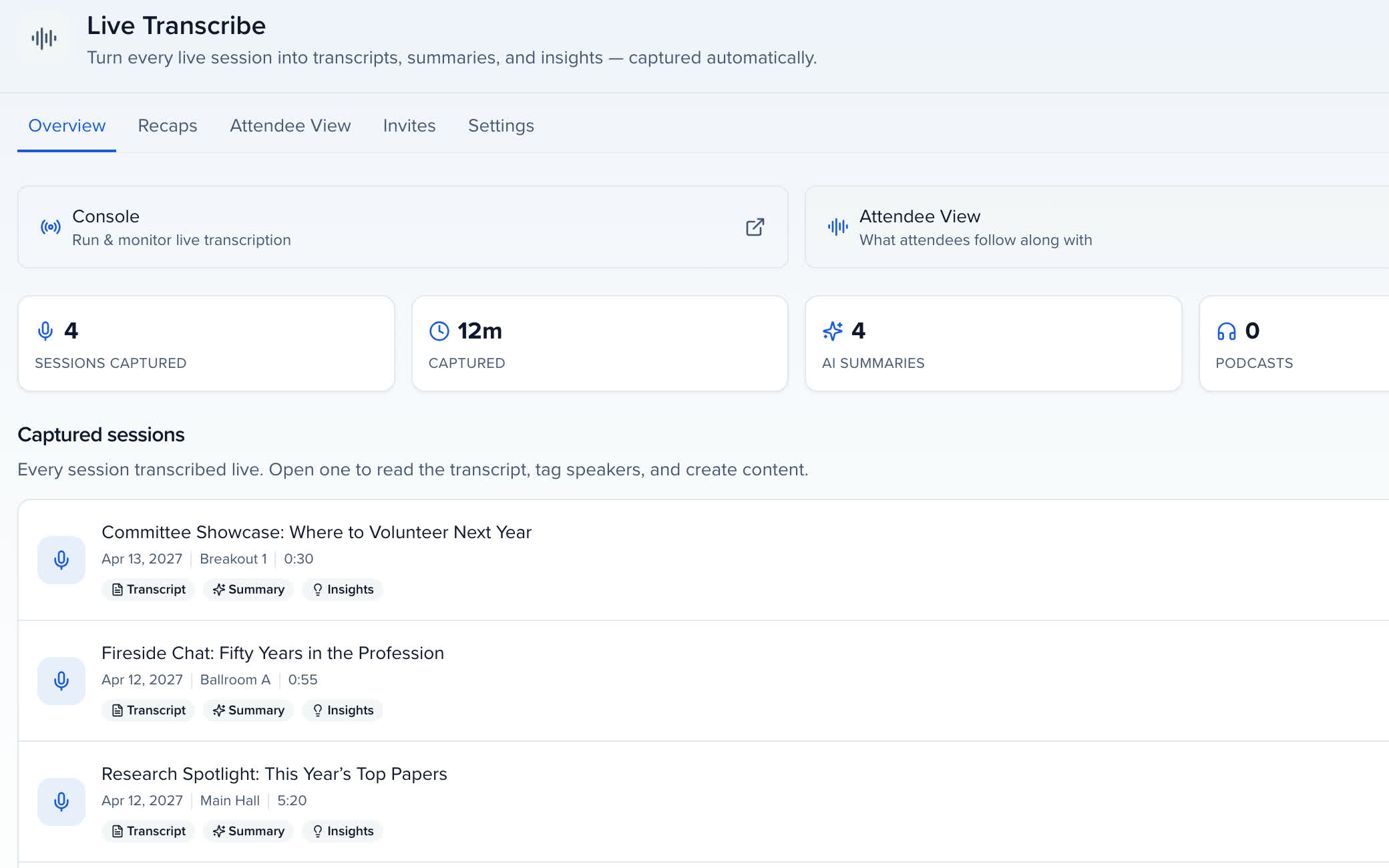
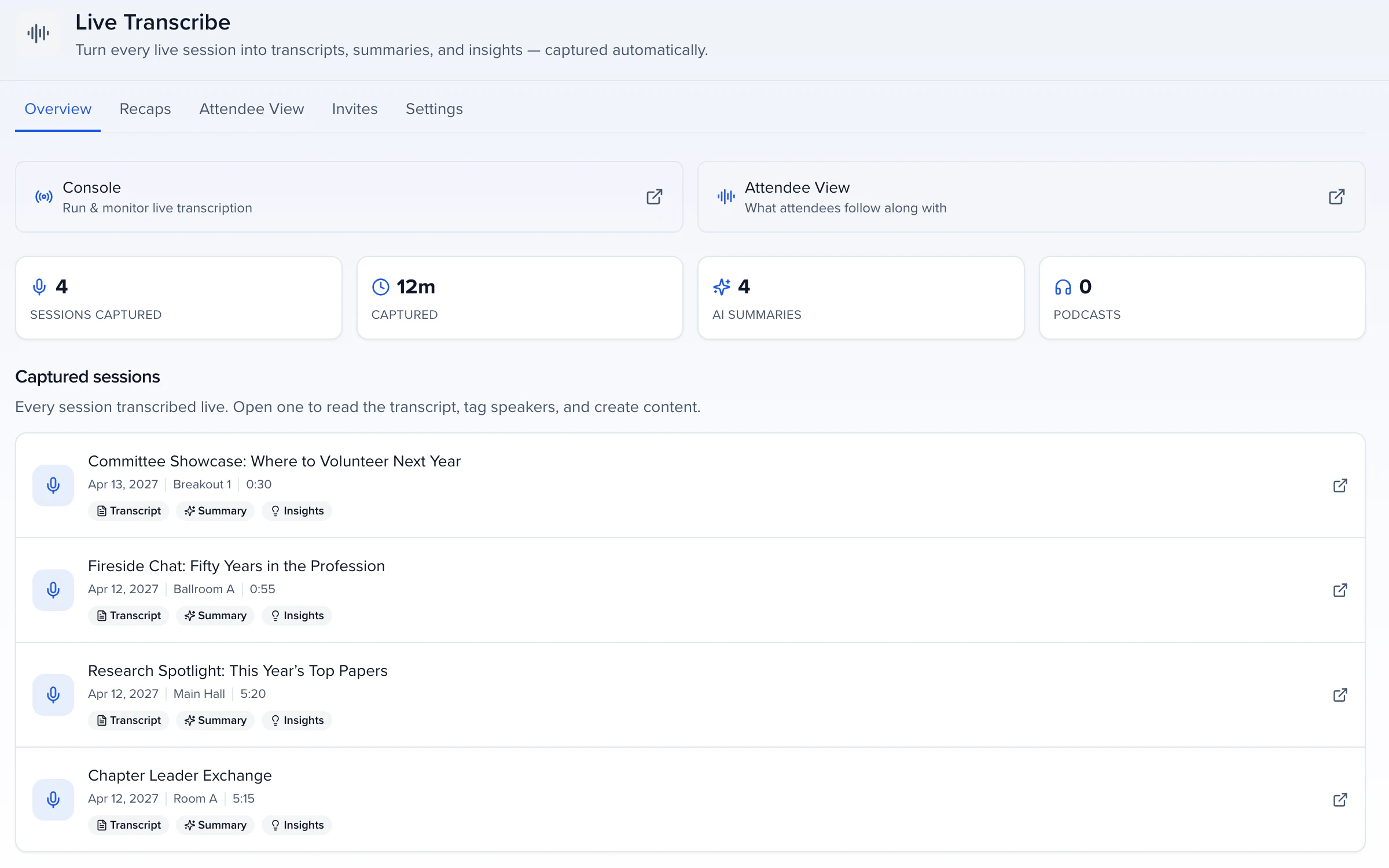
Each room needs a laptop with Chrome on a wired connection, the soundboard or microphone feed into its audio input, and one person to press Start. The live transcript fills in a line at a time, each stamped with who was talking; the audio saves as it goes, so there is always a recording to fall back on. Stop, and the take finishes writing, recap drafts are queued and post-session recovery re-transcribes the recording in the background so a dropped connection or a late start is not lost. The transcript, summary and insights are filed to the session and to the speaker in the CRM.
ACCURACY
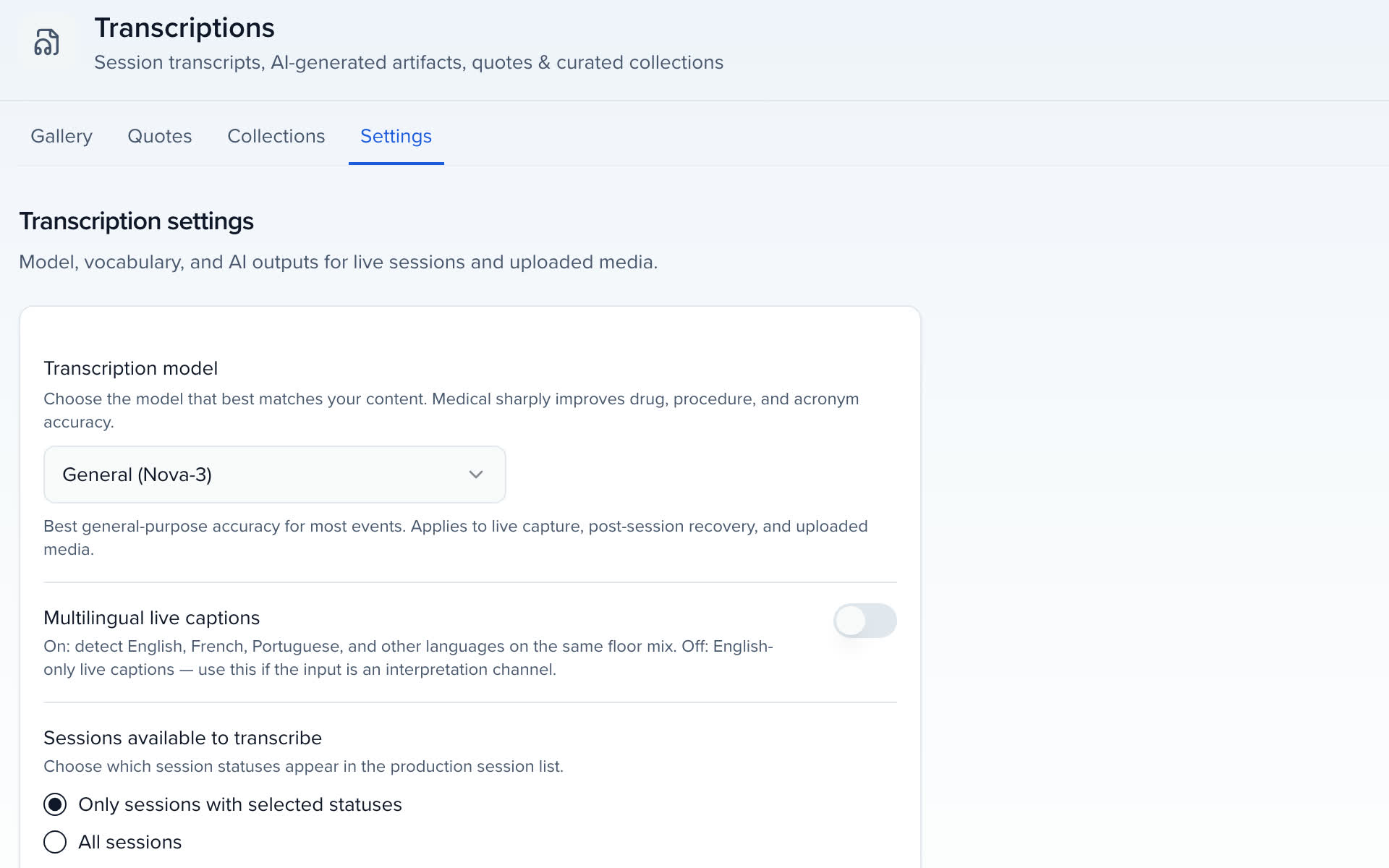
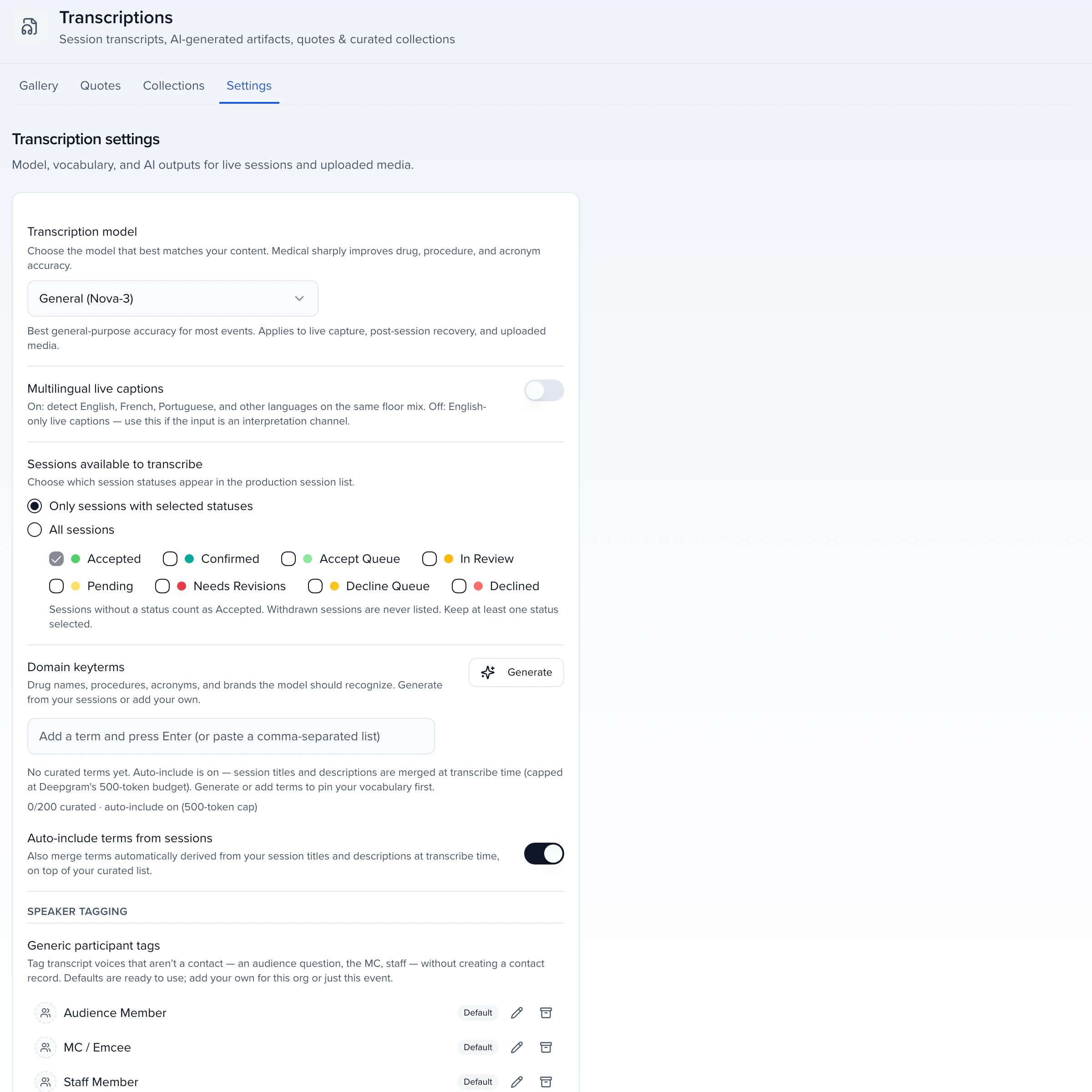
Pick the General or Medical model per event; Medical earns its keep on a clinical or scientific program, getting drug names, procedures and clinical acronyms right. Add keyterms, the product names, acronyms and speaker names a model would otherwise miss, before the first session, because they cannot retroactively fix a transcript already captured. A board feed is what makes a large room accurate. Afterwards, search the transcript, filter by speaker and correct any line in place; recaps, exports and the attendee page use the corrected text from then on.
GENERAL OR MEDICAL, PER EVENT
LANGUAGES
Multilingual live captions detect the language per utterance when speakers switch languages on the same floor feed, with speaker labels staying on the people on stage. Translation stores translated transcripts for your team, and attendees pick their own language in the attendee hub: live captions, replay and the session transcript follow that choice. Captions you already have in SRT or VTT can be imported as a recording's transcript, and every transcript exports as VTT captions.
CONSENT
Two controls keep sessions that must not be recorded out of the pickers: Sessions available to transcribe limits the Capture picker and the Live Transcribe Console to the statuses you tick, and nothing is captured until a person presses Start. Live audio listen-in for remote attendees is turned on only with speaker and venue consent. A session captured by mistake is deleted to Trash, where it stops appearing in the library, the attendee view and everything generated from it, and Restore brings it back if you change your mind.
EVENT CAPTIONING FOR ATTENDEES
The attendee view is a public page for the event's content: live captions during the session, replay and recaps after it, from one link with no login.
REPORTS
RECAP
SUMMARY
Real-time captions, insights as they build, reactions and a live discussion, in the room or at home.
Captions follow along on the phone; attendees save a moment with a private note that is never shared.
The recording's audio with synced captions, the transcript and the published recap on the session page.
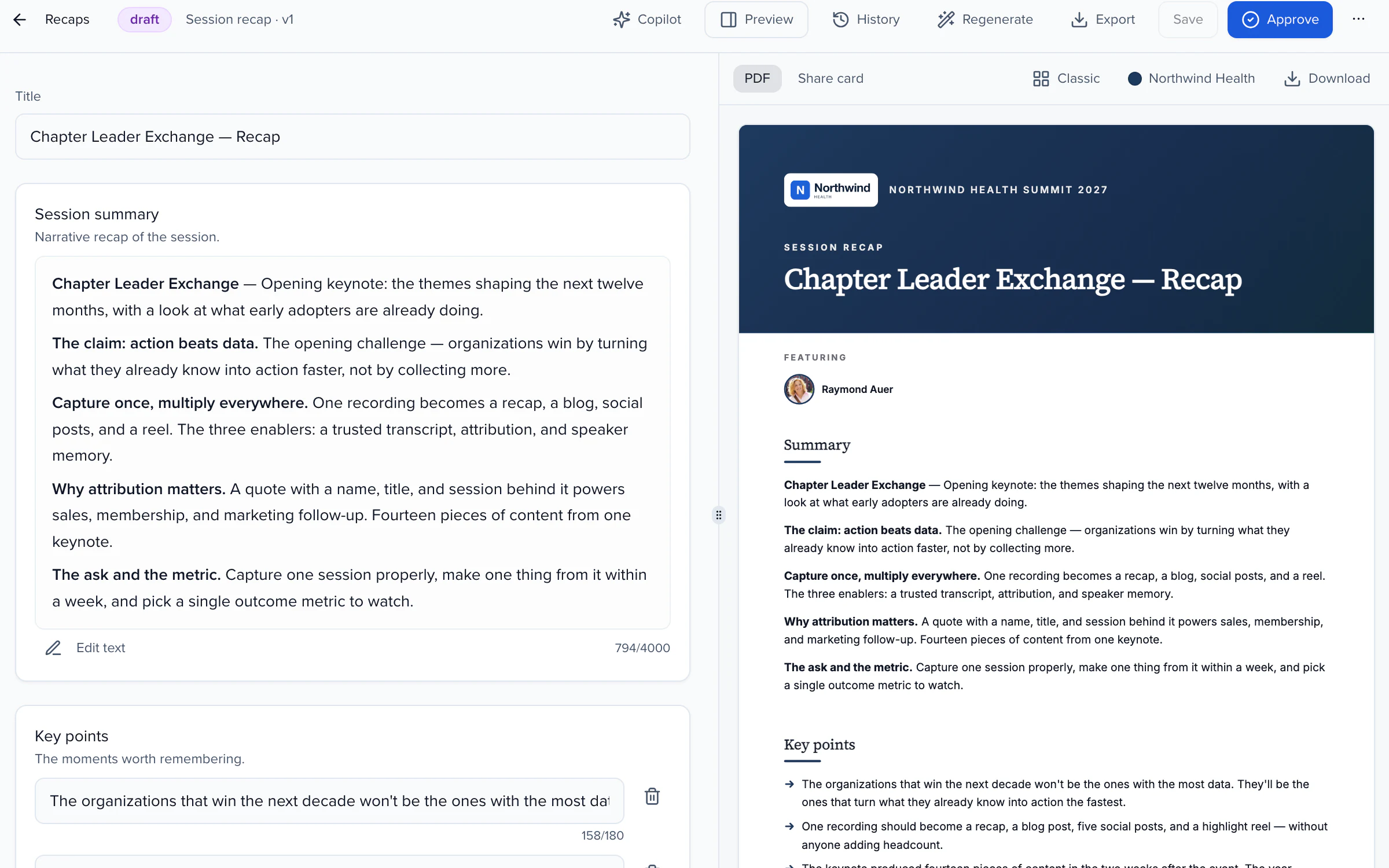
The AI summary as a PDF or image, and published recaps and reports.
AFTER THE SESSION
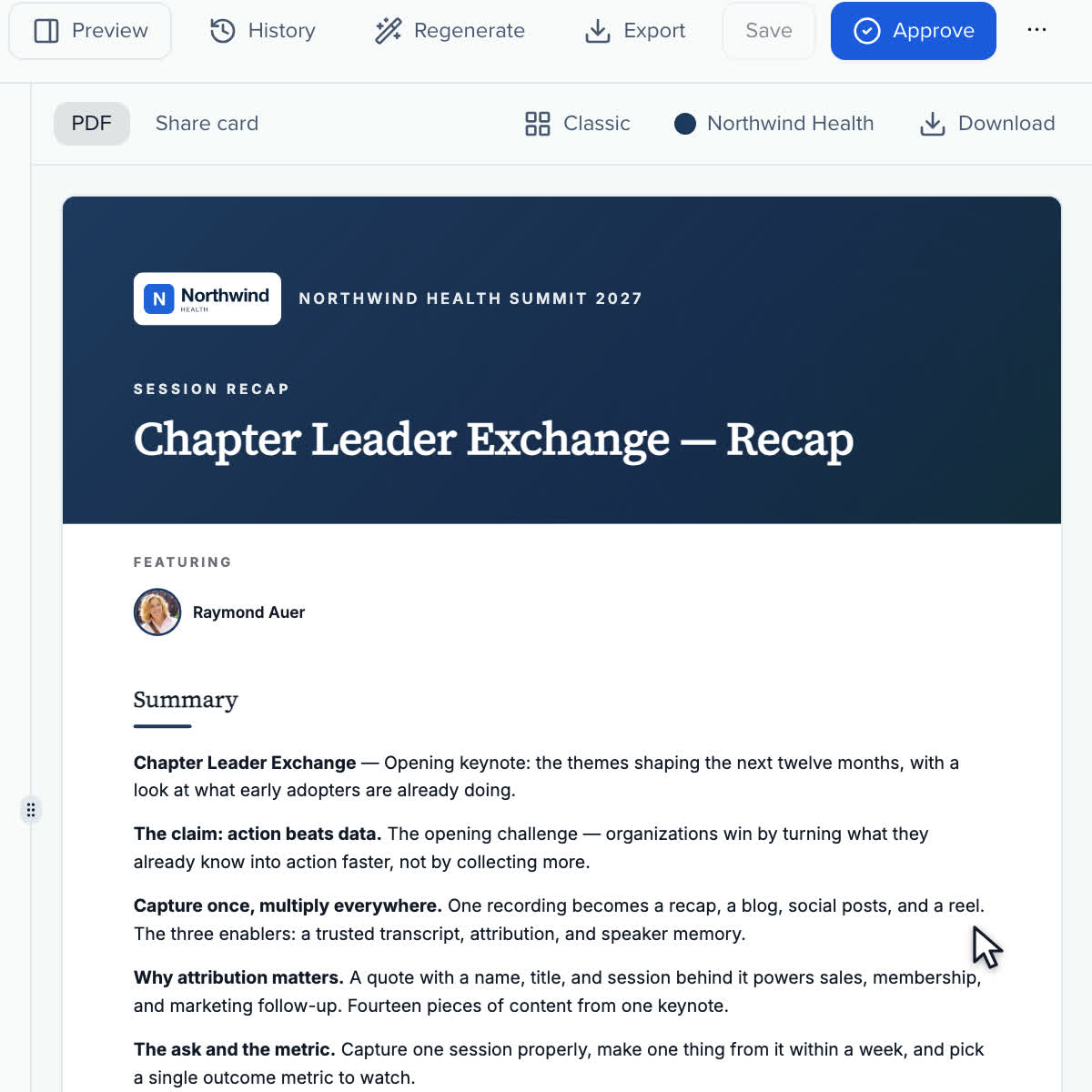
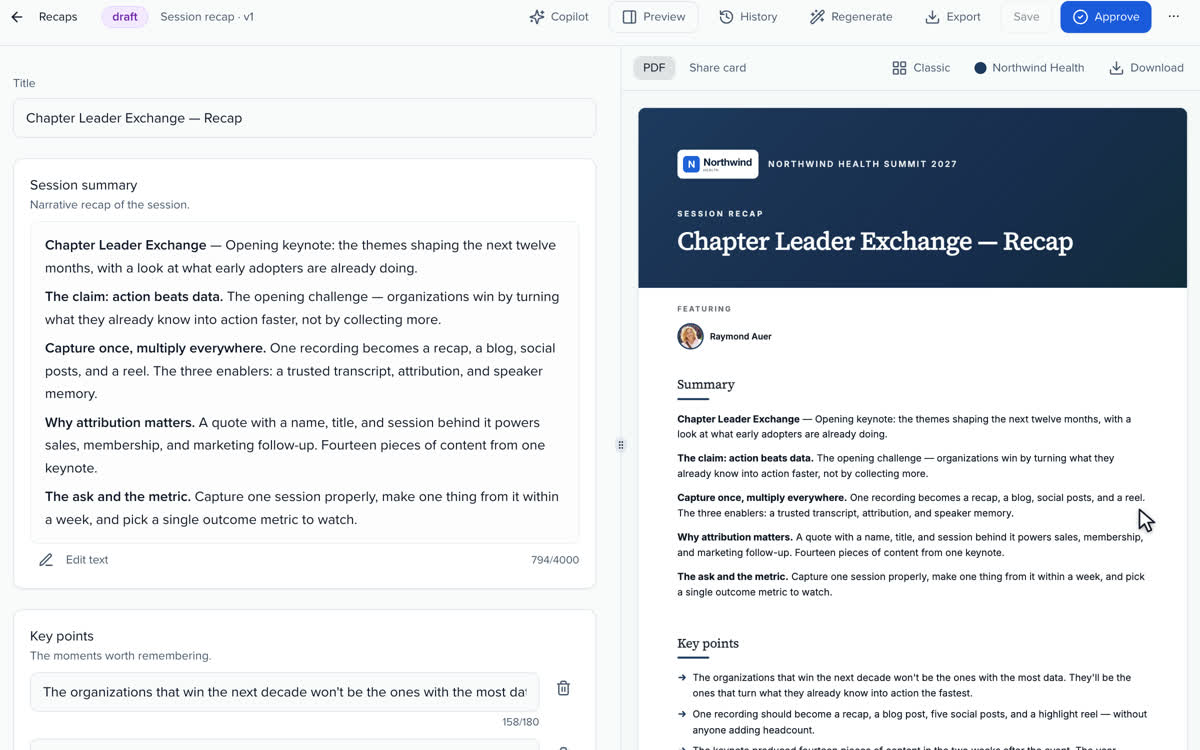
A PDF for reading, a share card for social posts.
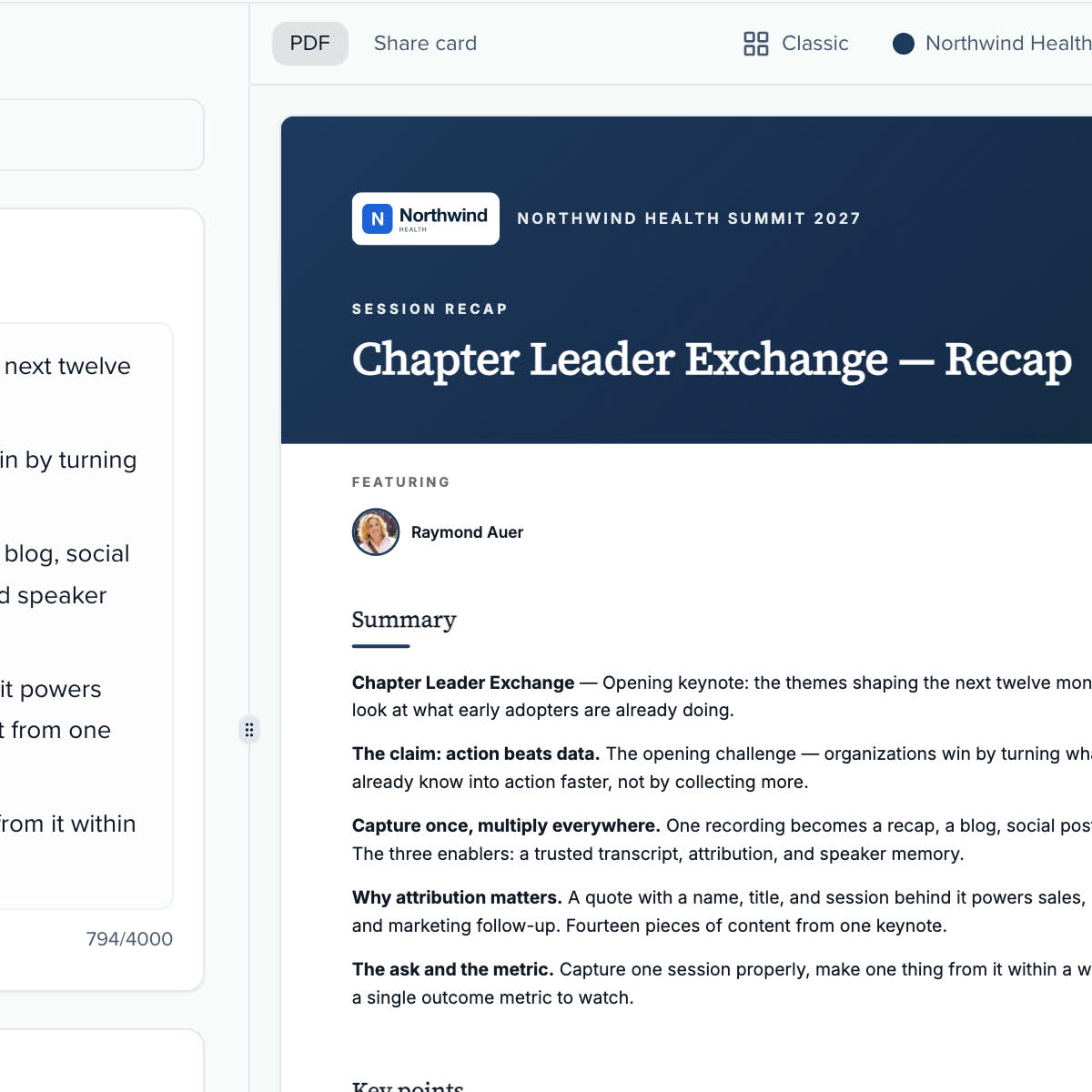
Switch between the PDF and the share card before you approve.
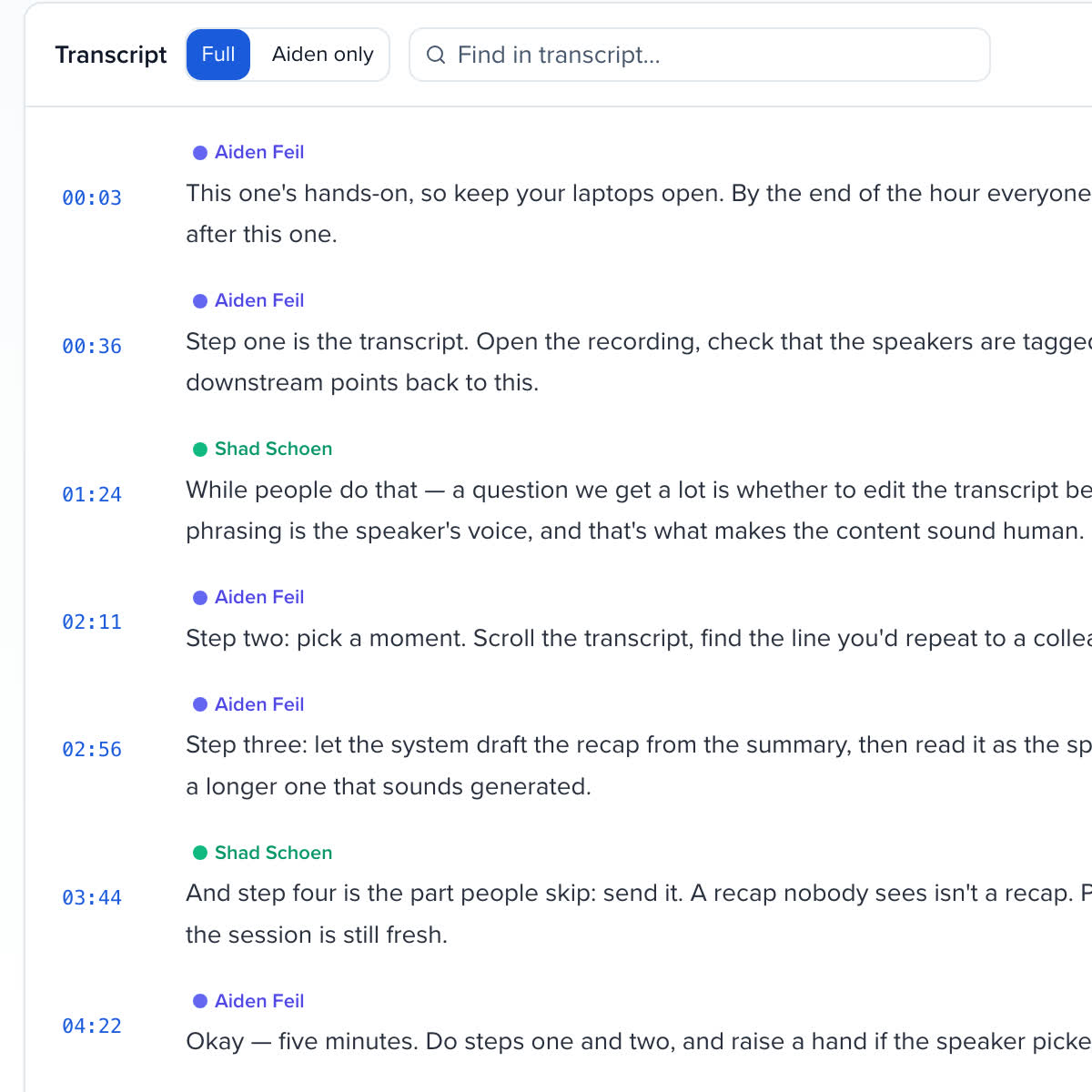
Every transcript can be searched line by line, speaker by speaker.
Sessionboard has been one of our most successful investments this year, making our team more efficient and allowing us to focus on the most critical components of our events.
Live Transcribe captures a session's audio as it happens and turns it into a speaker-attributed transcript, live captions, an AI summary, insights and recap drafts. It runs in the browser on a laptop in the room, from the soundboard feed or a microphone, and nothing is captured until someone presses Start Transcription.
Accuracy depends on the audio feed and the vocabulary. A line from the soundboard beats a laptop microphone in a large room; a Medical model is available for clinical and scientific programs; and keyterms, your drug names, acronyms, product names and speaker names, materially improve names and jargon when added before the first session. Post-session recovery re-transcribes from the recording afterwards for a groomed final pass.
Transcription and captions run in 30+ languages. Multilingual live captions detect the language per utterance when a room mixes languages on the same floor feed, and translation stores translated transcripts; attendees pick their own language in the attendee hub, and live captions, replay and the session transcript follow that choice. The Medical model is English-only.
No. Sessionboard captures audio and recordings from the room or your webinar platform and turns them into transcripts, captions and content. Streaming stays with your AV or webinar vendor.
Decide before the event which sessions may be captured. Sessions available to transcribe limits the pickers to statuses you tick, so a closed-door or licensed session never appears in the console; nothing starts until a person presses Start; and a session captured by mistake is deleted to Trash, where it stops appearing in the library, the attendee view and anything generated from it. Live listen-in for remote attendees is turned on only with speaker and venue consent.
Live captions on the live stage and in the Attend app, where they can save a moment with a private note, then a replay with synced captions, the transcript and the published recap on the session's page in the attendee view. No login is needed.
A laptop running Chrome on a wired connection, the soundboard or microphone feed into its audio input, and one person assigned to start and stop each session, either a team member or an AV crew member with a Live Transcribe Console invite link. No app to install and no captioning vendor.
YOUR NEXT CALL FOR PAPERS IS THE PLACE TO START