ZoomLive
 GoldcastLive
 ON24Next release
 BigMarkerNext release
 GoTo WebinarNext release
 Webex WebinarsNext release
 Microsoft Teams WebinarsNext release
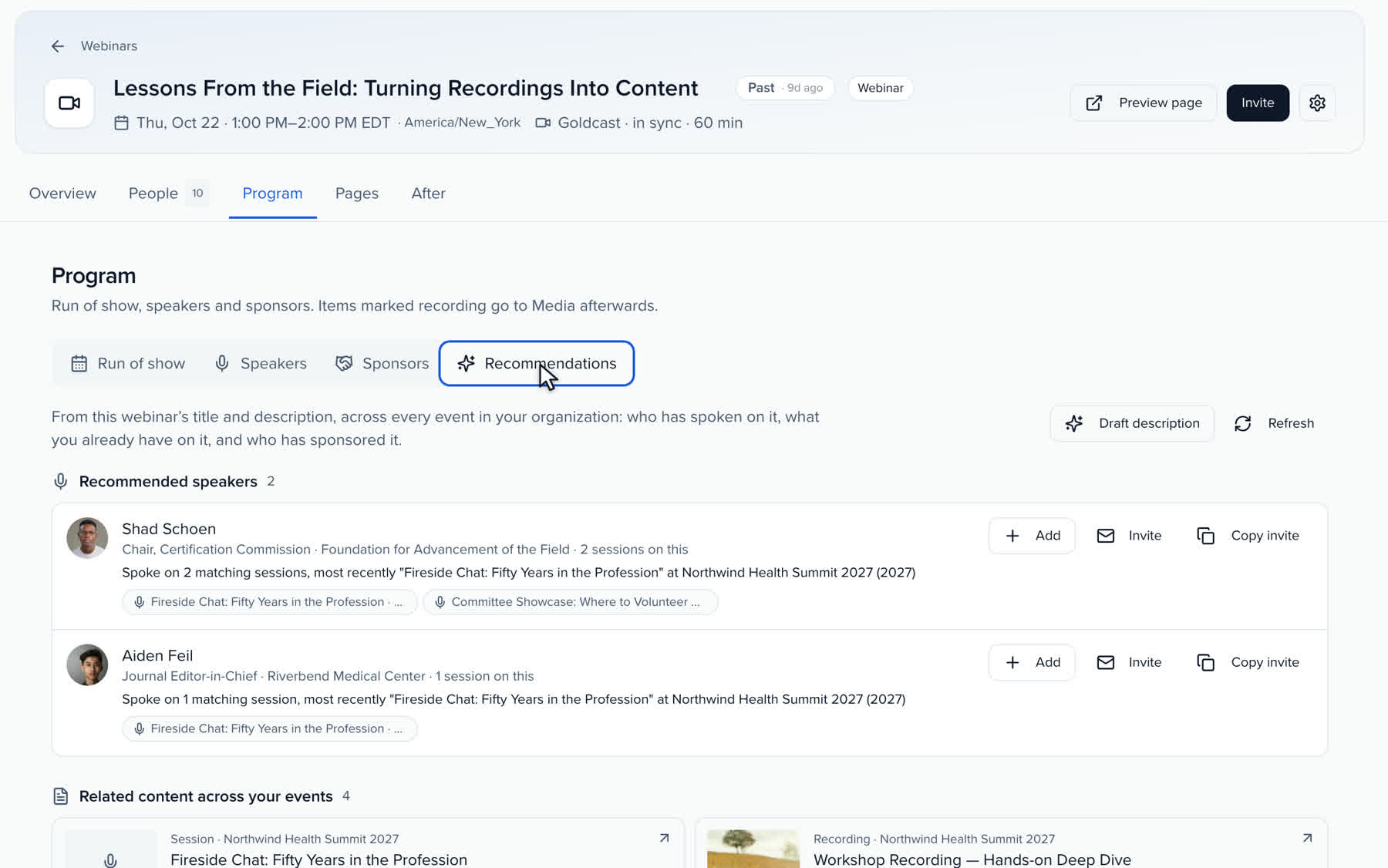
Recommended speakers
Contacts who spoke on the topic at your events or are tagged with it, with the sessions that show why. Add them to the webinar, or invite them in one click.

Plan the topic and the speakers, publish to Zoom, Goldcast or the platform you already use, and take registrations on your own page. When it ends, attendance, engagement and the recording come back on their own, and every attendee and no-show gets a recap built for them.
The webinar ends. The follow-up takes three weeks.
Every webinar, from plan to proof.
QUICK ANSWER
Webinar management software runs everything around the live webinar: the plan, publishing to the webinar platform, registration, attendance and the follow-up. Sessionboard does it for Zoom, Goldcast and five more platforms, and turns each recording into chapters, clips, posts and a recap for every registrant.
WORKS WITH YOUR WEBINAR PLATFORM
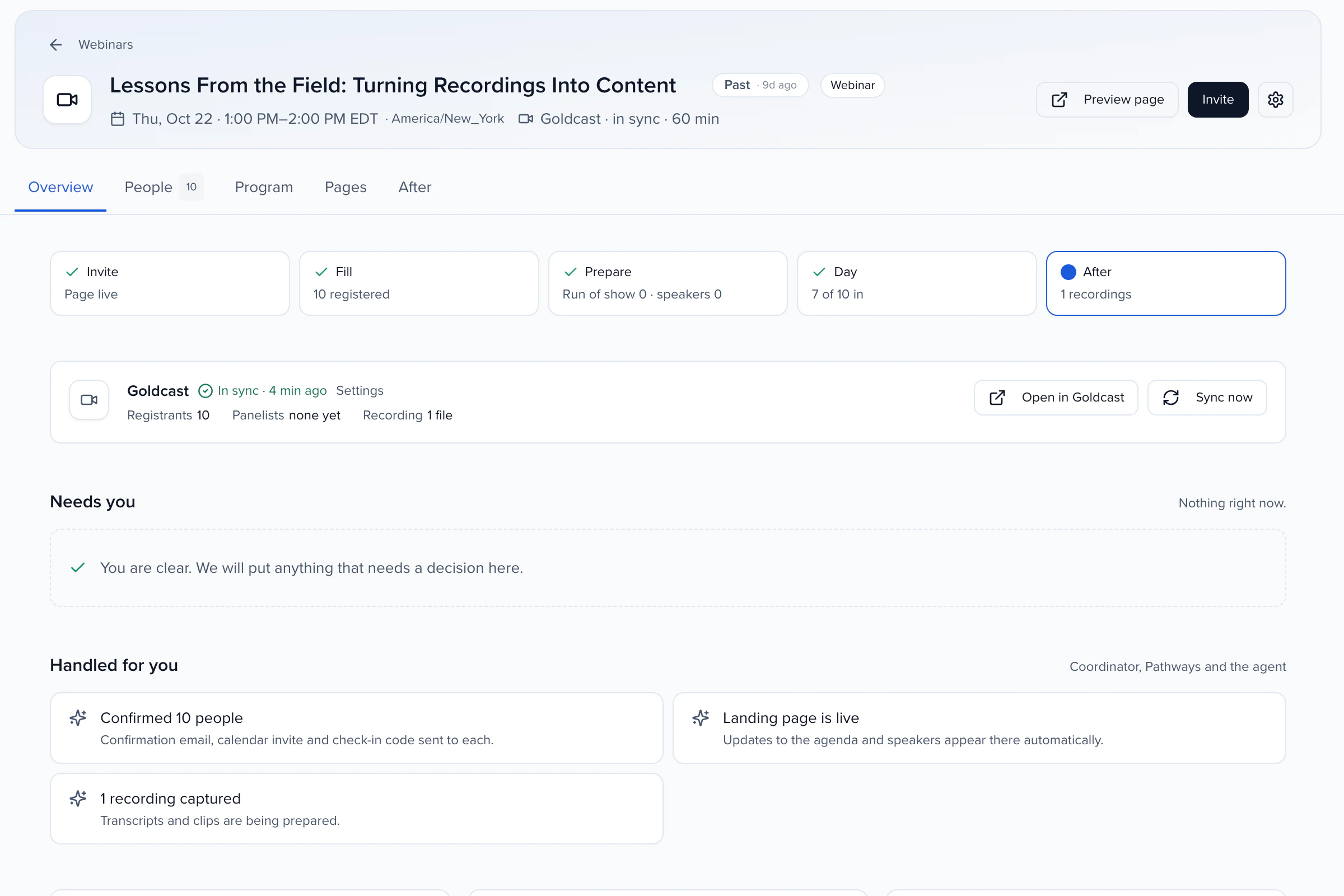
Connect it once in Apps. Sessionboard imports the webinars you already have, publishes the ones you draft here, and reads attendance, engagement and the recording back after each one. Zoom and Goldcast connect today; the other five arrive with the next release.
PLAN
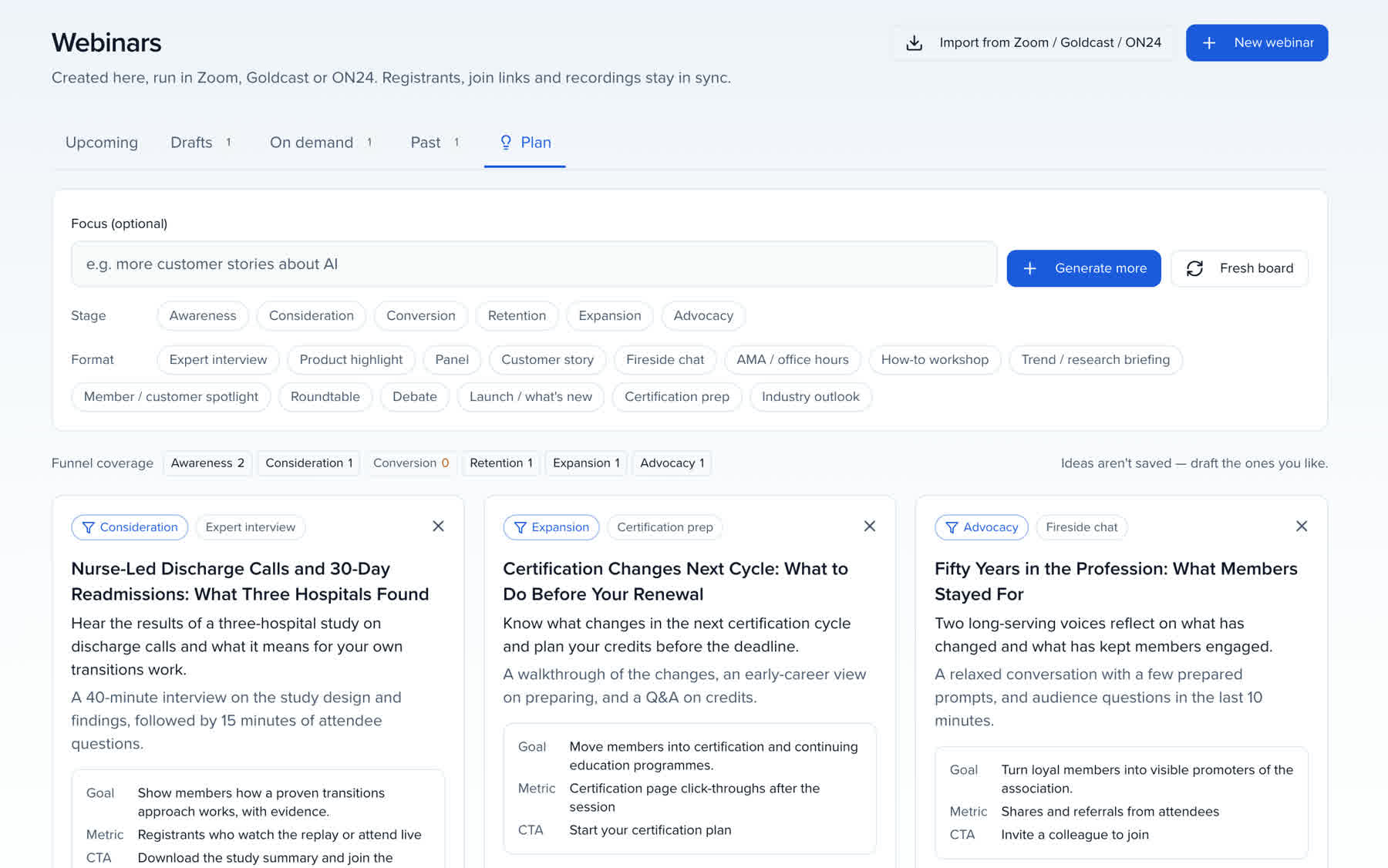
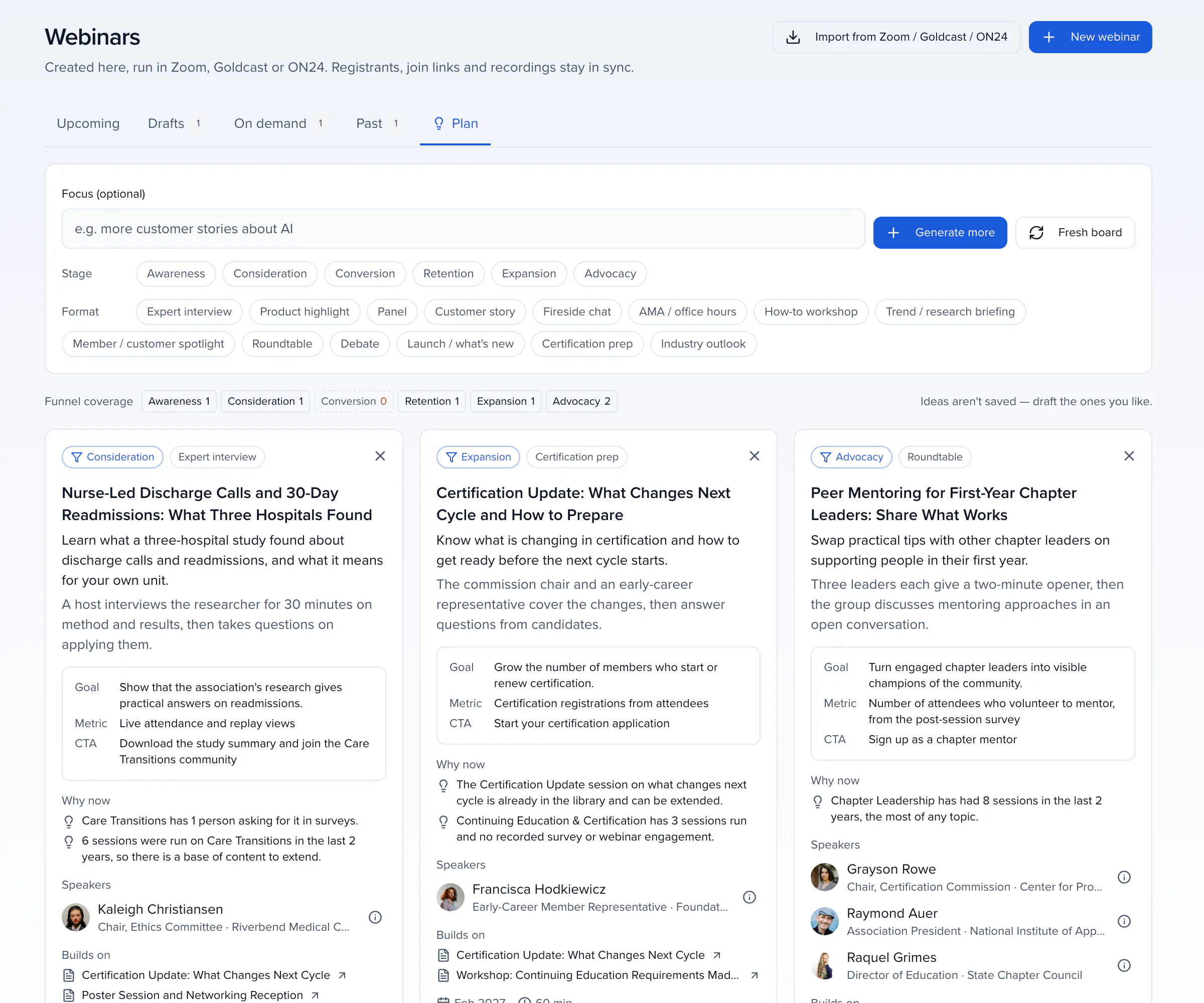
The Plan board suggests webinars from what your organization already has: your taxonomy topics, survey answers, past webinars and the speakers tagged with each topic. Every idea has a funnel stage and a format, a goal with the metric and call to action that prove it, the evidence for why now, speakers from your own contacts and the sessions it can build on. Focus it on a theme, filter by stage, ask for more like one you like, and Draft this webinar opens it with the speakers already added.
RECOMMENDATIONS
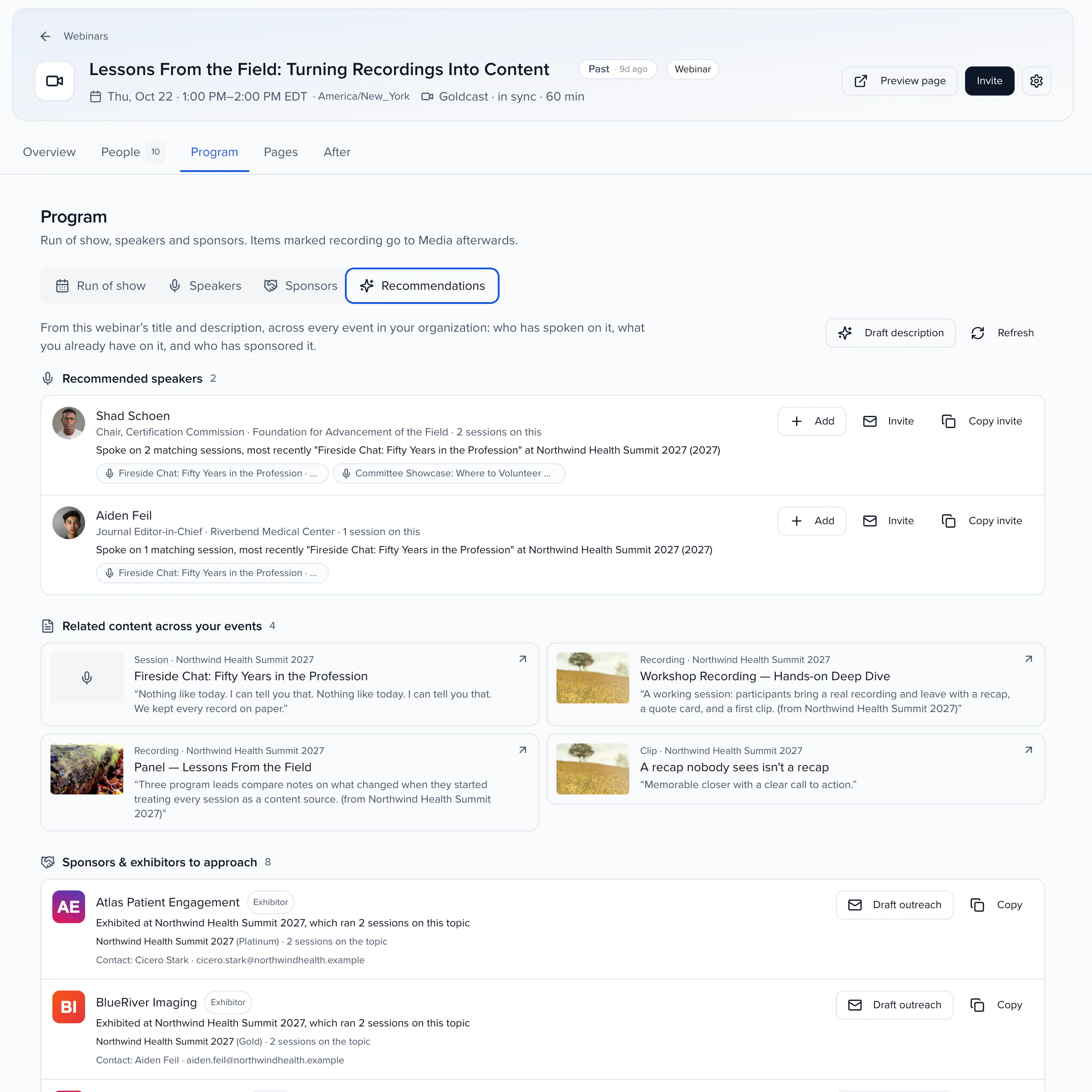
Write the topic and Sessionboard looks across every event you have run for who has spoken on it, what you already have on it, and who has sponsored it, ranked by how closely each one matches.
SPEAKERS WHO ALREADY SPOKE ON THE TOPIC
Contacts who spoke on the topic at your events or are tagged with it, with the sessions that show why. Add them to the webinar, or invite them in one click.
Sessions, recordings and clips on the same subject from the last five years, to quote, link or build on.
Accounts that backed matching sessions, with their primary contact and a first message to draft.
HOW IT WORKS
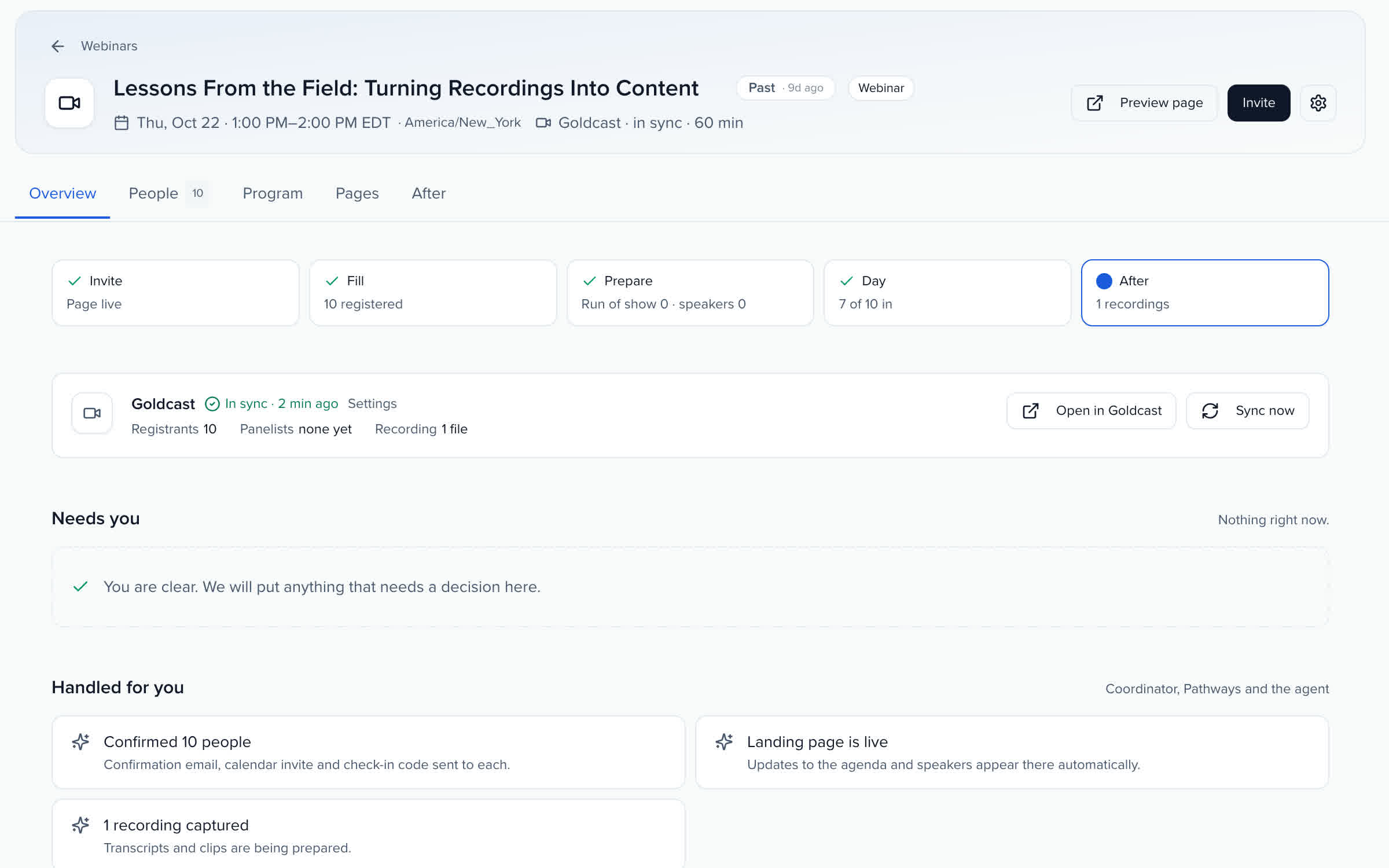
Your team edits the webinar in one place and the platform follows. Registrants sign up on your page and get their join link in your confirmation email; Sessionboard syncs every 15 minutes, and when someone changes the title, start time or duration in the platform you choose which version wins. After the end time, the sync brings back attendance, engagement and the recording.
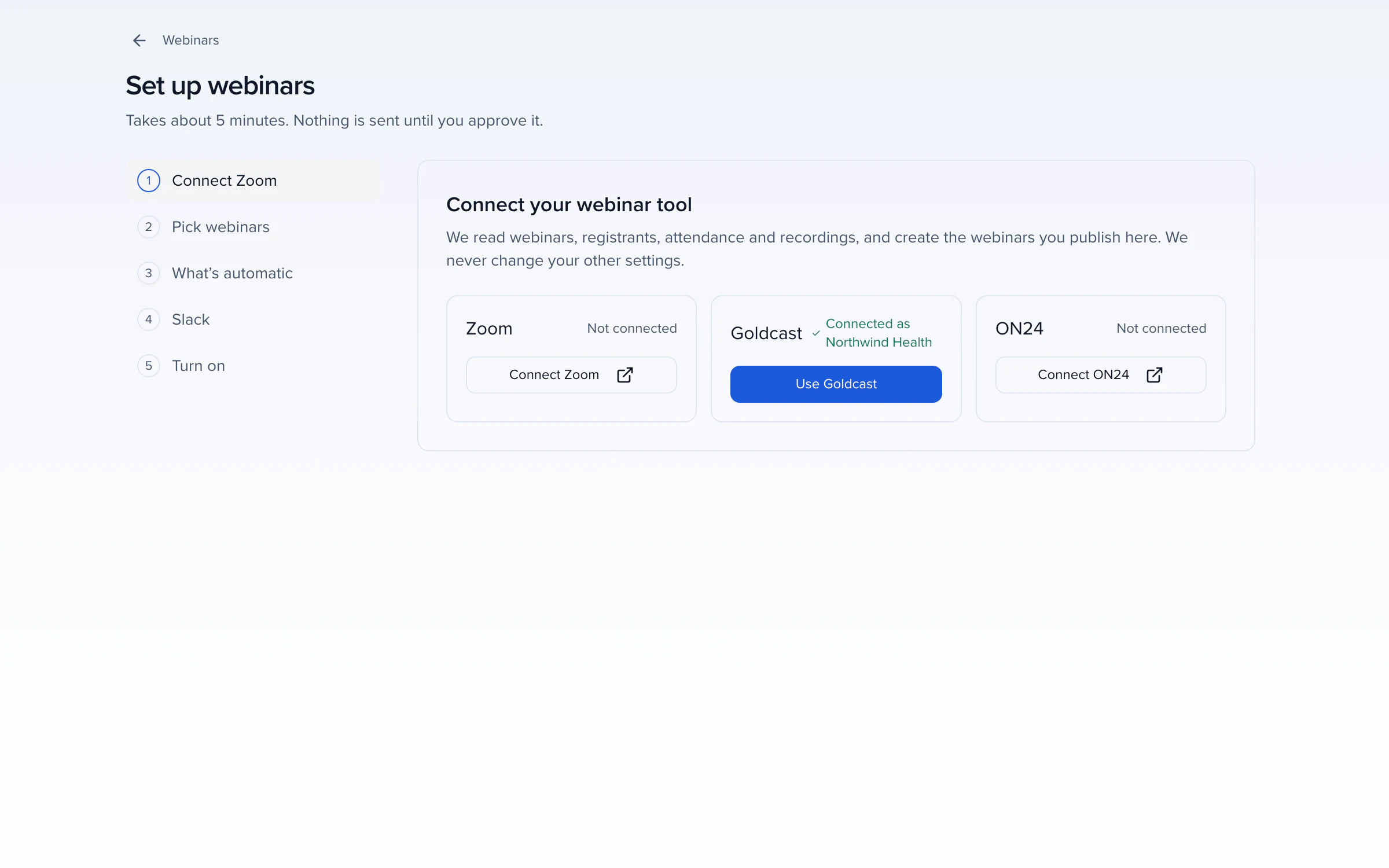
WHAT EACH PLATFORM REPORTS
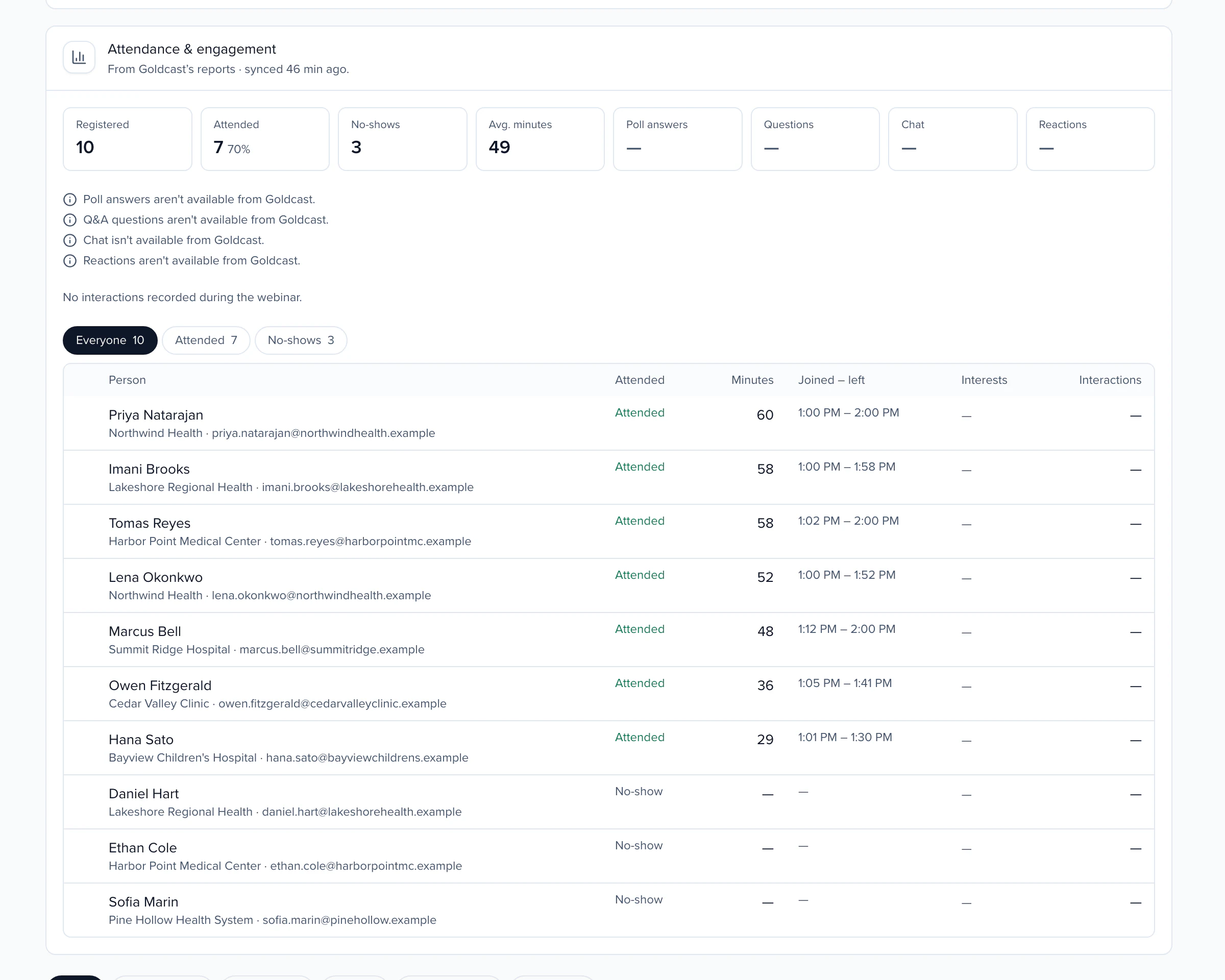
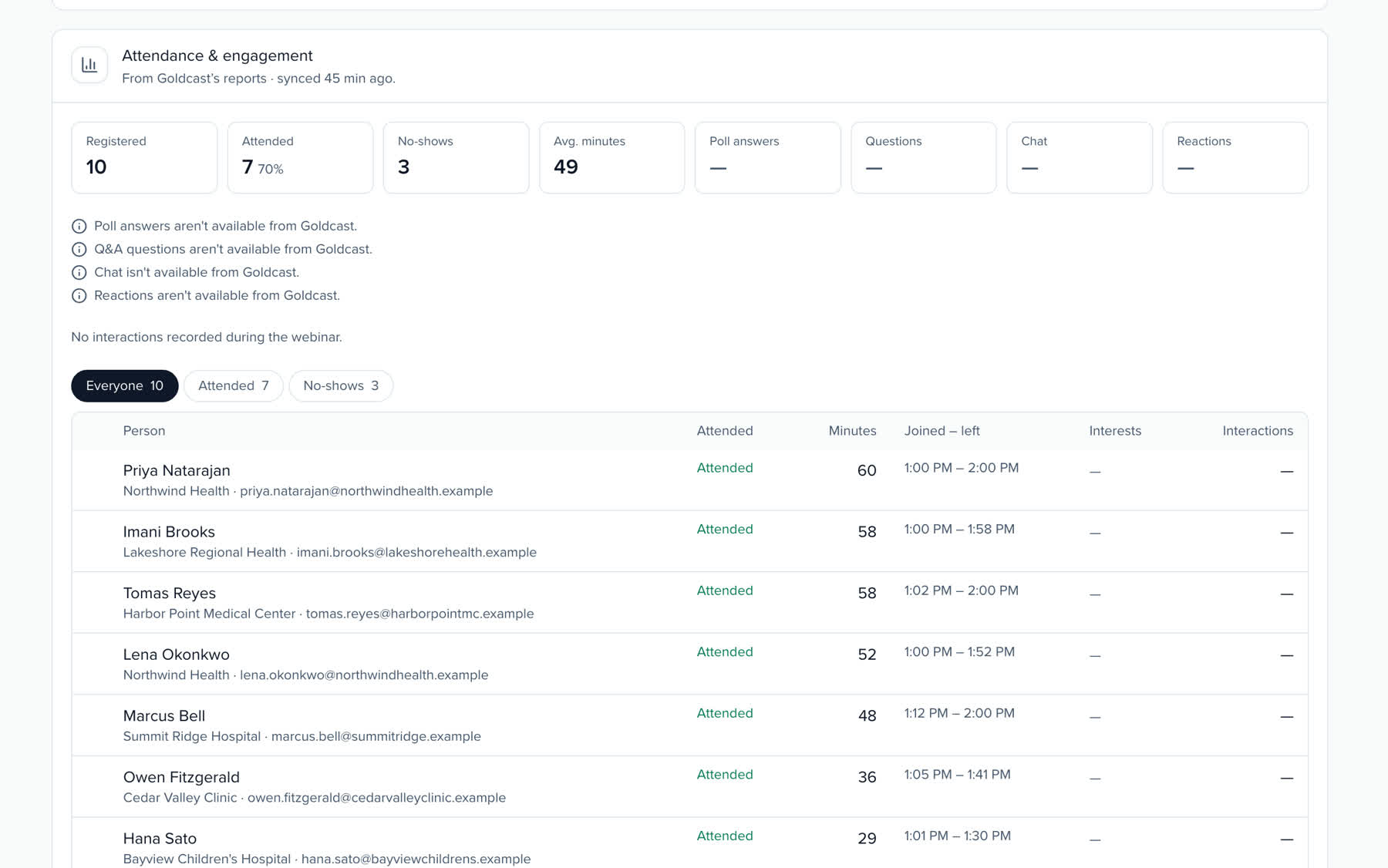
Every registration, attendance and interaction is stored on the person, tagged with topics from your taxonomy and matched to the moment in the recording, so it feeds Pathways and each person's recap. When a platform does not report something, Sessionboard says so instead of showing zero.
Attendance with join and leave times, poll answers, Q&A questions, and survey ratings and feedback.
Zoom and Sessionboard →Attendance with join and leave times, CTA clicks and demo requests, ratings and written feedback.
Goldcast and Sessionboard →Attendance, poll answers, Q&A, chat, reactions, CTA clicks, feedback and the resources each person opened.
ON24 and Sessionboard →Attendance, polls, Q&A, chat, reactions, CTA clicks, ratings, feedback, handouts and replay views.
BigMarker and Sessionboard →Attendance, poll answers, Q&A questions, and survey ratings and feedback.
GoTo Webinar and Sessionboard →Attendance and survey ratings and feedback; polls, Q&A and chat where your Webex admin allows them.
Webex Webinars and Sessionboard →Attendance with join and leave times, and reactions and raised hands per attendee.
Microsoft Teams Webinars and Sessionboard →AFTER THE WEBINAR
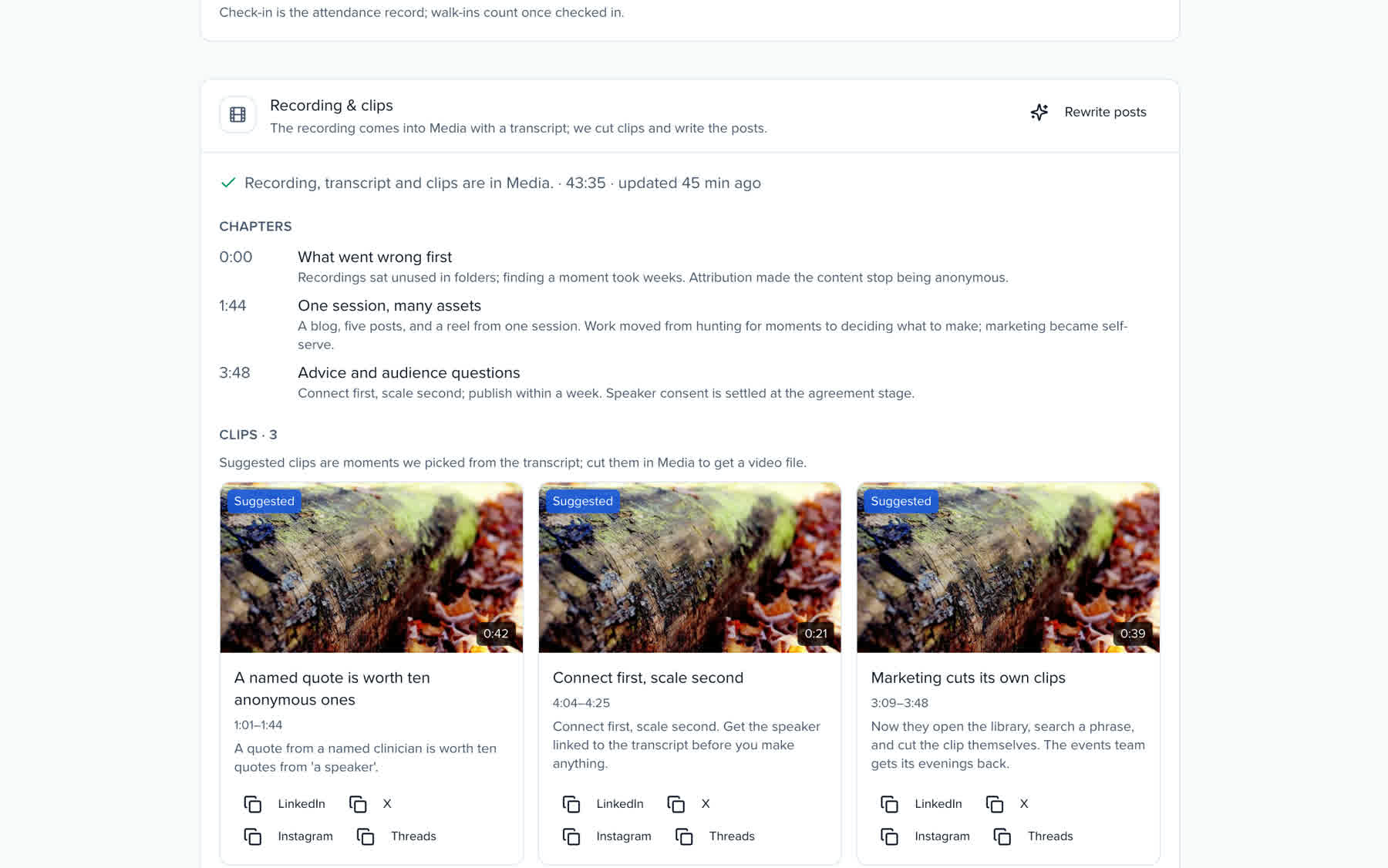
The week after a webinar is when the recording is worth the most and gets the least attention. The After tab does the production work: chapters, clips, posts and a recap per person, ready for you to review and send.
01 CHAPTERS
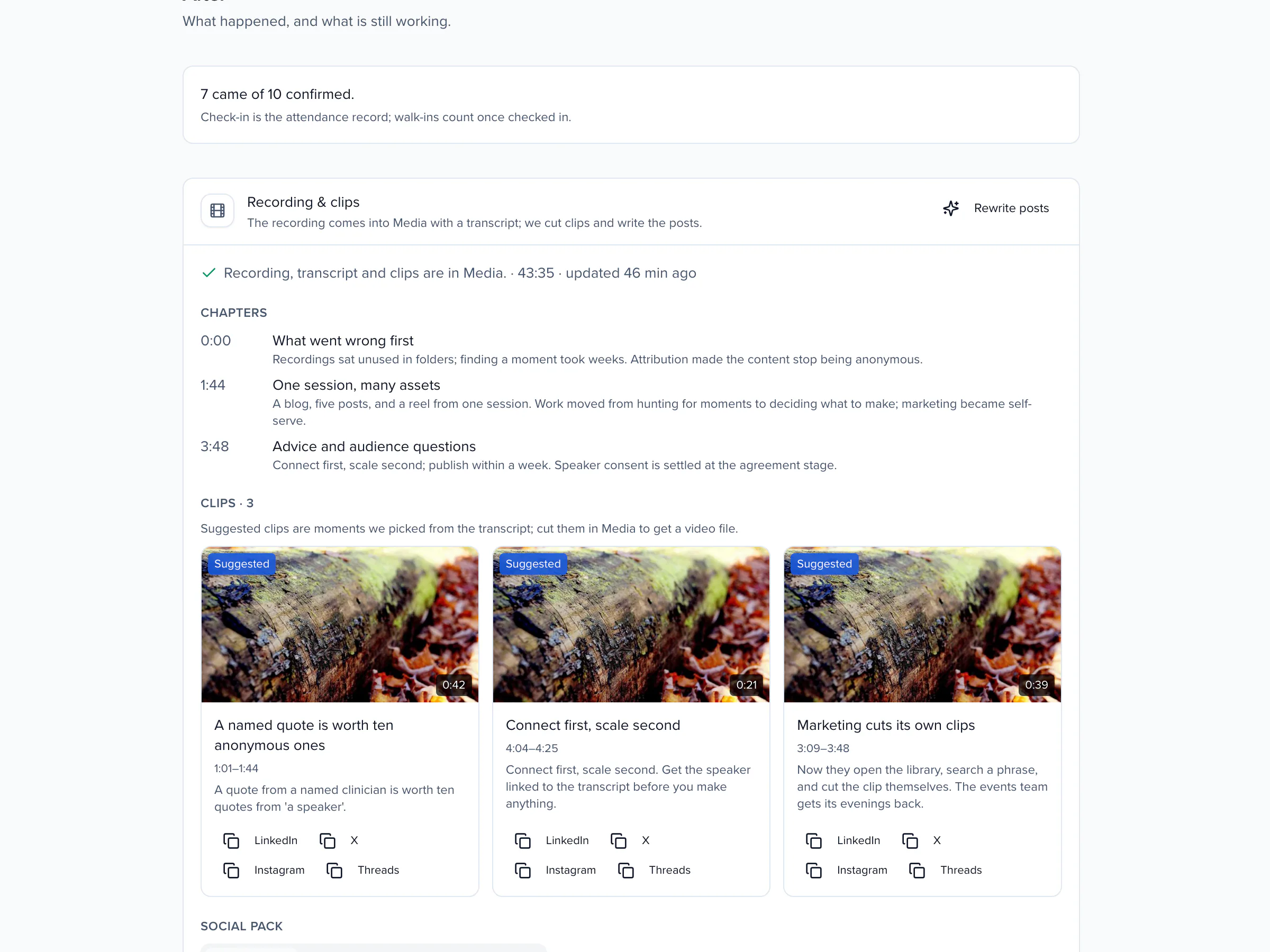
02 CLIPS
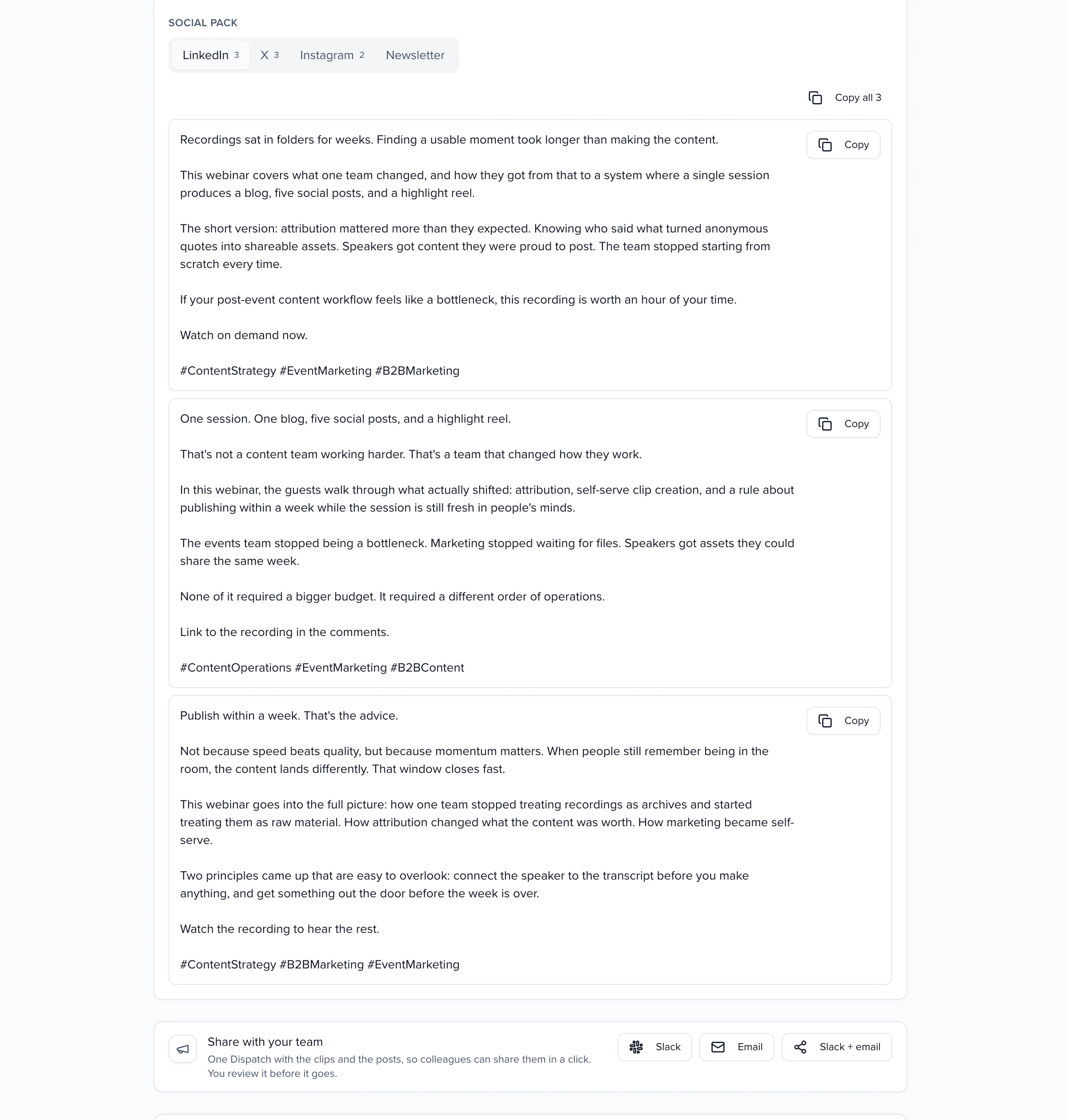
03 SOCIAL PACK
The clips and posts go to colleagues as a Dispatch, by Slack, email or both. Each teammate gets one button to their own share kit, with your line on why it matters.
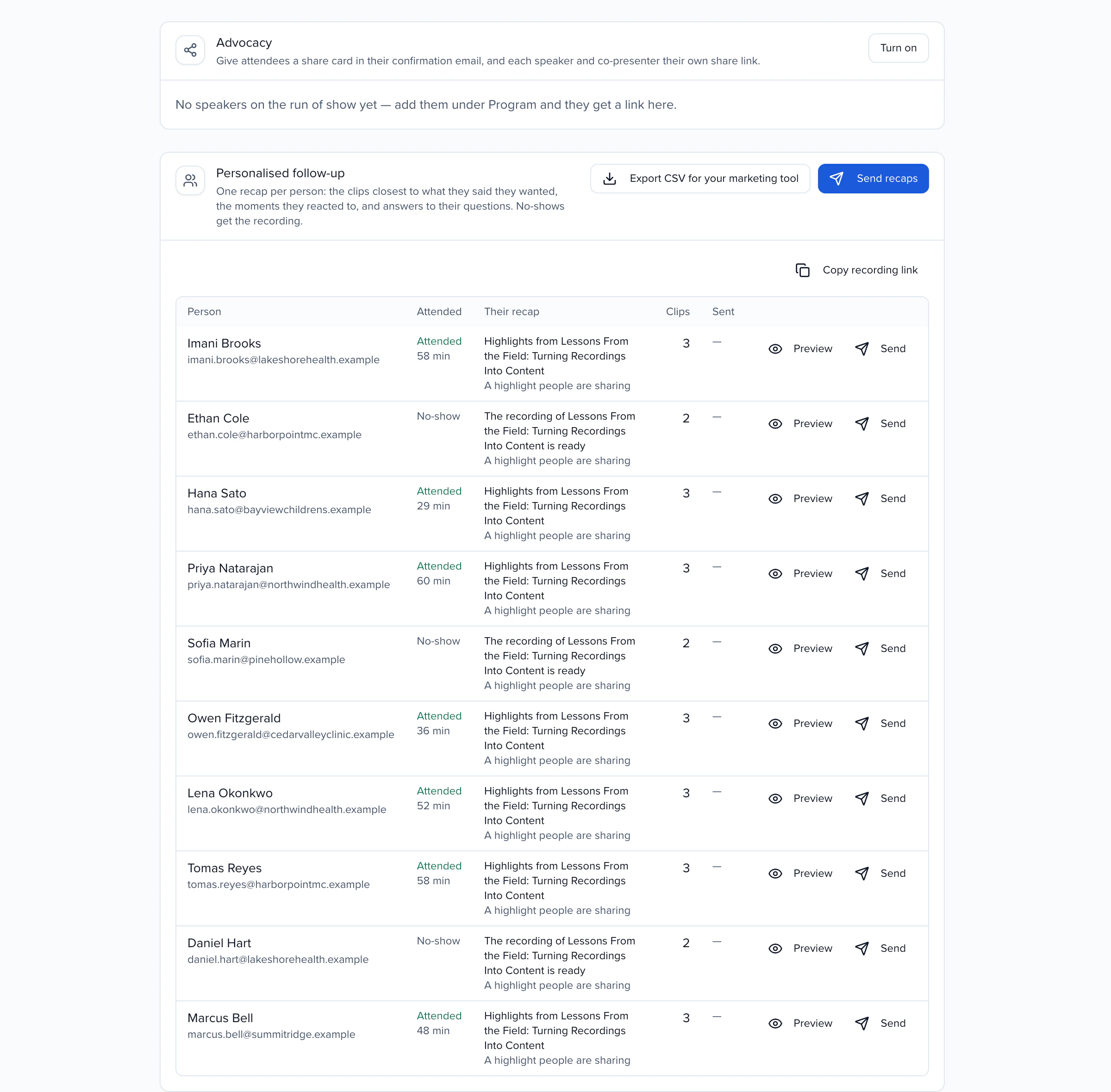
Publishing sets up share cards: every confirmation email carries the registrant's personal link, and each speaker gets their own link that counts their shares.
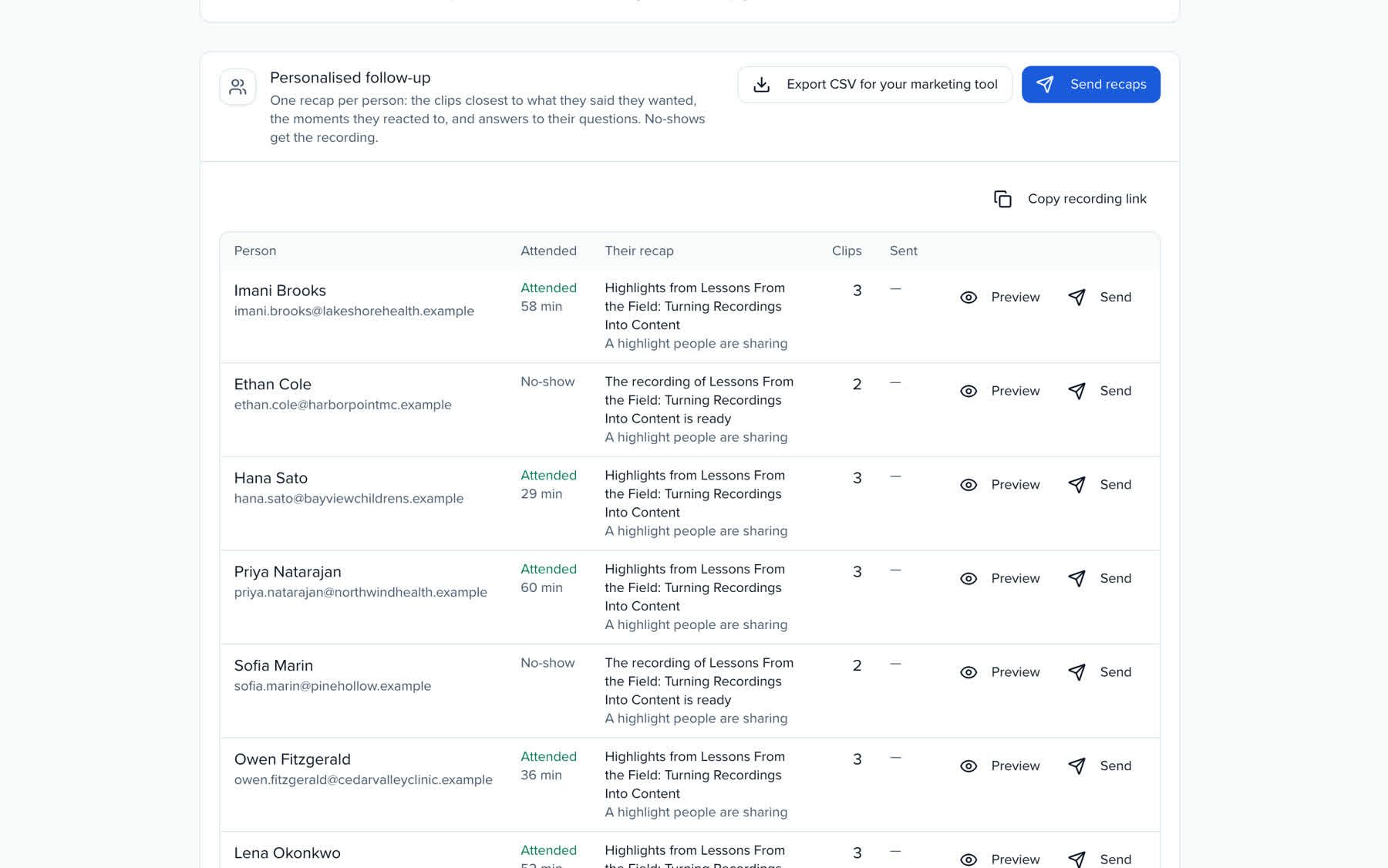
Export a CSV with each person's attendance, minutes, interests, intro, clip links and the recording link.
WHAT CHANGES
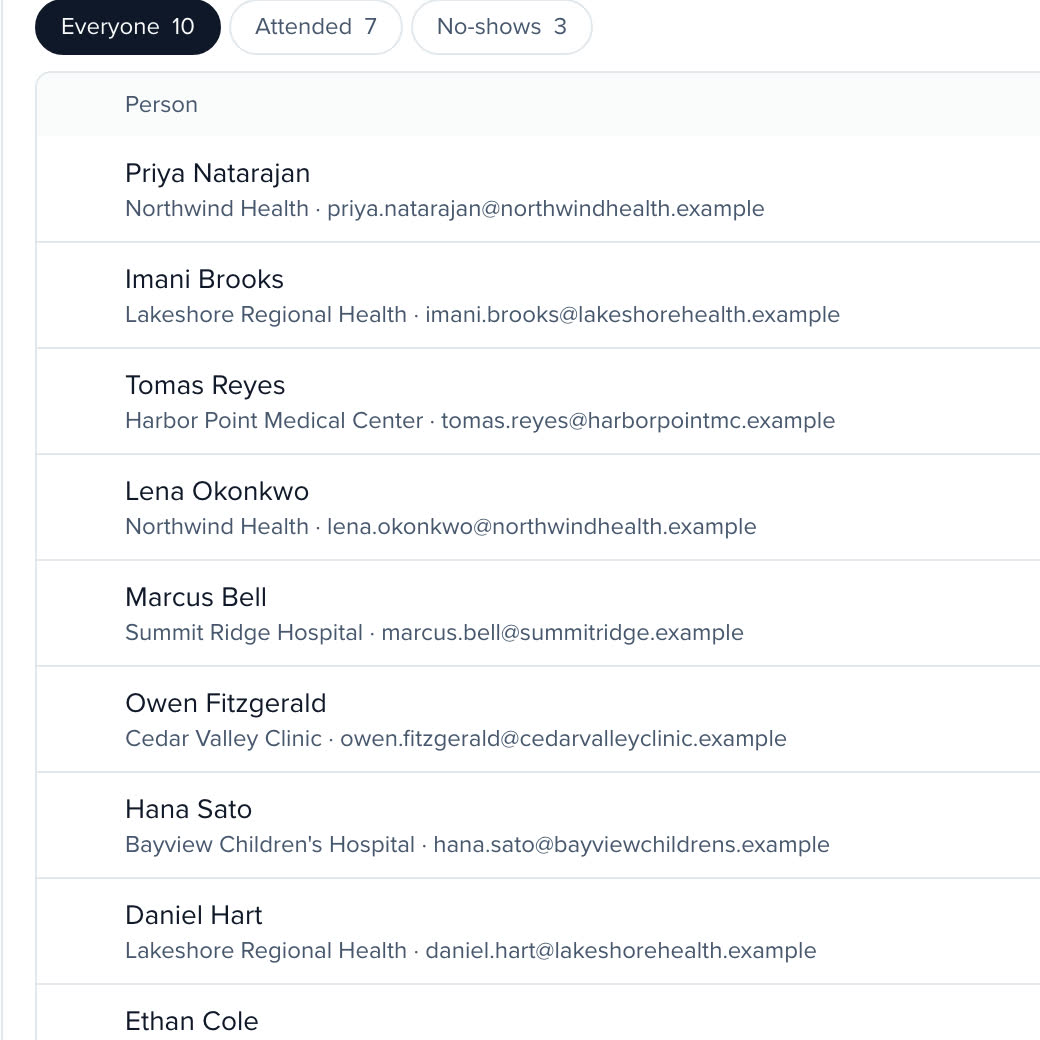
Filter the room to who came and who missed it.
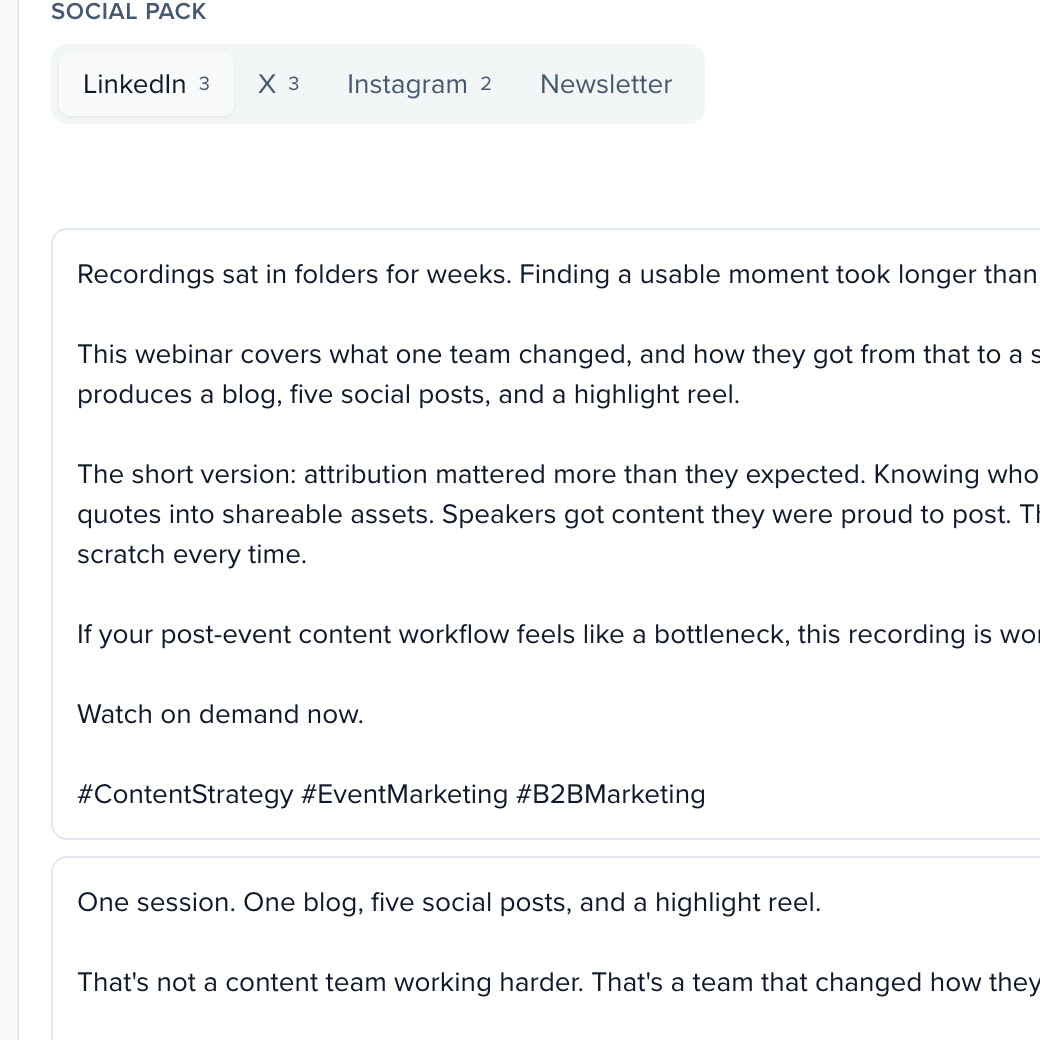
LinkedIn, X, Instagram and a newsletter paragraph per recording.
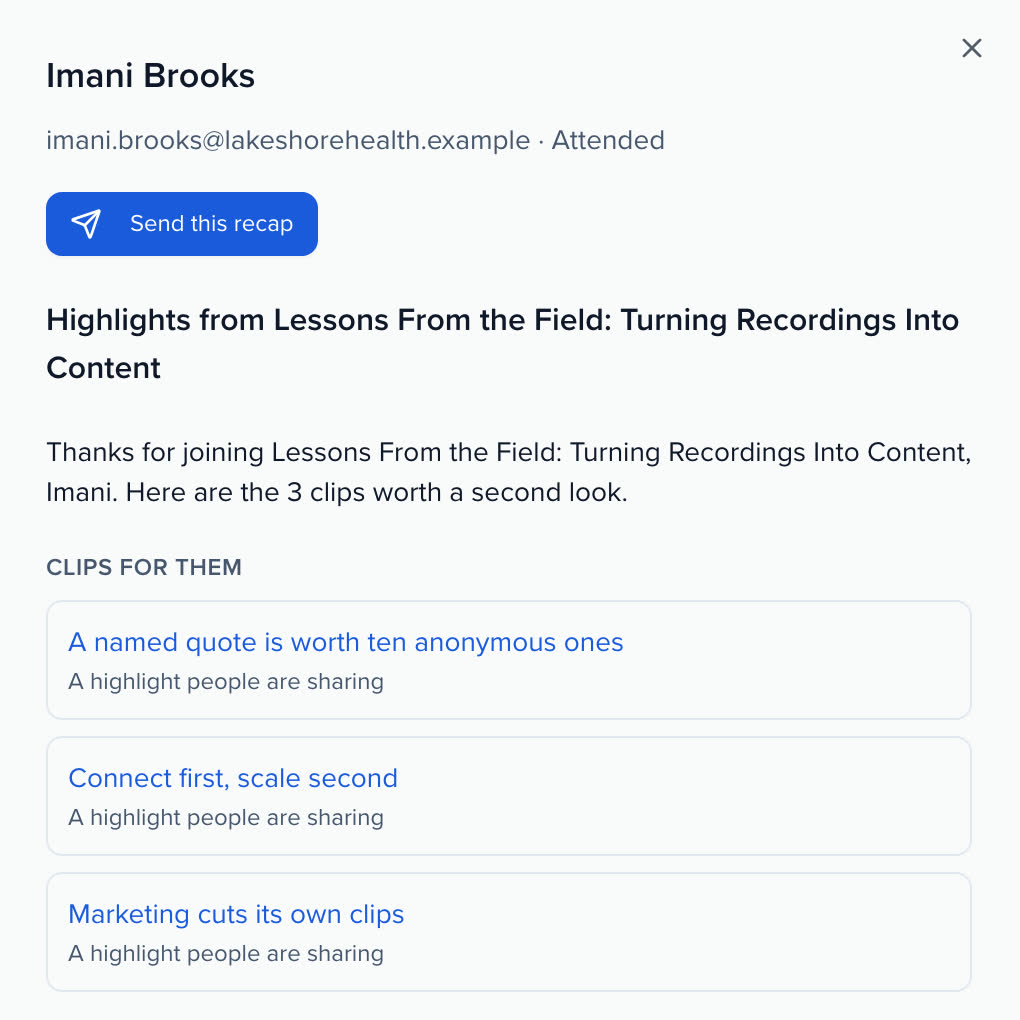
Her clips, her interests, her questions, previewed before it goes.
HEADLESS
The webinar loop is built for agents as much as for people. Each step, from the Plan board to the recaps, is an endpoint, so Ask, your own assistant or your marketing stack can run it.
Connect a webinar platform and create a webinar from a conversation, through the Sessionboard MCP server.
With HubSpot connected, the topics and engagement score from every webinar are written to each contact.
Webinar signals sit next to conference sessions, surveys and content views on one profile per person.
Webinar management software runs everything around the live webinar: what to run and who should present, publishing to the webinar platform, registration, who attended and what they did, and the follow-up from the recording. Sessionboard does that for the platform you already use, and keeps each registrant on the same contact record as their conference history.
No. Zoom, Goldcast, ON24, BigMarker, GoTo Webinar, Webex Webinars or Microsoft Teams runs the live webinar. Sessionboard creates it there, keeps it in sync, and reads attendance, engagement and the recording back after it ends.
Zoom and Goldcast connect today. ON24, BigMarker, GoTo Webinar, Webex Webinars and Microsoft Teams Webinars arrive with the next release. Each one is connected once in Apps; after that you import the webinars you already have, or draft a new one in Sessionboard and publish it.
Attendance for every registrant, with minutes and join and leave times, and whatever engagement the platform reports: poll answers, questions, chat, reactions, CTA clicks, ratings or written feedback, depending on the provider. When a platform does not report something, Sessionboard says so instead of showing an empty count. The cloud recording comes into the Media library.
It is transcribed, split into chapters and the best moments are suggested as clips. Sessionboard writes three LinkedIn posts, three for X, two for Instagram and a newsletter paragraph from it, with no em dashes, no emoji and hashtags last, for you to review and copy.
Their own recap. Attendees get up to three clips, starting with the moment they asked a question or answered a poll, then the clips closest to the interests they gave in the pre-webinar survey. No-shows get the recording and the two clips closest to their interests. You preview each one and send them in batches, or export a CSV for your marketing tool.
Share with your team turns the clips and posts into a Dispatch. Each teammate gets a Slack message and an email with one button to their own share kit, with a line from you on why it matters, and posts from there.
Every registration, attendance and interaction is stored on the person and tagged with topics from your taxonomy, so it feeds Pathways: session picks, likely audience and Topics, and, when HubSpot is connected, the topics and engagement score Sessionboard writes to each contact. Not showing up is never counted as interest.
YOUR NEXT CALL FOR PAPERS IS THE PLACE TO START