22 Popular Agenda Management Features In Sessionboard

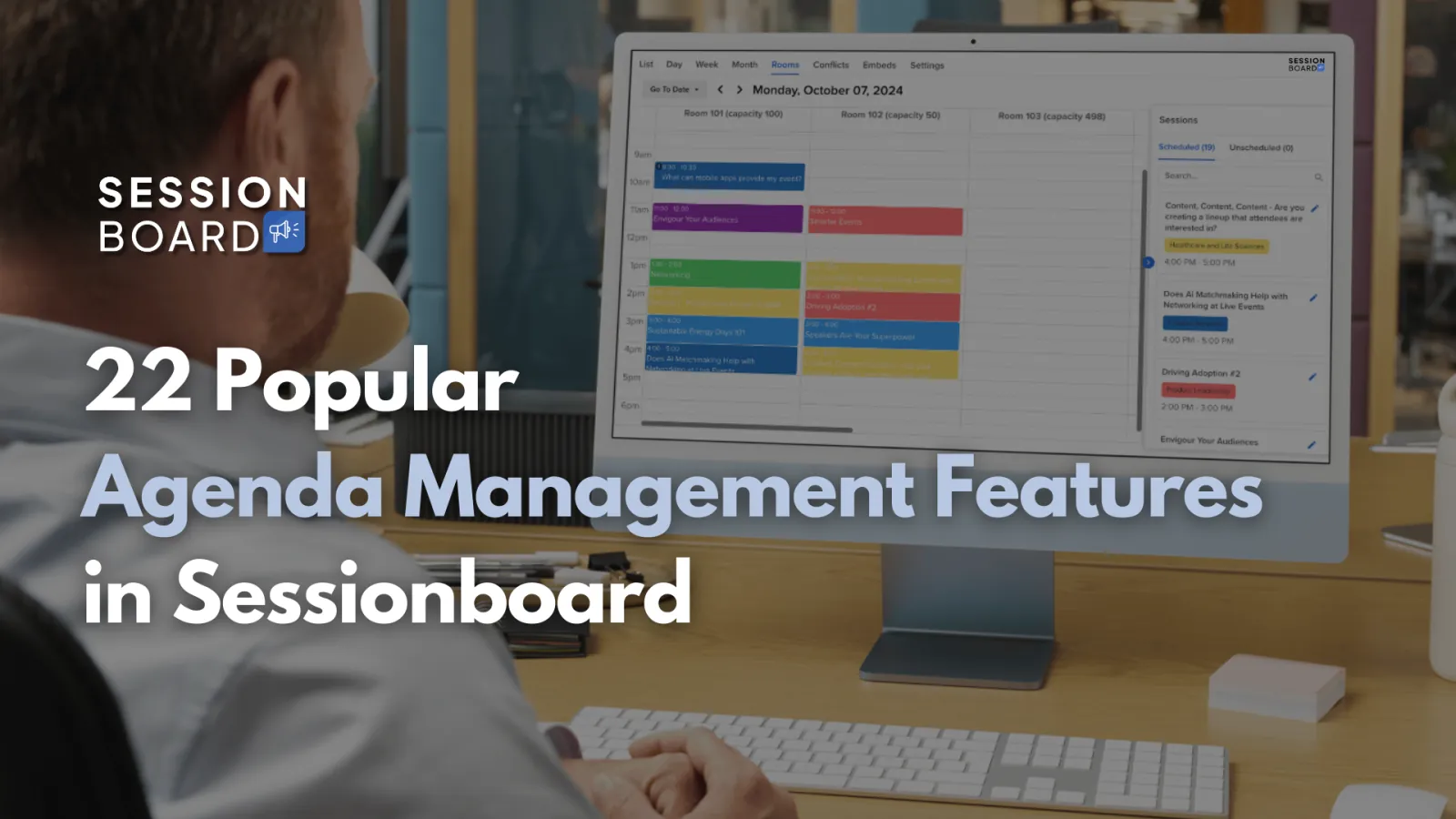
We asked our customers what features they love most in Sessionboard’s Agenda Management tool.
Here’s what they said (categorized, but listed in no particular order):
Editing Functions
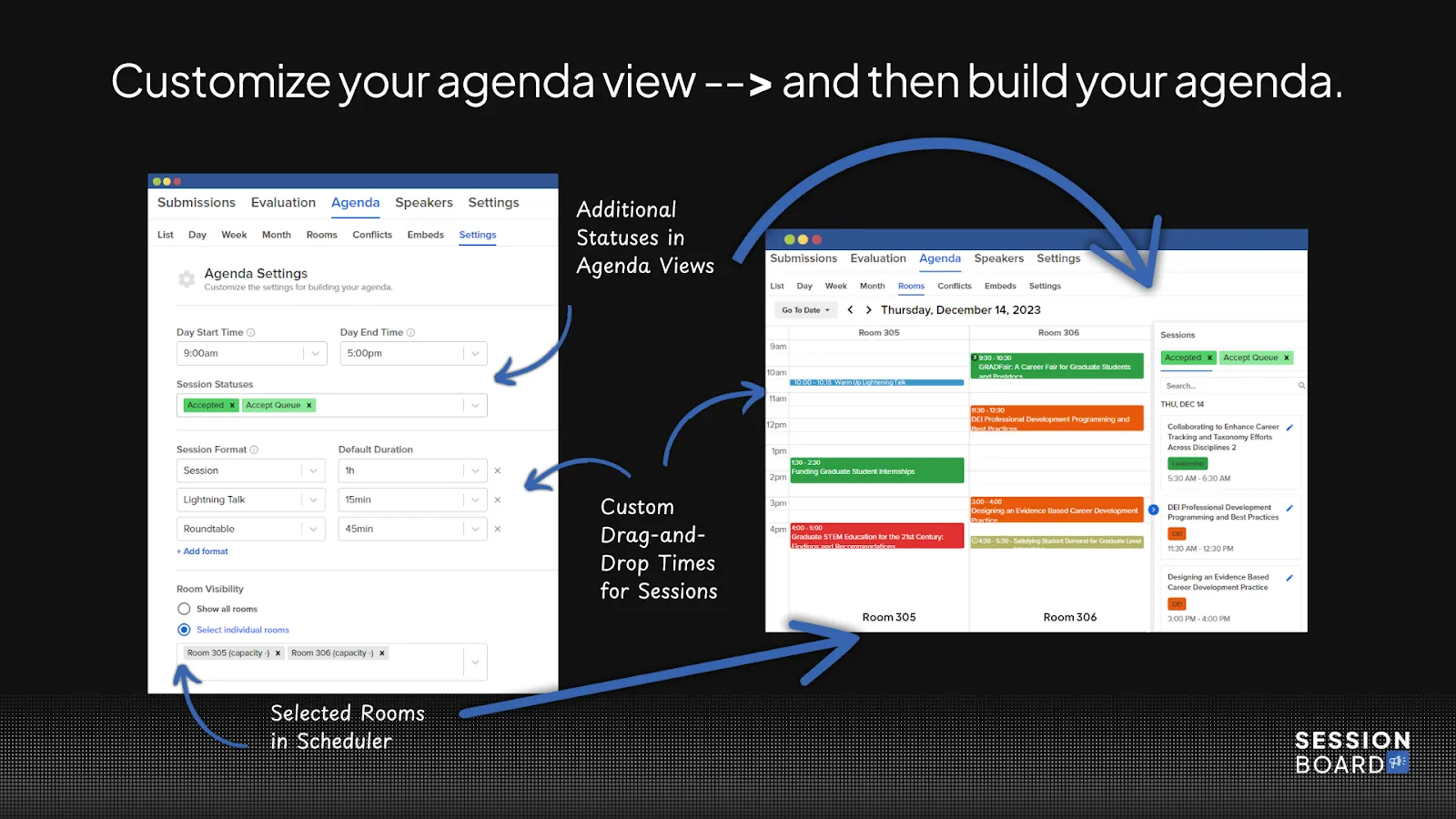
1) Drag and Drop Scheduling
Need to adjust a session to a new day, time, or room? Just drag and drop. It’s so seamless that you don’t even think about the steps—it just works.
2) Different Views of Your Schedule
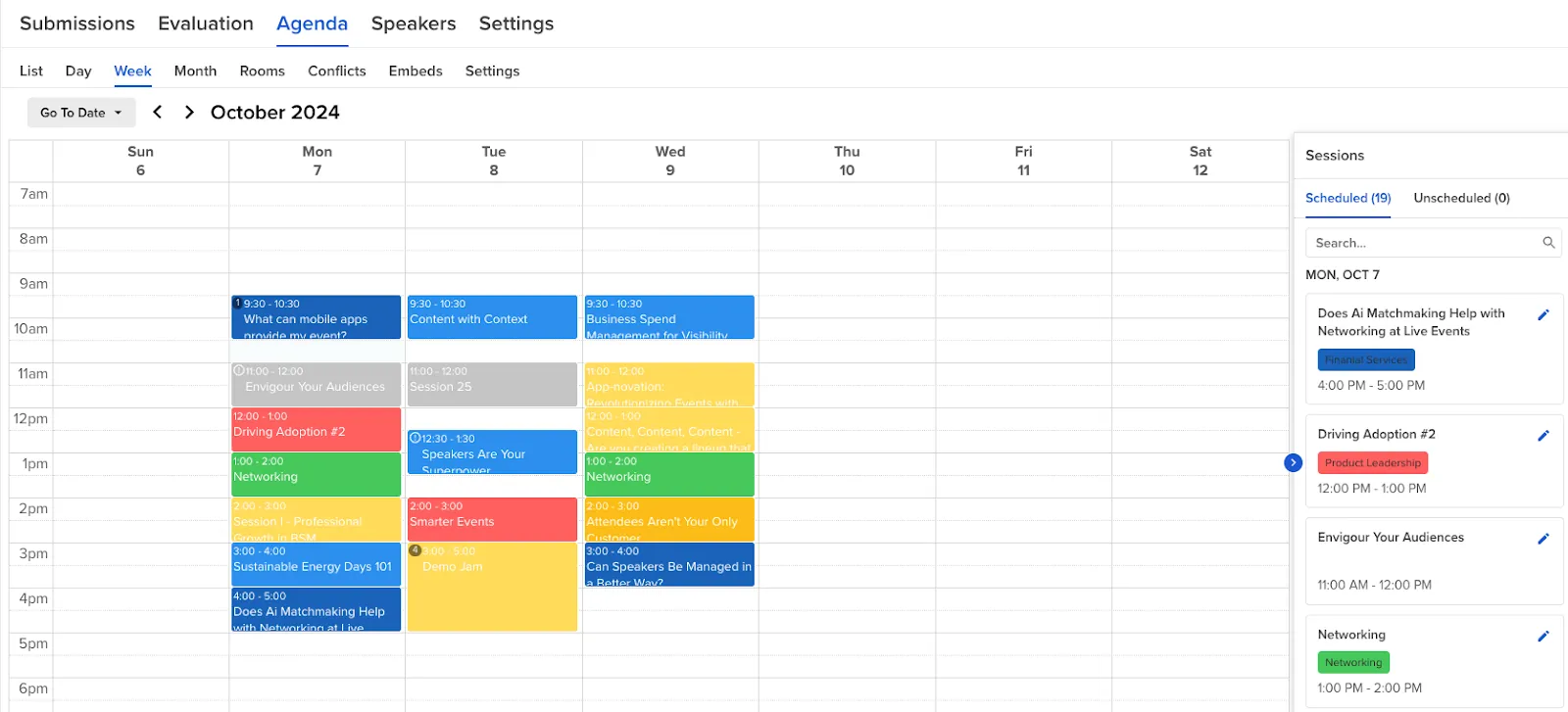
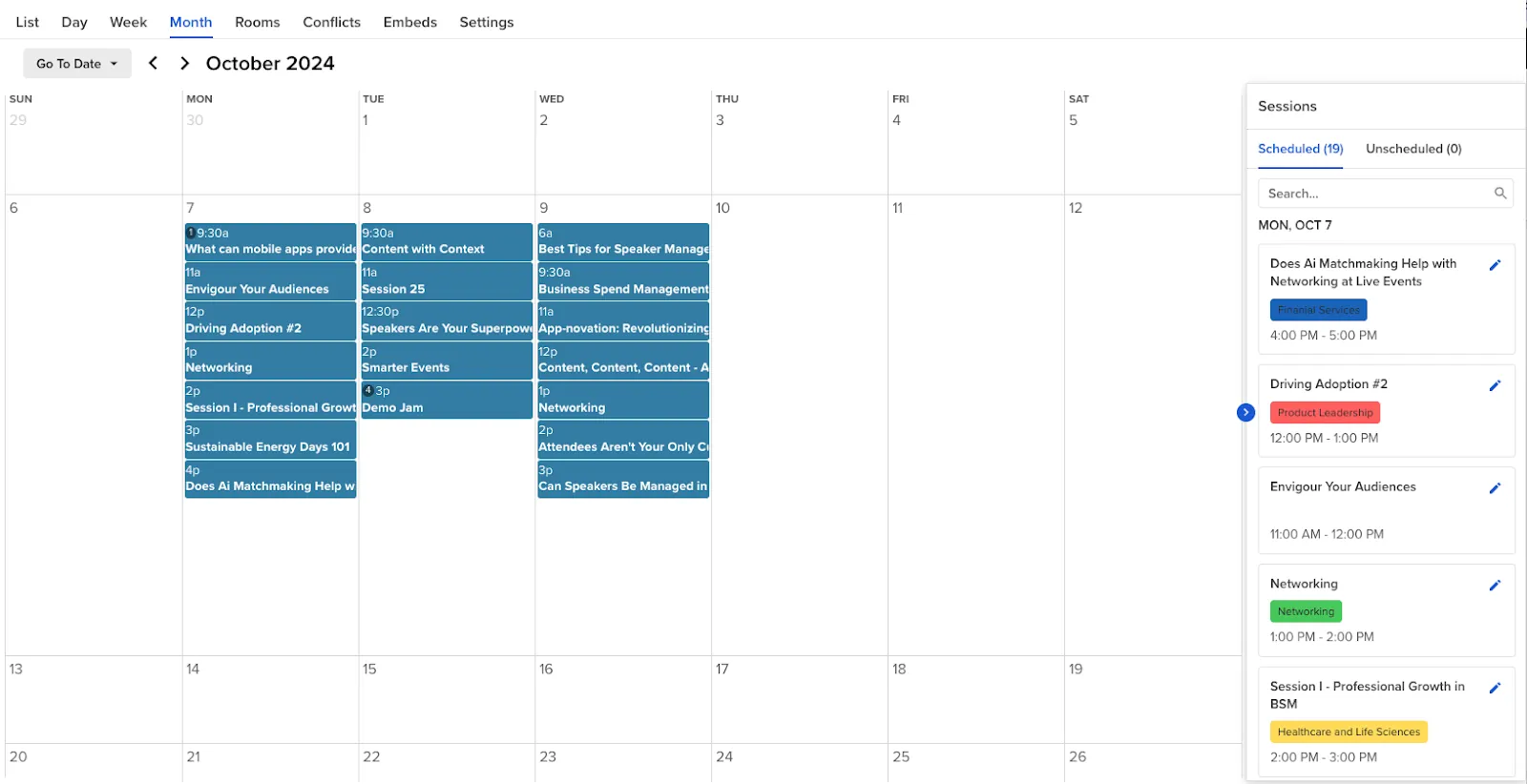
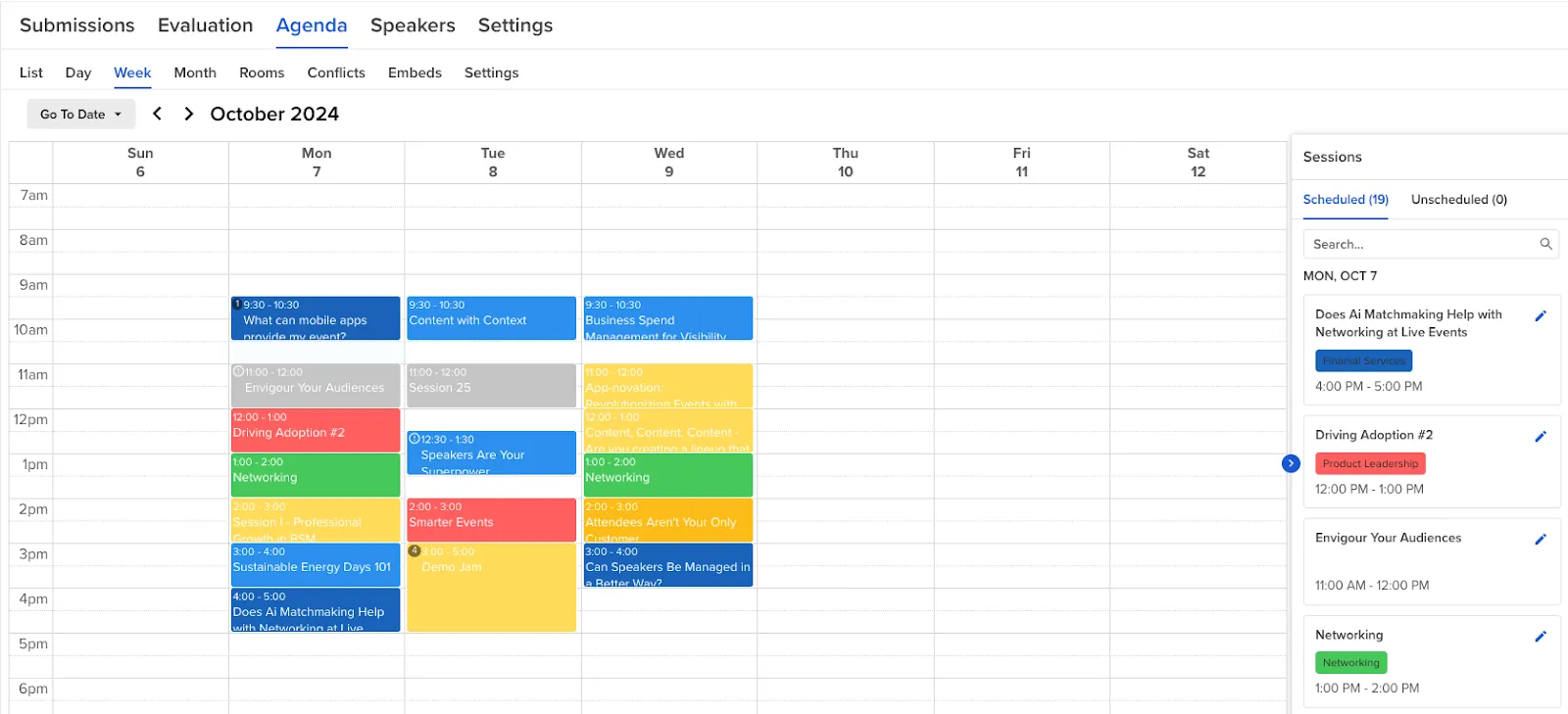
Building an event agenda is both art and science. Sometimes you need to see the big picture, sometimes the small details. That’s why customers love having flexible views:
- Week View – Great for long-term planning.
- Month View – A bird’s-eye view of everything.
- Day View – Fine-tune the daily flow.
- Schedule by Rooms – For admins managing multiple spaces, this helps avoid conflicts and streamline session placement.
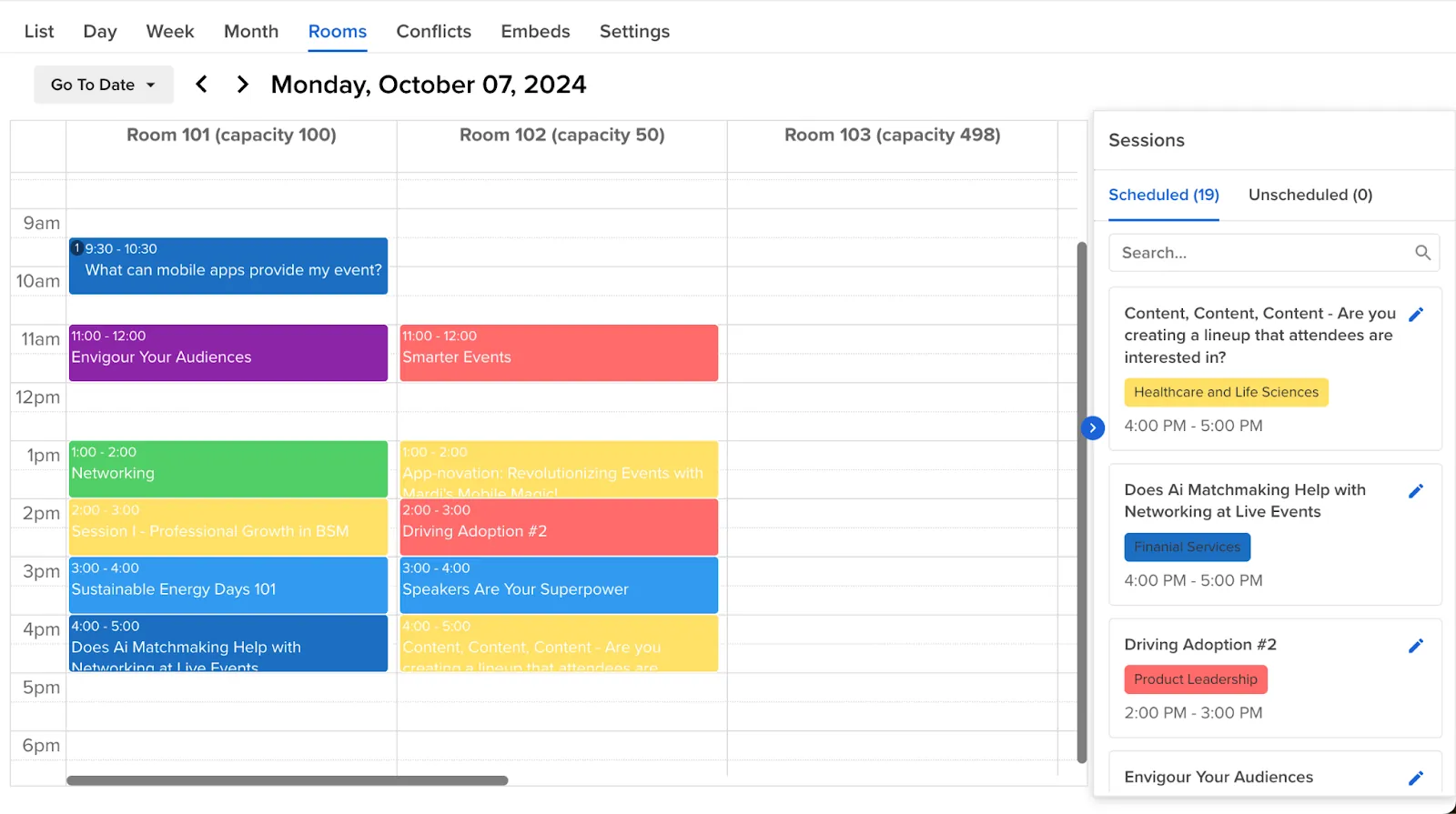
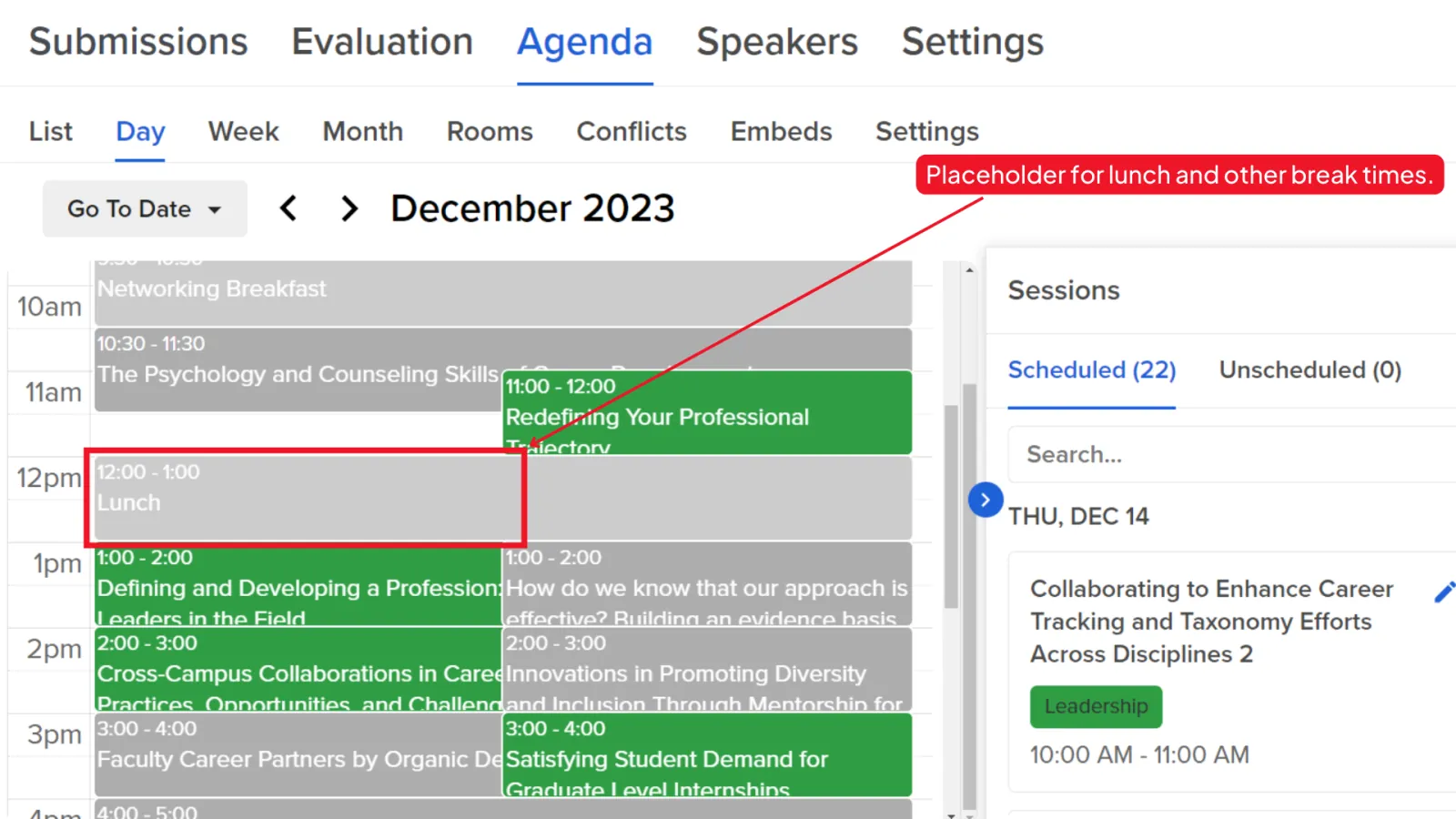
3) Adding Placeholder Sessions
Sometimes you just need to block off time in the schedule. Whether it's a future keynote, a networking break, or an internal hold, placeholders keep things structured.
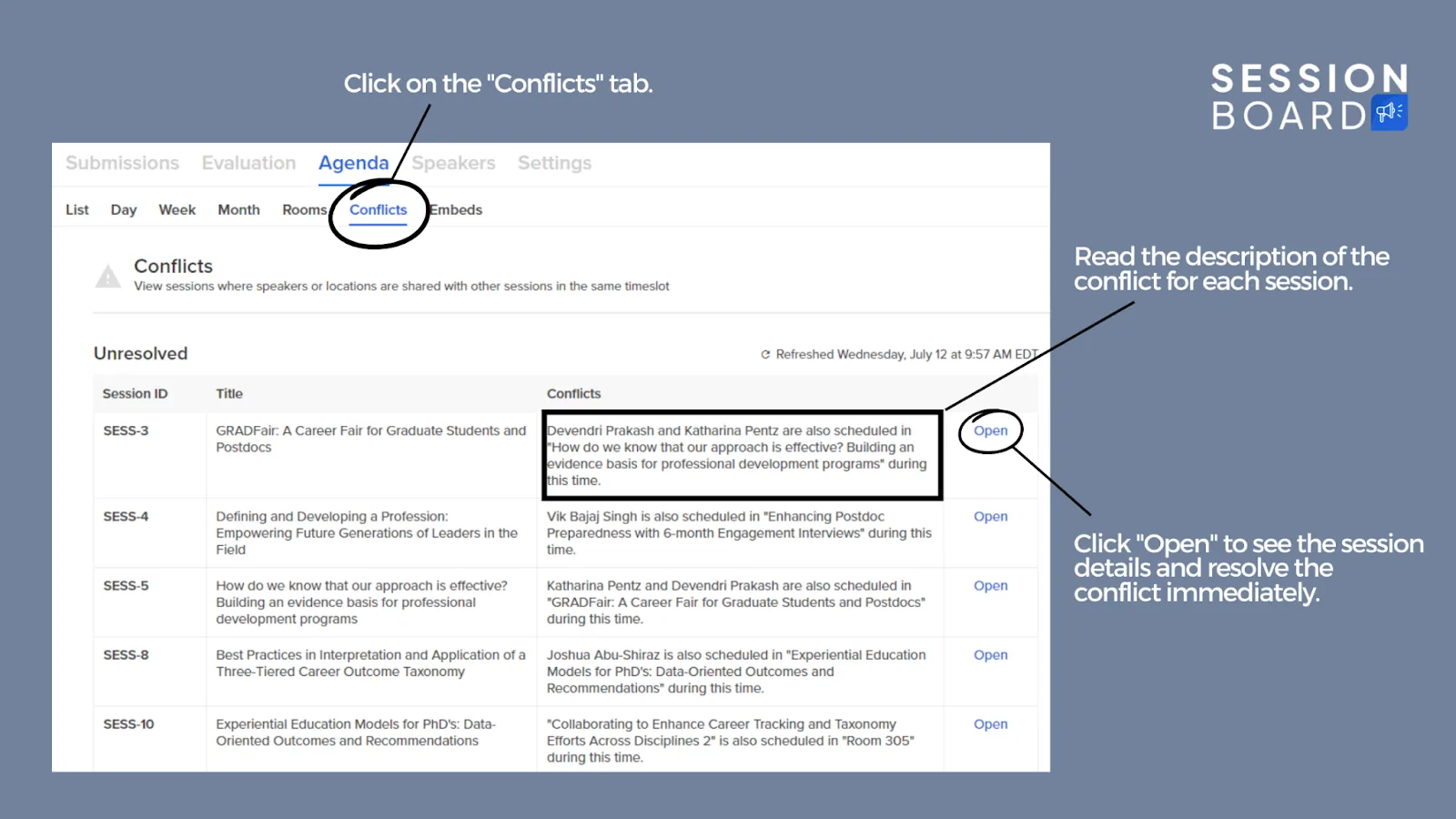
4) Automatic Conflict Detection
No one likes discovering a double-booked speaker or a room snafu at the last minute. Sessionboard automatically flags conflicts before they become problems.
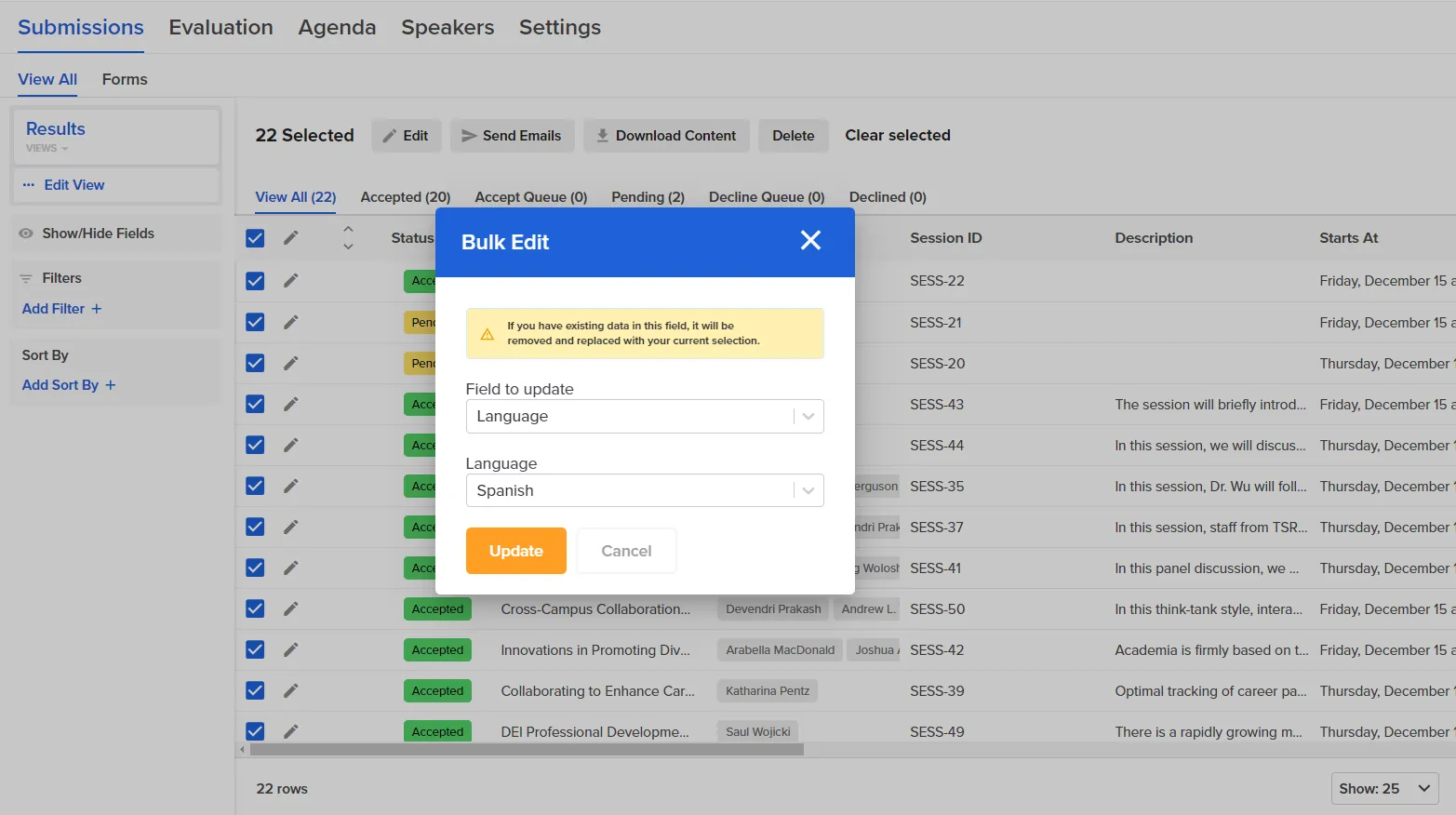
5) Bulk Edit Sessions
Events are fluid. A last-minute sponsor swap? CEU credits added to multiple sessions? A full track moving to a new room? Bulk edit saves time by making batch changes all at once.
6) In-Line Editing
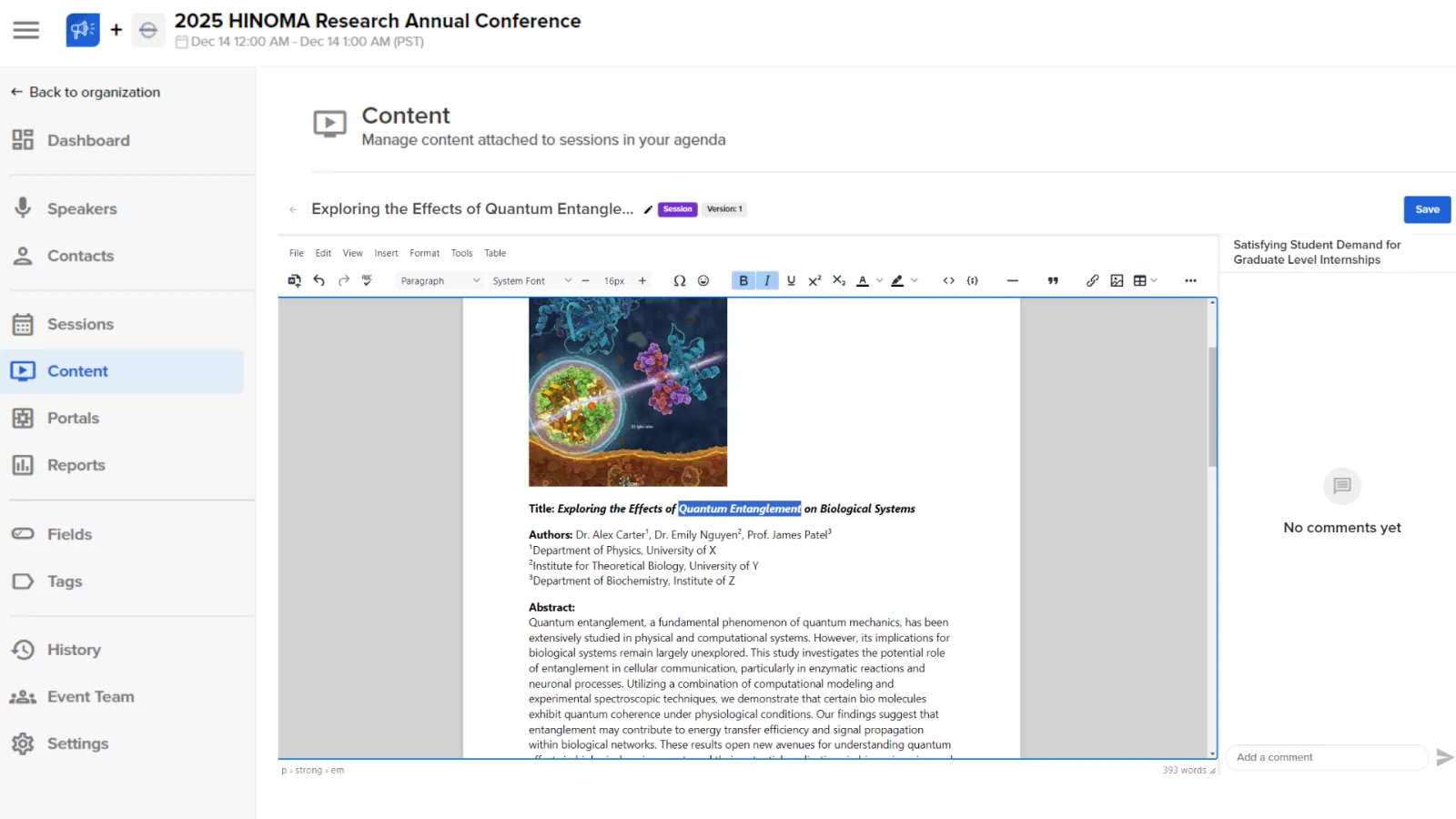
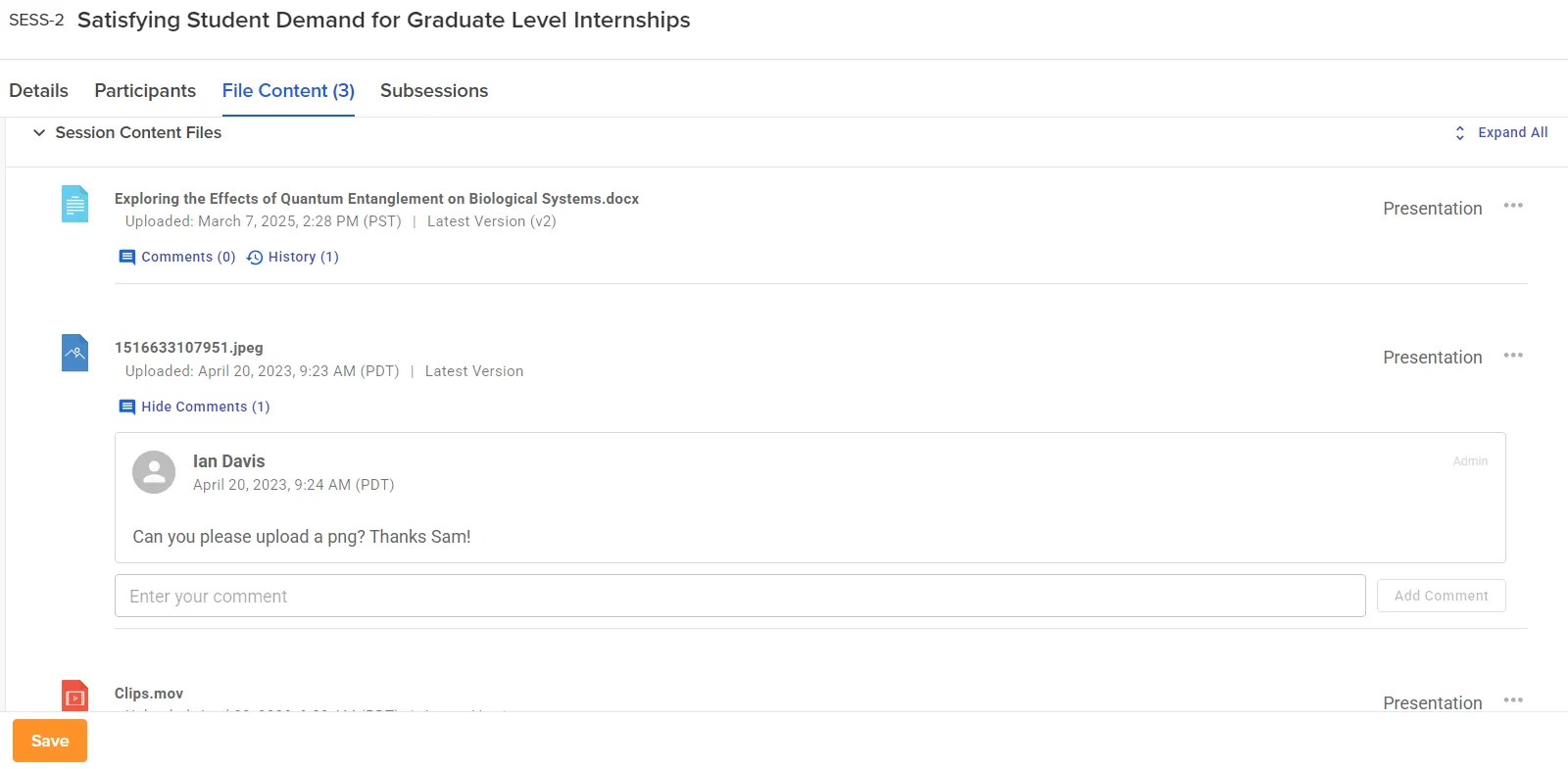
Editing session content used to be a tedious process—download a file, open it in Word or Google Docs, make edits, save or download it again, re-upload, and then wait for feedback. With in-line editing, those days are over. Now, you can make updates directly in the platform, leave a quick comment to notify submitters of any changes, and keep everything streamlined. No more back-and-forth, no more wasted time—just instant updates and seamless collaboration.
7) Default Duration Based on Session Format
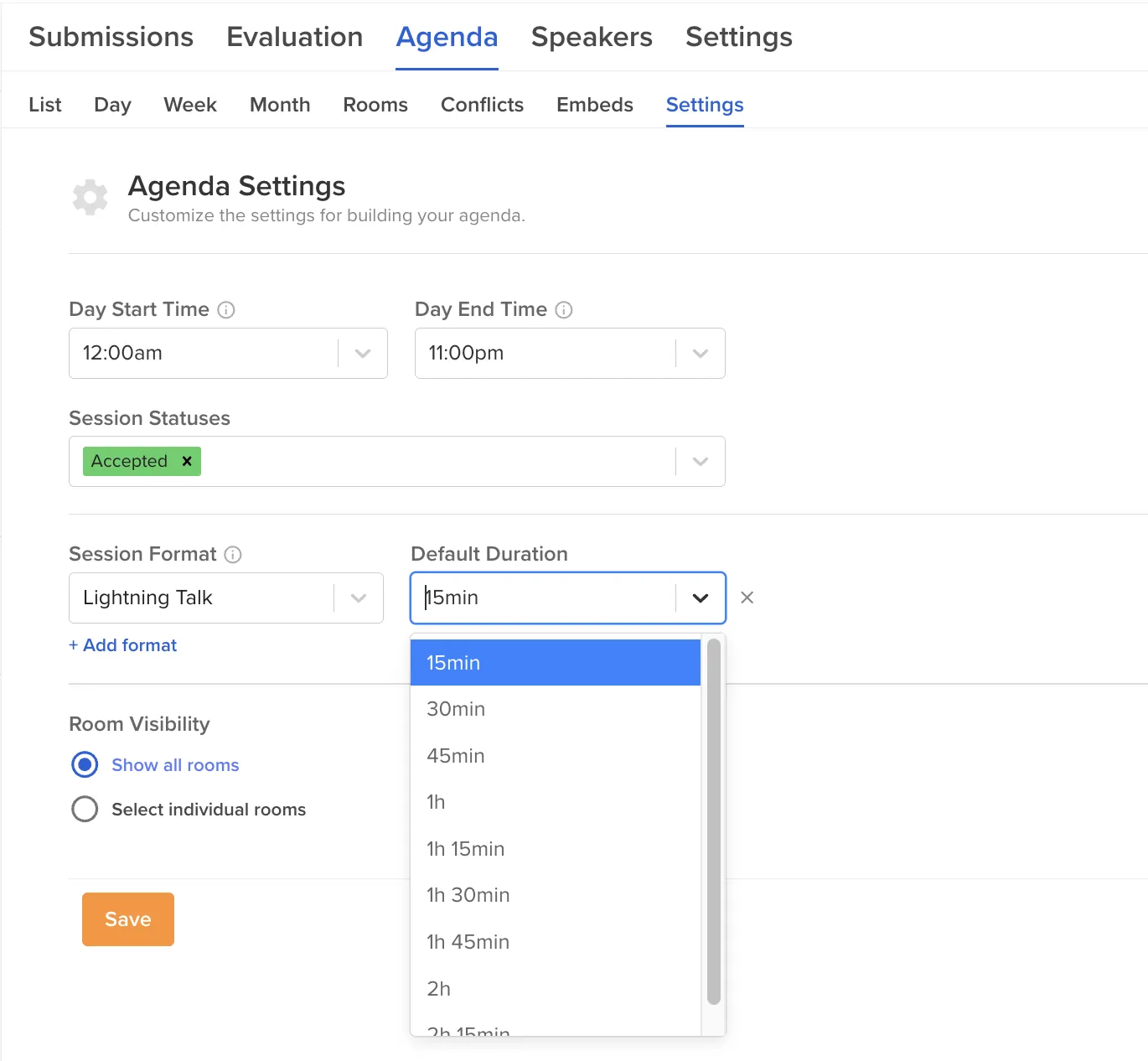
Set it once, and it applies automatically. No more manual time adjustments.
Views and Filters
8) Color Code Agenda by Track
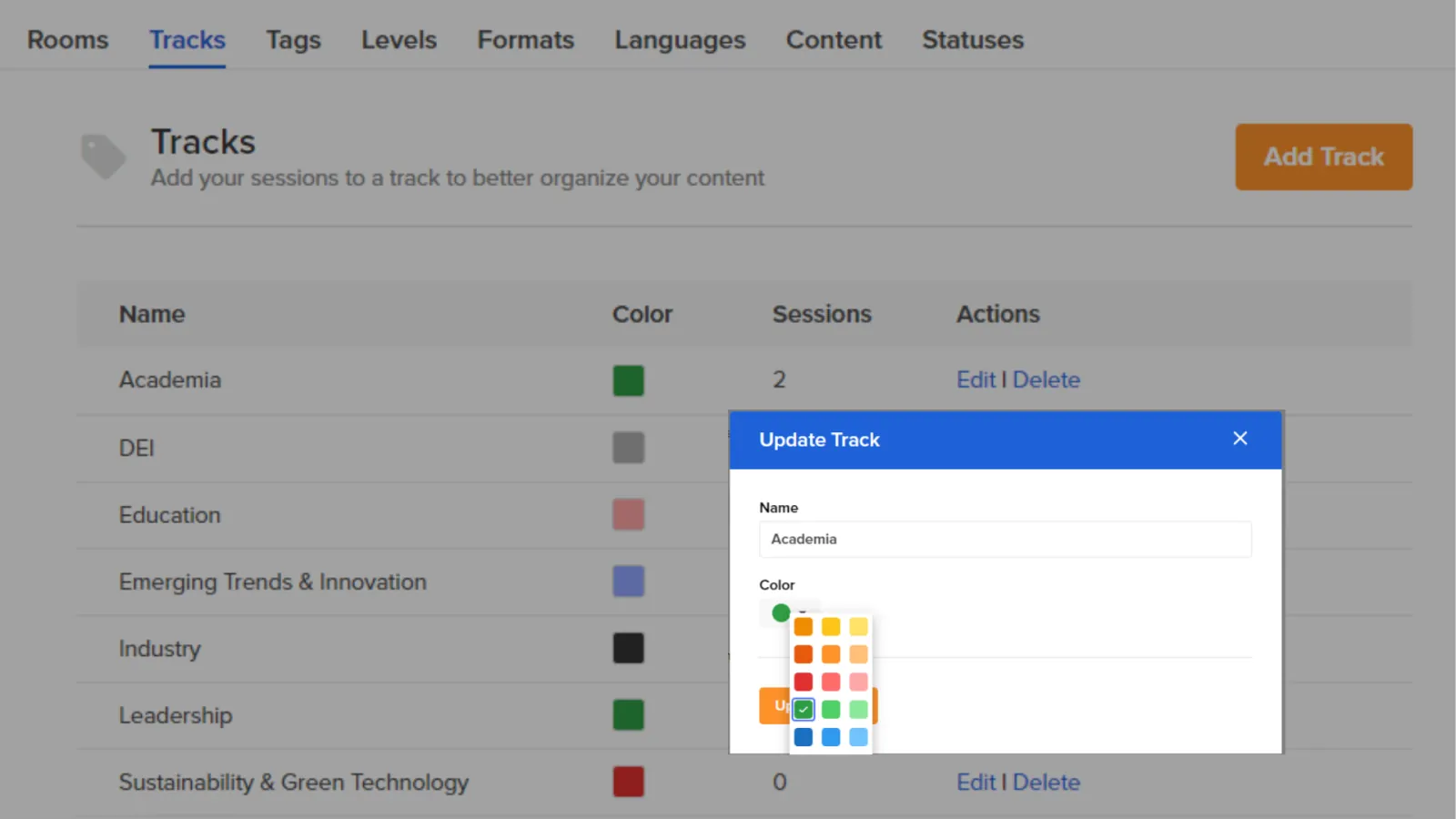
A simple way to make sure sessions don’t overlap and attendees can navigate their schedule with ease.
9) Personalized Views of Submissions, Sessions, and Speakers
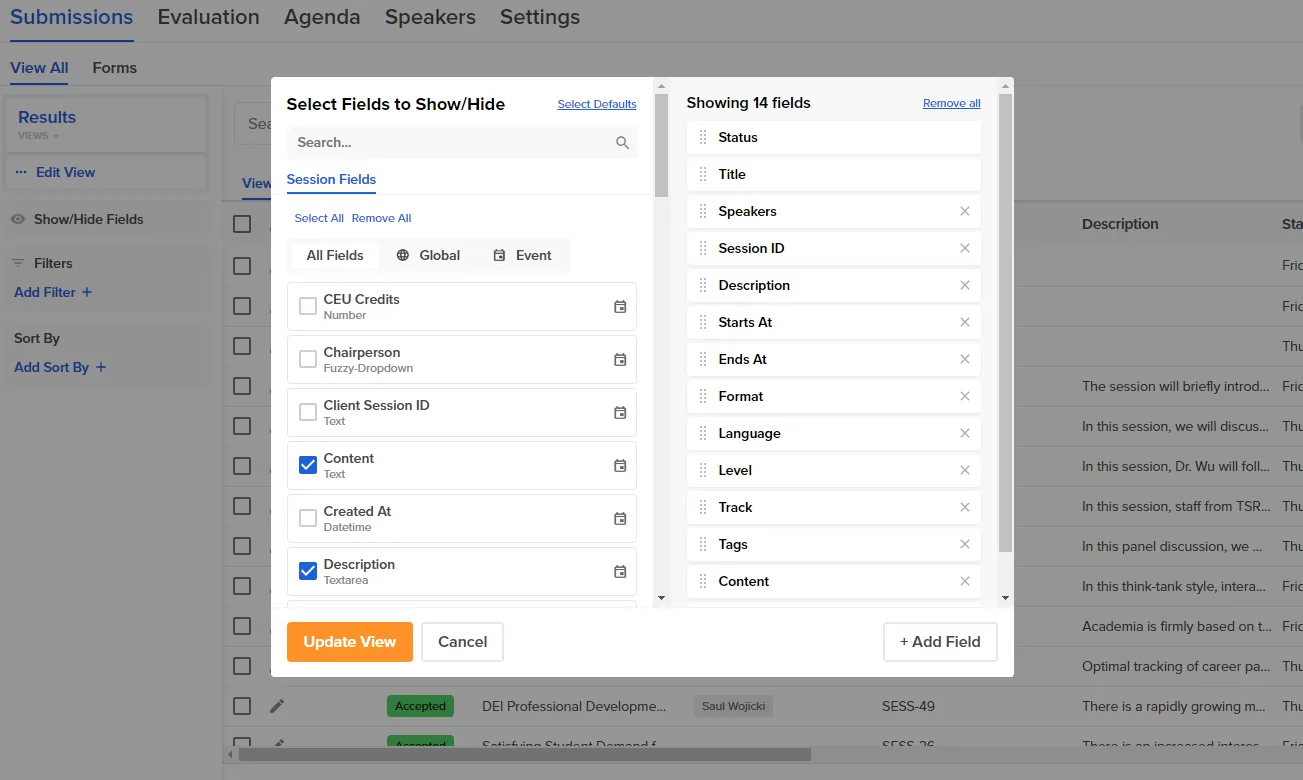
Different team members work differently. Custom views help everyone focus on what’s relevant to their role.
10) Tentatively Schedule Sessions
Play around with different agenda setups before finalizing. Test different scenarios based on track, room availability, session duration—you name it. Check out the video to see this helpful tool in action:
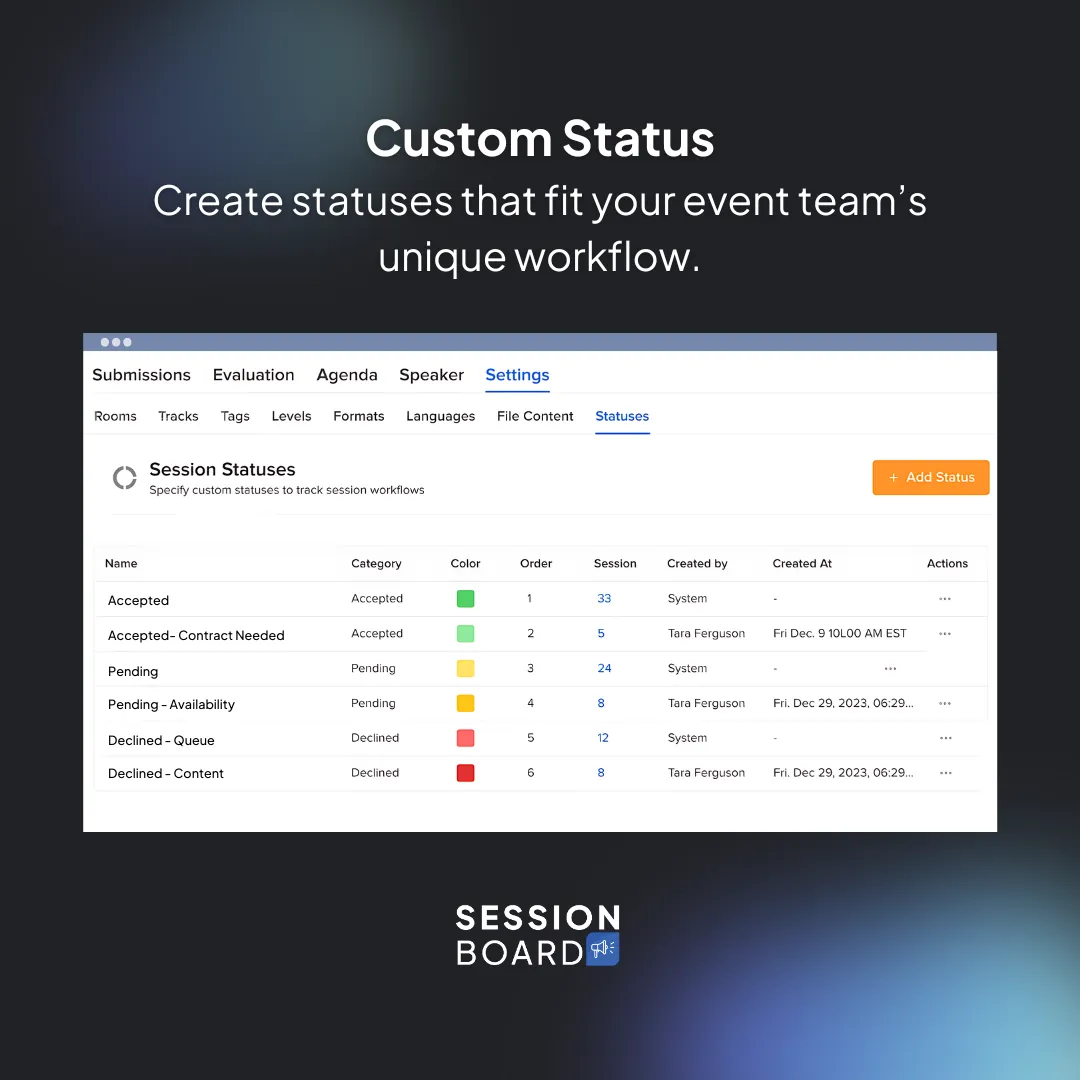
11) View Schedule by Status
Not every session is “accepted” right away. This lets you filter by session status (pending, confirmed, etc.), so you can build your agenda before final approvals come through. Scheduled and unscheduled sessions are visible side-by-side, making it easy to track progress.
12) Manage Subsessions
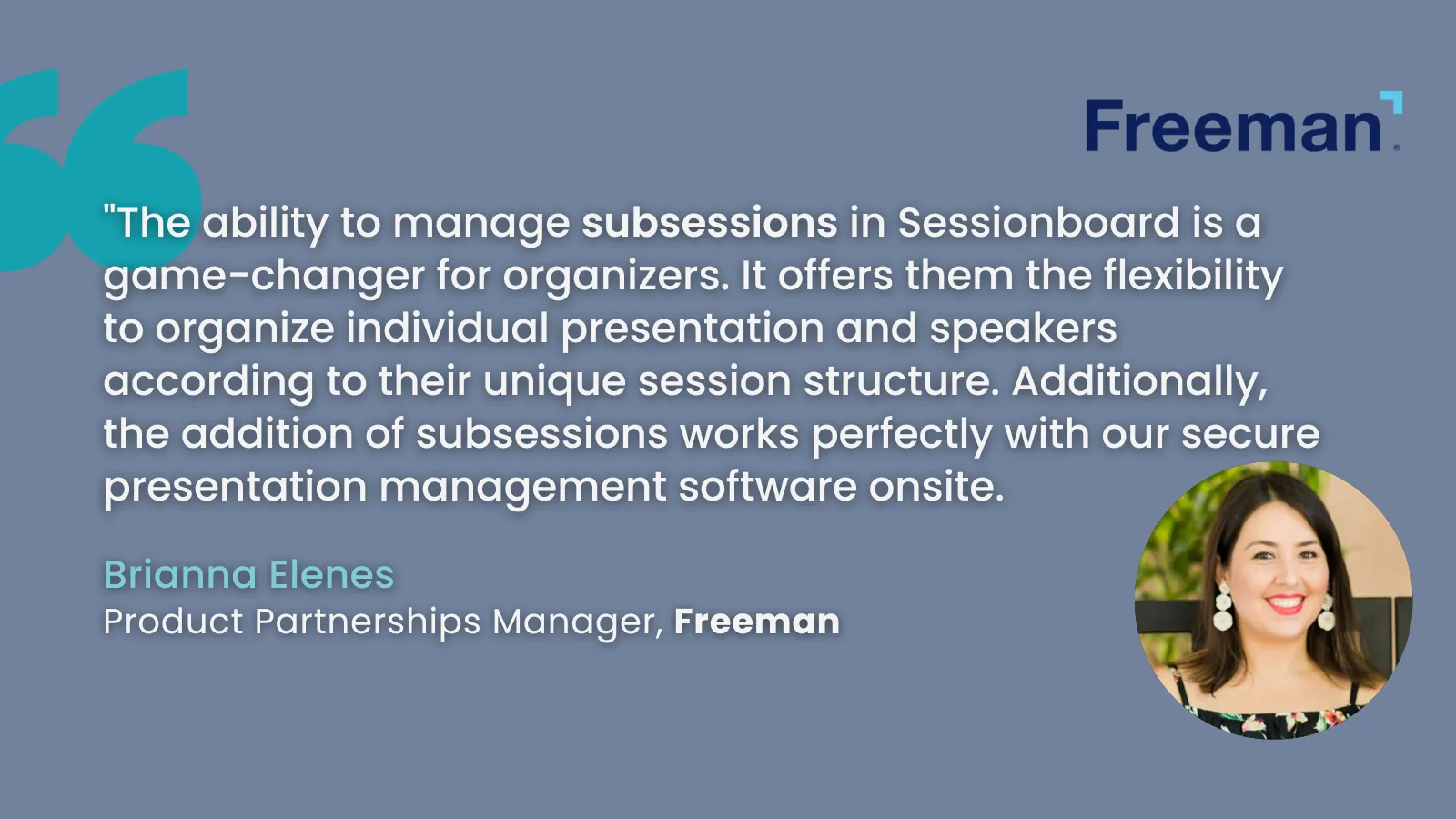
For complex presentations or multi-part discussions, subsessions keep things structured. A parent session might cover a broad topic, while subsessions dive deeper.
13) View Associated Content (with Version History and Comments)
Every session has moving parts—speaker materials, notes, feedback. Track it all in one place, with version history for accountability.
14) Show/Hide Rooms in the Scheduler
Too much clutter? Hide what you don’t need and focus on the sessions that matter.
15) View Room Capacity
Put your most in-demand sessions in the biggest rooms before registration opens.
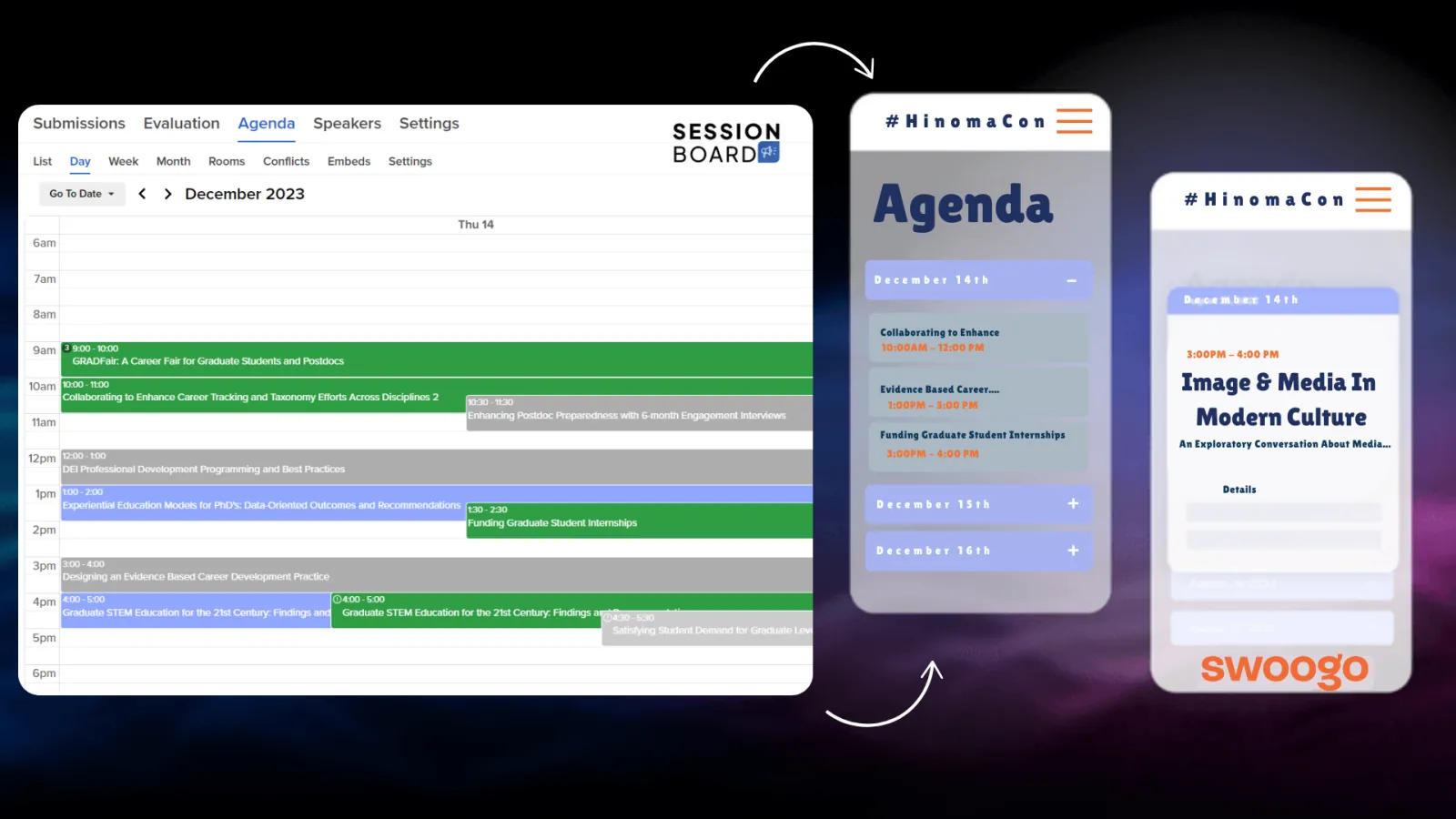
16) Sync to Other Systems
Your agenda doesn’t exist in a vacuum. Ensure updates flow seamlessly to the platforms you already use.
Content & Data Management
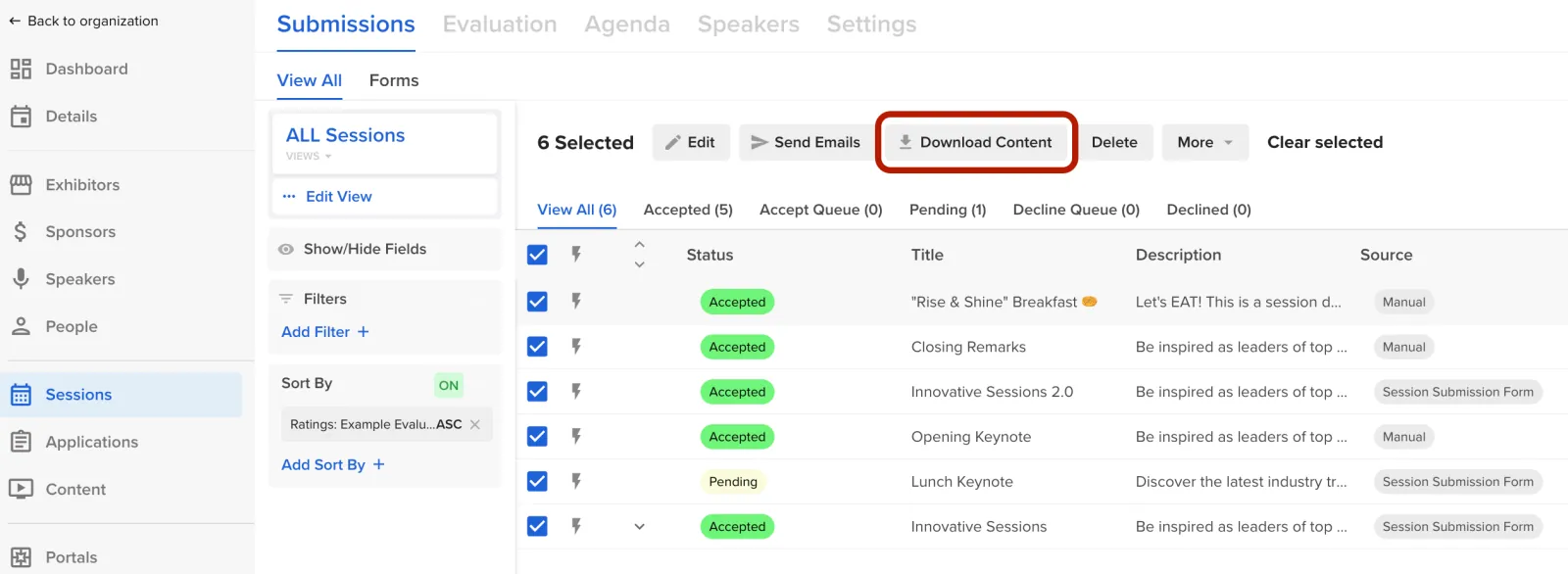
17) Download Content by Track, Room, or in Bulk
Give your AV team exactly what they need—no more scattered files or missing presentations.
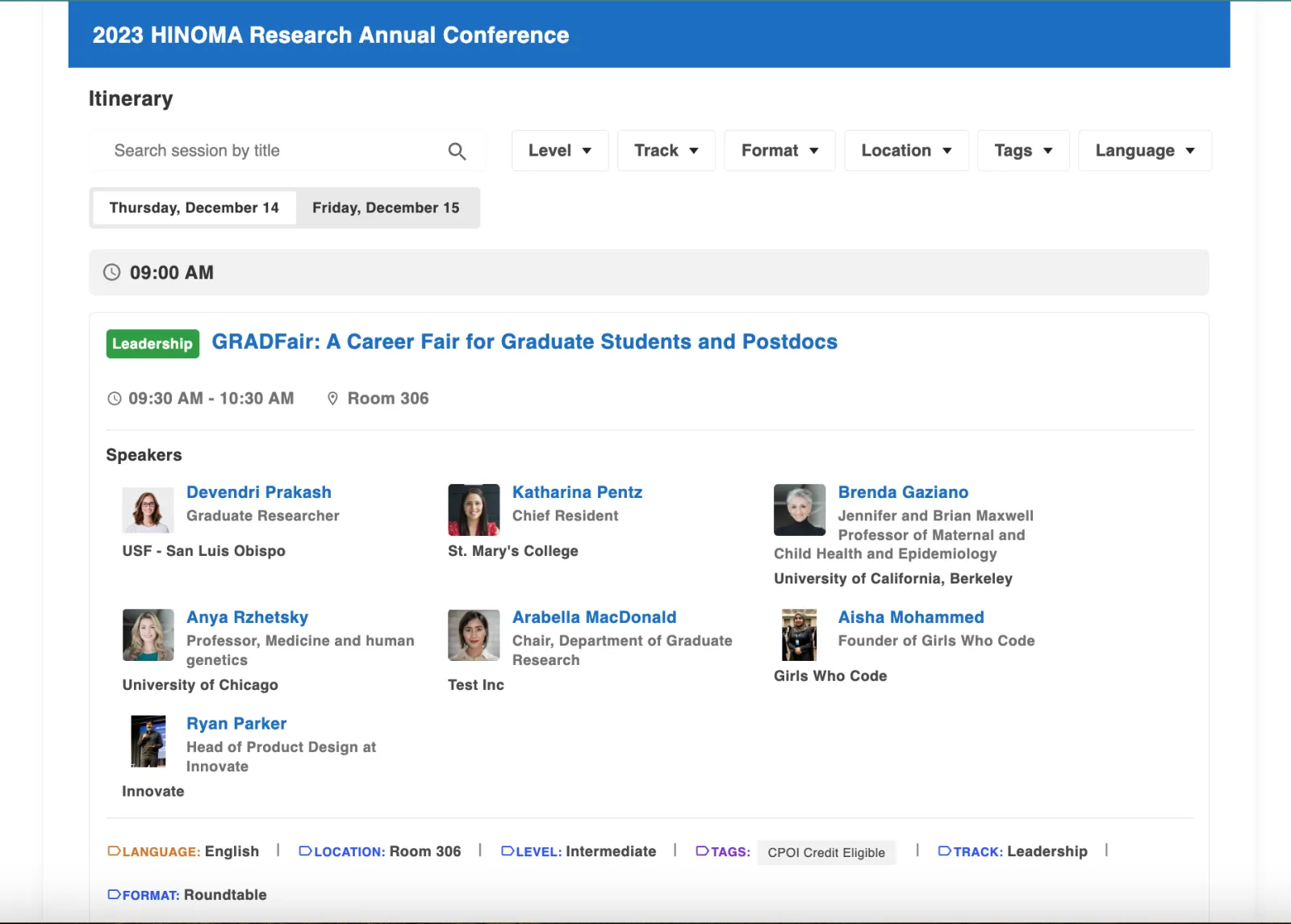
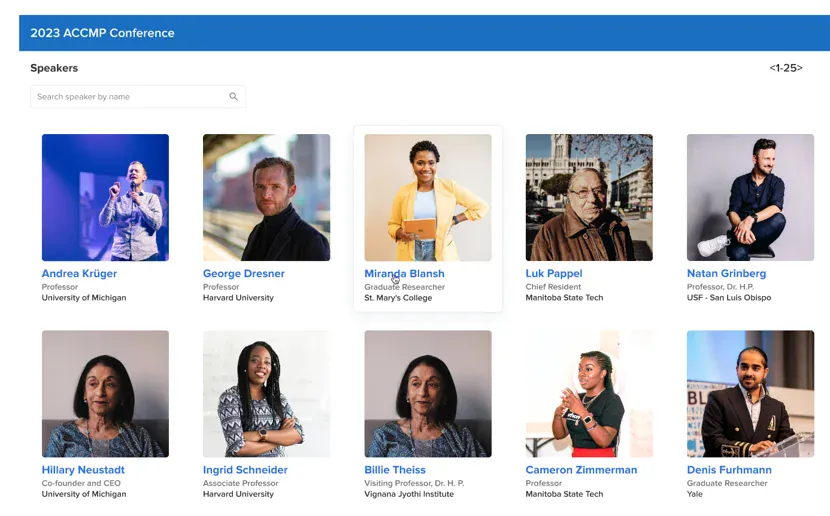
18) Styled Embeds
Make your agenda look polished right out of the box—no coding required.
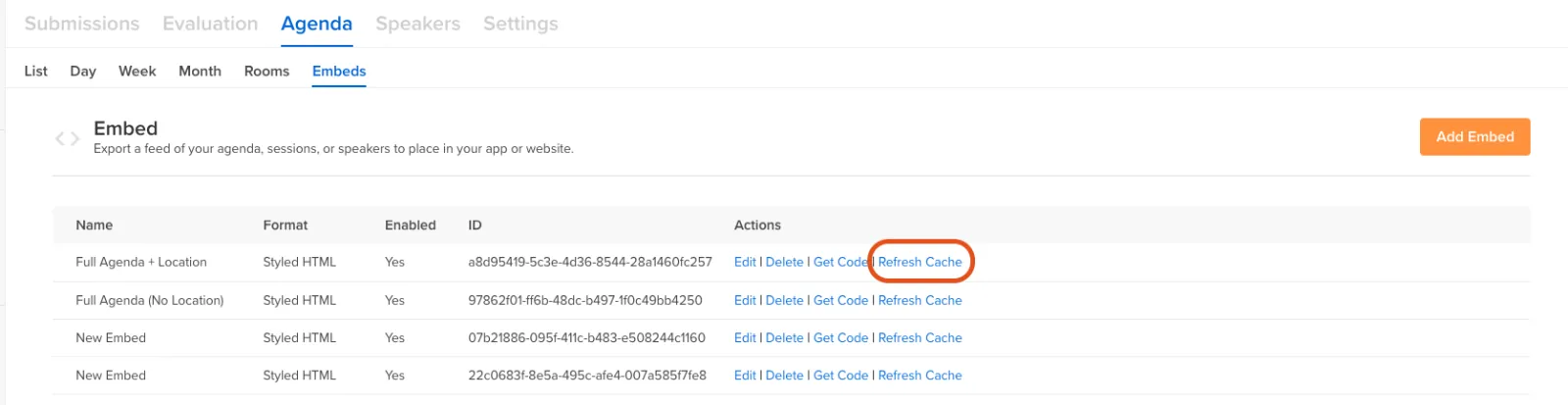
19) Data Feeds/Embeds
Your site stays up to date automatically. Sessionboard’s embeds sync with real-time data, and they’re filterable for a more customized experience.
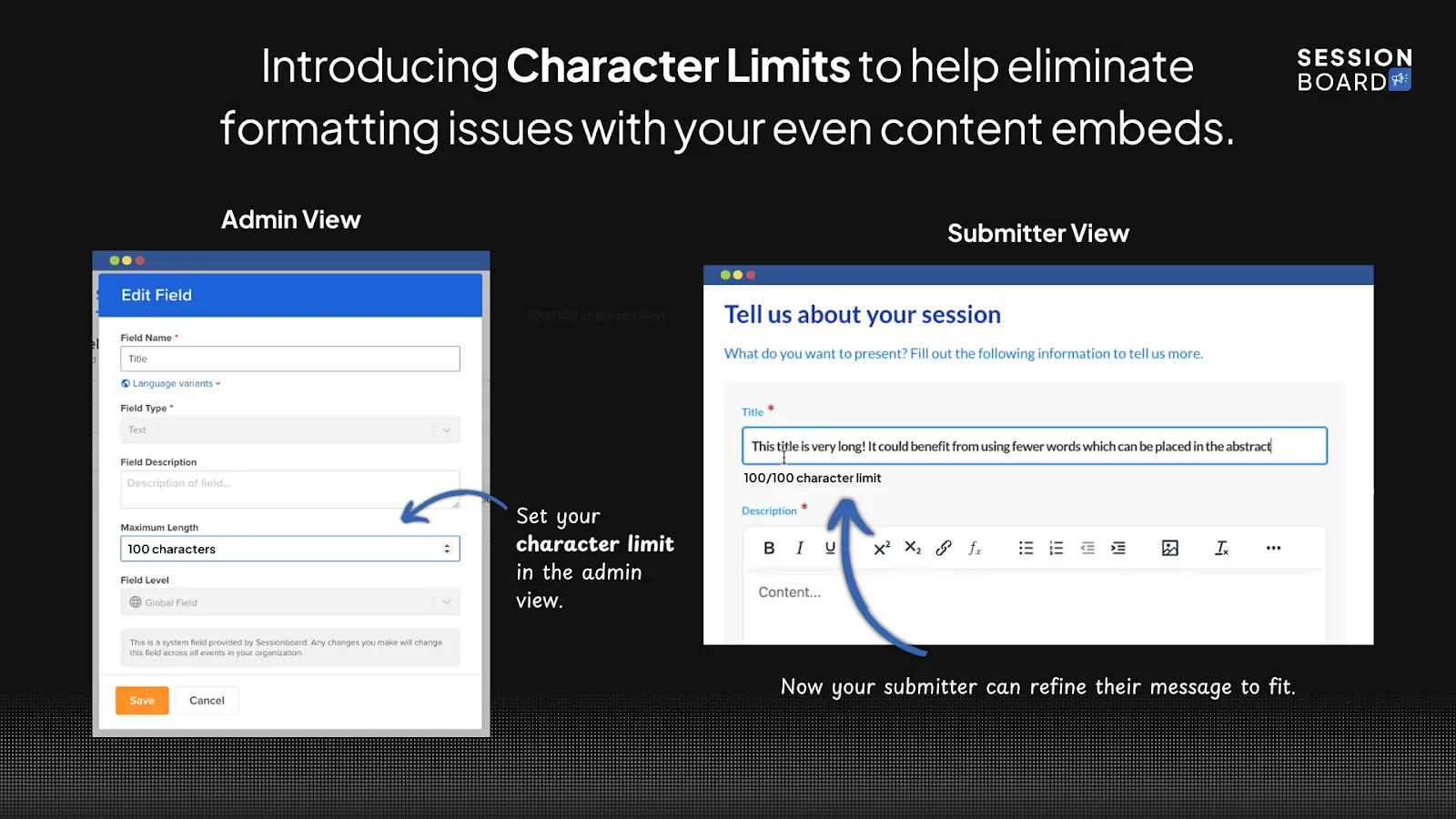
20) Set Character Limits for Session Titles and Descriptions
One customer put it best: “We love that Sessionboard allows us to set character limits, so our agenda displays cleanly on our website and mobile app.”
21) Custom Fields
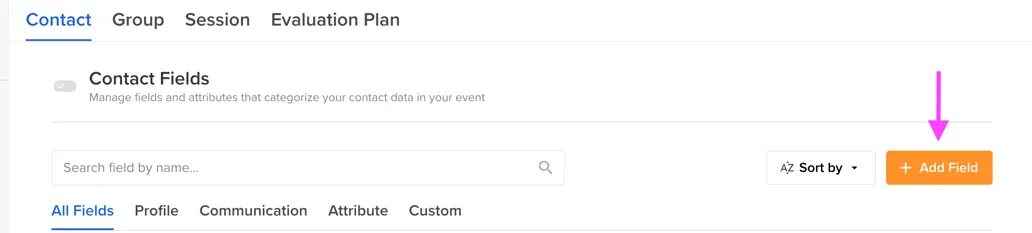
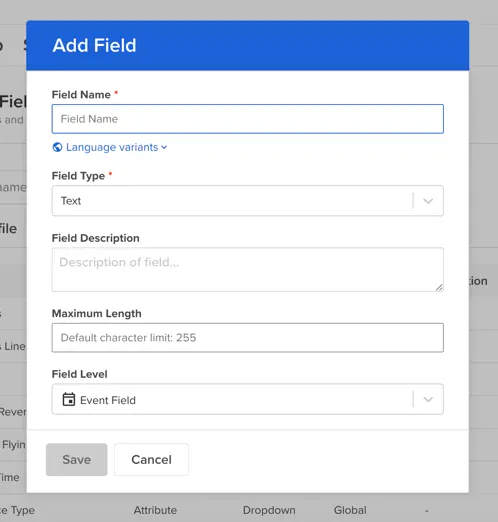
Not all events are the same. Custom fields let you track the data that matters most to your event.
22) Show/Hide Speakers in Embeds
Only want to show confirmed speakers? Hide the ones still working through T&C agreements. Keeps your public agenda clean and accurate.
The Most Complete Agenda Building Platform For Event Planners
These client-favorite features solve real problems for event organizers. If you’re managing a complex agenda, the right tools make all the difference.
Want to see them in action? Book a demo.
About Sessionboard
Sessionboard’s focus on continuous innovation in speaker and content management has resulted in saving organizers hundreds of hours per event while providing speakers with a streamlined, modern experience. From call for papers, abstract review, awards, applications, agenda building, to speaker onboarding and communication, Sessionboard helps event organizers work smarter, move faster, and improve their ROI.