
September 29, 2026

4
min read


MCP (Model Context Protocol) is an open standard that connects an AI assistant like Claude, ChatGPT, Copilot, or Gemini directly to a live data source. For event teams, it means you can ask your program data a question in plain English and get an answer built from the real record, not from a spreadsheet.
Most event teams already use AI assistants every day. They draft speaker emails in ChatGPT, summarize session notes in Claude, and tidy agenda copy in Copilot.
What those assistants can't do on their own is see the program. They don't know which sessions scored well, which reviewers are behind, or which speakers have taken the stage three times and landed every time. So the team exports, pastes, asks, and repeats. By the time the answer arrives, the data has already moved.
How have events changed, and why does AI need your data now?
A conference used to be a once-a-year project. Open the call for papers, pick the sessions, build the agenda, run the event, file the report. Then start again from zero.
That model doesn't hold anymore. Programs run year-round. A single session is expected to become a webinar, a newsletter topic, a CE module, and a handful of clips. Teams are running more events without adding headcount (we covered the math in Scale your event program). And leadership wants proof, not attendance counts, which is why the business case an events director takes to a CFO now leans on program and content data.
The data exists. Submissions, reviewer scores, attendee ratings, speaker history, transcripts, readiness tasks. Each one could inform a better decision. The problem is access. Answers sit behind filters, exports, and reports someone has to build before anyone can ask a follow-up question.
AI assistants changed how people ask questions. But an assistant without context can only guess, and a guess is the last thing a program chair needs when deciding which tracks to cut.
With the Sessionboard MCP Server, the flow has three parts:
Access is built on your terms. Each connection is bound to its own scope. You choose what, if anything, the assistant can draft back. Every call is logged with a full record of what you asked and what it returned. Personal data stays protected by default.
MCP also doesn't ask you to replace anything. Your registration platform, CRM, and marketing tools stay where they are. MCP simply gives your assistant a direct line to the program layer that Sessionboard holds.
Why the prompt matters more than the connection
A connection answers one question: can my assistant see Sessionboard? A good prompt answers the questions that actually move a program. What should we build next year around? Who should we invite first? Which sessions deserve a second life as content?
The strongest prompts in this guide share four traits. They name the scope (which events, which timeframe). They name the measure (attendee rating, reviewer score, last year's pace). They ask for a clear shape (rank it, group it, flag it). And when the assistant is about to change something, they add a checkpoint: show me before you commit.
Keep those four in mind, and you can adapt any prompt below to your own program in seconds.
Prompts for event teams, stage by stage
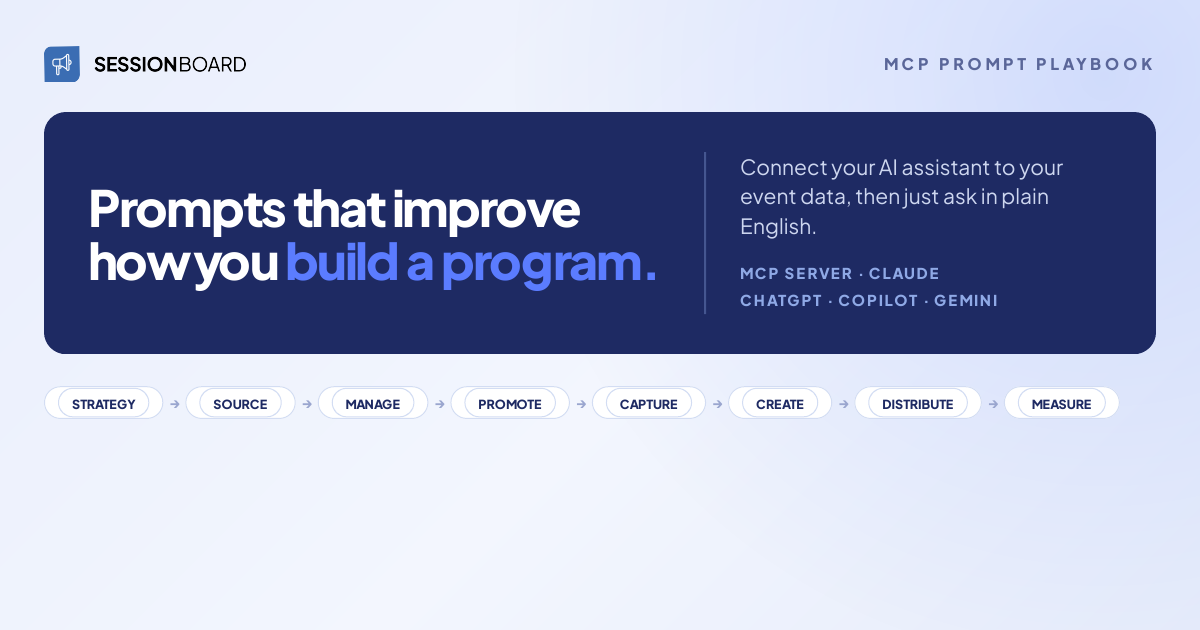
The prompts follow the eight stages of the event content lifecycle: Strategy, Source, Manage, Promote, Capture, Create & Remix, Distribute & Amplify, and Measure. The Speaker CRM runs underneath every stage, so a prompt in one stage keeps paying off in the next.
01. Strategy: plan the program with data, not a blank page
"Group our top-rated sessions from the last three events into themes."
Most program planning starts with a brainstorm and a hunch about what feels current. This prompt flips the order. Your assistant reads three events of session ratings and clusters the winners by topic, so next year's themes come from what attendees actually rewarded. It also gives you something concrete to bring to the committee kickoff: evidence, not opinions.
"Which topics have climbed in attendee rating lately, and which are fading?"
One event's ratings tell you what worked once. The trend tells you where interest is heading. Asking for both directions matters, because retiring a topic that has run its course frees up slots just as much as adding a new one. Make that call before you commit a single slot. (For more on reporting, see AI reporting in Sessionboard.)
02. Source: cast a wider net than a single CFP form
"Rank every speaker we've ever had on AI by rating and recency."
Your best recruiting list is already in your data. It's just spread across years of events. Swap "AI" for any topic you're programming and you get a shortlist that shows what each speaker covered, when, and how it landed. Recency is the quiet hero here: a great talk from five years ago is a lead, a great talk from last year is a priority. It's the same idea behind finding the expert already in your data.
"Which submitters did we reject last year that scored well with reviewers?"
Every cycle, we cut strong submissions for reasons unrelated to quality. The track was full. The topic was a year early. The schedule didn't fit. Those people already raised their hand once. This prompt brings them back for a second look before they take their idea somewhere else. It pairs well with the debate in AI pre-screening vs. committee judgment.
03. Manage: review, score, and select with less back-and-forth
"How many submissions are still unreviewed by track, and which reviewers are behind?"
Review deadlines rarely blow up. They slip quietly, and the gap shows up only when the committee meeting is days away. This prompt shows the backlog by track and by owner while there's still time to reassign or send a nudge, without anyone building a report first. For the bigger picture on review, see our guide to AI abstract review for program committees.
"Build a draft agenda. No speaker in two rooms at once. Show me every conflict before I commit."
This is where MCP moves from answering to doing. Your assistant builds a real draft agenda inside Sessionboard, applies your rules, and lists every conflict it finds. Nothing is committed until you say so. That last sentence is the whole point: you get the speed of automation and keep the final call.
04. Promote: turn your speakers into your best promoters
"How many submissions do we have by track, and which are below last year's pace?"
Promotion effort usually gets spread evenly across a program. Demand never arrives evenly. Comparing each track against last year's curve shows you the thin ones early, while you still have runway to promote and fill them.
"List confirmed speakers by rating and past appearances. Who are the best fits for a share kit?"
Not every speaker will share, and not every share moves registrations. Speakers with strong ratings and a history with your event bring credibility and a reason to care about the outcome. Point your advocacy there first. We go deeper on this in how to turn your speakers into a distribution channel.
05. Capture: get every session, room, and asset event-ready
"Show me every speaker with an incomplete task and every session missing a room or asset, at risk in the next 14 days, sorted by urgency."
Readiness usually lives in half a dozen reports that nobody reads together. This prompt collapses them into one prioritized briefing, already split by owner, so everyone knows what to chase this week.
"Which sessions flagged for recording still lack a room or A/V assignment?"
A session that isn't captured can't become a transcript, a clip, or a webinar later. Once the moment passes, it's gone. This quick check protects everything downstream, and it takes seconds to run before the doors open. (More on this in AI event transcription for organizers.)
Want all 24 prompts in one place? The MCP Prompt Playbook includes every prompt in this guide plus eight more, organized by stage, with what you ask and what you get for each one. Download the MCP Prompt Playbook
06. Create & Remix: turn captured sessions into publishable content
"From our top-rated sessions with transcripts, which are best suited to blog posts or clips?"
Most event content ends up in the content graveyard not because teams can't produce it, but because nobody knows where to start. This prompt builds a content queue, highest-scoring first, from sessions that already earned their audience.
"Rank last year's sessions and flag the ones that would stand alone as a webinar."
Some sessions only work in the room. Others hold up perfectly on their own. Ranking by performance gives you a webinar lineup drawn from talks that already proved themselves, which is a much easier pitch to your marketing team. See also how to repurpose conference sessions into content.
07. Distribute & Amplify: put your content, and your best voices, to work all year
"Group top-rated sessions into themes and build a 12-month content calendar with speakers attached."
Three days on stage can fill a year of programming: webinars, newsletter topics, and CE, all sourced from sessions that scored, with the speaker already attached for promotion. Because the calendar is written back to Sessionboard (with your approval), it becomes a working plan the team keeps rather than an answer that disappears in a chat window. Our post-event content strategy guide covers what to do with it next.
"Map our best sessions to webinars, newsletters, and CE across the next two quarters."
Same session, different jobs. This gives each channel owner a plan for content your event already produced, in the format their channel needs. If you want a faster starting point, try the 30-day content plan first and extend from there.
08. Measure: prove impact, then feed it back into strategy
"Which sessions scored highest with attendees but lowest with the review committee?"
This one is uncomfortable in the best way. It shows exactly where your committee's taste and your audience's taste split. Those blind spots are worth a conversation before you set next year's review criteria.
"Build a dashboard for submission volume, acceptance rate, and speaker return across our last four events."
A number in a chat window is useful once. A dashboard your team keeps is useful every week. This prompt writes the dashboard back to Sessionboard, and because it spans four events, it closes the loop to Strategy: the next cycle starts from evidence instead of memory. Pair it with how to measure speaker ROI.
What can you ask through MCP, and what shouldn't you?
MCP is only as good as the record behind it. Knowing where the edges are will save you a few confusing answers.
Ask it about
Don't expect it to
Start with your own data
The fastest way to see what MCP can do is to ask one question you've wanted answered for a while. Pick a prompt from this list, connect your assistant, and run it against your own program. If your program already runs on Sessionboard, connect your assistant and start asking. And if it doesn't yet, this is a good moment to see what a connected program layer would unlock for your team. Request a demo, and we'll walk through your program, the prompts that matter most for it, and what MCP could answer for you on day one.
%20(1200%20x%20700%20px)%20(1).png)

Stay up to date with our latest news

See how real teams simplify speaker management, scale content operations, and run smoother events with Sessionboard.
