
August 3, 2026

4
min read
Your speakers stop sharing the day the event ends. The transcript says they don't have to.
Session transcripts turn one event into a quarter of speaker advocacy: clips, quote…


Session transcripts turn one event into a quarter of speaker advocacy: clips, quote…
The Monday after your conference, sharing falls off a cliff. Speakers who posted three times during event week go silent. Attendees move on. The recordings sit in a folder named after the venue, and the next promotional push waits for early-bird season, eight months away.
Nothing about that silence is a motivation problem. Your speakers would happily keep posting. They have nothing new to post. The talk they gave, the best forty seconds of it, the line that made the room laugh, all of it is locked inside a video file nobody has watched since the AV team uploaded it.
A recording is one asset. A transcript is raw material for dozens.
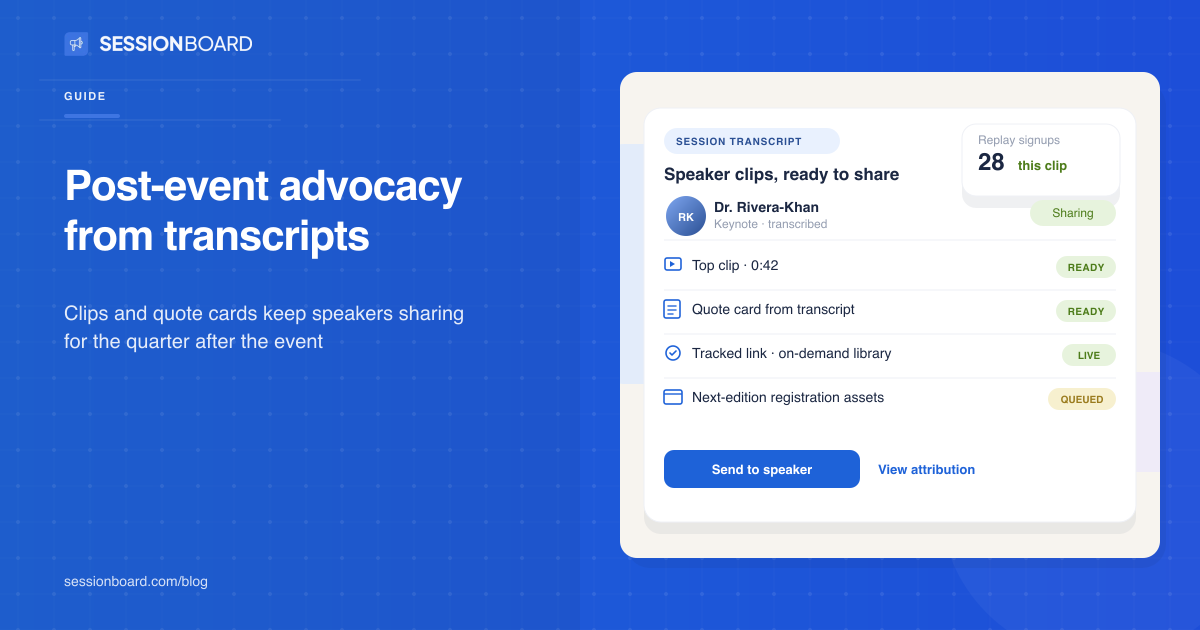
Once every session is transcribed, the work stops being "watch three hours of video and find the good part" and becomes an editing job you can actually schedule: search the text, mark the strong passages, cut the clip that matches. In Sessionboard this runs through Create, which works from the transcript to produce clips, quote cards, and summaries per session. The important part for advocacy is where those assets go next.
Each speaker's clips land on their own share page, the same one they used before the event, with the same tracked link. The speaker gets an email: your session clips are ready. What they find is a forty-second cut of their own best moment, captioned, with their name and session title on it.
Speakers share that without being asked twice. You built them a highlight reel of their own expertise. Posting it serves their reputation first and your event second, which is exactly why it works.
The event produced the material all at once, but you release it against the program calendar, because each program moment gives the same clip a fresh job:
| Program moment | Asset | What the tracked link points to |
|---|---|---|
| Week after the event | Each speaker's top clip | On-demand library or session replay |
| On-demand launch | Session summary + quote card | Gated or open replay signup |
| Next-edition registration opens | "Last year's room" clips | Registration page |
| Call for papers opens | Speaker quote cards on the experience | CFP portal, aimed at prospective submitters |
That last row surprises teams. Post-event clips recruit next year's speakers, and a speaker sharing their own polished clip is the best CFP ad an association can run. Prospective submitters see what the program does with a talk after it's delivered.
Attendees keep a lane here too. Anyone who attended can share replay links through the same advocacy layer, and 91% of attendees say on-demand access matters to them (Freeman, Unpacking XLNC, 2026). The audience for post-event content exists. Most programs just never route it through people with trust attached.
Every asset carries the advocate's tracked link, so the quarter after the event shows up in the same rollup as pre-event promotion: shares, clicks, and registrations per speaker. When on-demand signups spike two weeks after a clip goes out, you can name the speaker whose post did it.
That number changes two conversations. The marketing director can show post-event content producing registrations rather than "engagement." And the speaker relationship compounds: a speaker who watched their clip drive signups says yes faster next year, and the speaker CRM carries that history across editions.
Most organizers already produce on-demand video; Bizzabo's 2026 data puts it at 82%. Far fewer put those recordings back into the hands of the people the audience actually follows. The gap between those two numbers is the opportunity.
Photo-first advocacy platforms like Premagic distribute event photos to attendees after the show, and referral tools like Snöball run registration campaigns. Neither touches the session content itself, because neither holds the transcript. If the talk is the product of your event, the transcript pipeline is where post-event advocacy has to start, and that lives with whoever manages the program.
Give them something new to share. Transcribe every session, cut clips and quote cards from each speaker's own talk, and drop them onto the speaker's share page with their tracked link. A speaker will post a strong 40-second clip of themselves without being asked twice.
Transcribe them, then work from the transcript: clips for each speaker, quote cards for social, session summaries for the on-demand library, and excerpts for next year's call for papers. The recording alone sits in a folder. The transcript makes it searchable and cuttable.
As long as the program keeps producing moments worth sharing. Registration for the next edition, on-demand launches, and CFP opening each give speakers a reason to post again. Most teams can sustain a weekly speaker asset for a quarter from one event's transcripts.
Yes, if every asset carries the advocate's tracked link. Clicks and registrations accrue against the speaker record, so you can see which clips converted viewers into next-edition registrants or on-demand signups.
Speaker advocacy guide · Event content marketing on Sessionboard · Request a demo


Stay up to date with our latest news

.png)
More than 60% of associations are diversifying revenue, per ASAE. The fastest new…
See how real teams simplify speaker management, scale content operations, and run smoother events with Sessionboard.
