
★★★★★
“Sessionboard has been one of our most successful investments this year, making our team more efficient and allowing us to focus on the most critical components of our events.”

Your poster hall on one link: search, crisp viewing, author share kits, and consent that satisfies your committee.
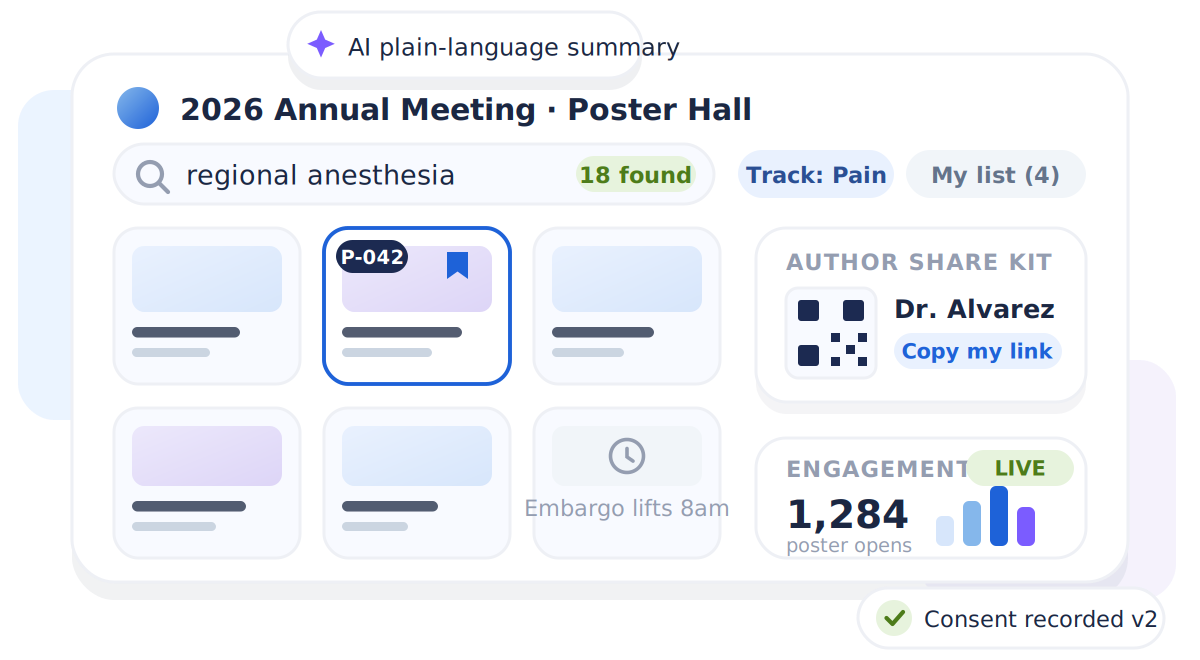
















Sessionboard Poster Gallery publishes an association's poster session as one branded, linkable virtual poster hall: instant search, crisp in-browser viewing on any device, author consent and disclosures for medical meetings, embargo timing, AI summaries, and per-poster engagement analytics. Posters flow straight from abstract acceptance, with no spreadsheet import.
Match your role to the job Sessionboard solves — program ops, content reuse, or marketing attribution.
Authors upload to one tool, the program lives in another, and you reconcile the two by hand the week before the meeting.
The committee asks which posters people viewed and what they searched for. Today the honest answer is a shrug.
Consent, disclosures, and withdrawal handling have to be right before anything goes public. Most gallery tools treat that as your problem.
You want authors promoting their posters to their own networks, and you have no link, QR code, or asset to hand them.
“Sessionboard has been one of our most successful investments this year, making our team more efficient and allowing us to focus on the most critical components of our events.”

“Sessionboard saves significant planning time and makes it easier than ever for speakers and sponsors to participate in our clients' events.”

“We used Sessionboard daily. It served as our source of truth for tracking speakers, sending emails, and accessing reports. The ability to set a weekly digest email was a huge time saver.”

“Honestly, I loved it! Getting everything out of the spreadsheet. It collects all the information and gives you a visual of who you might want to invite.”
Most poster halls end up as a PDF list on a microsite, or a poster vendor's page that looks nothing like your meeting and knows nothing about your program.
See how Sessionboard fits beside your existing stack.
The gallery reads from the same program records as your call for papers and speaker portal. Publishing is a toggle, and the rest follows.
The hero above is the browse view. Here is what happens when an attendee opens a poster, and what your committee sees afterward.
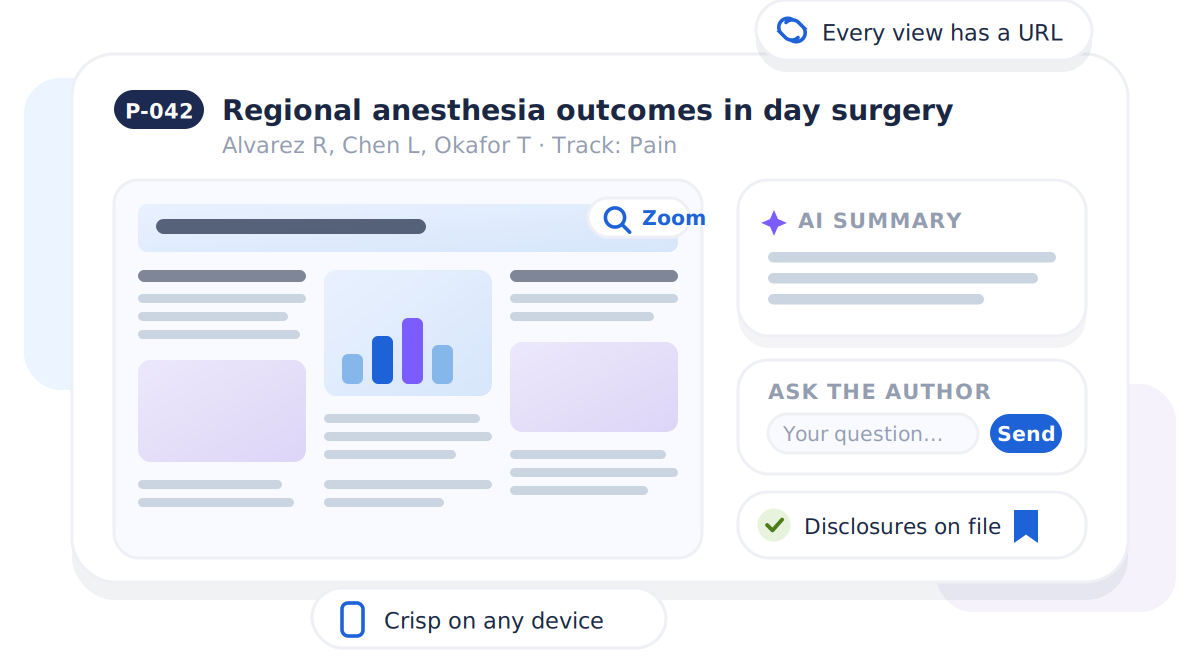
A crisp in-browser render with zoom, an AI plain-language summary, ask-the-author, disclosures on file, and a shareable URL for every view.
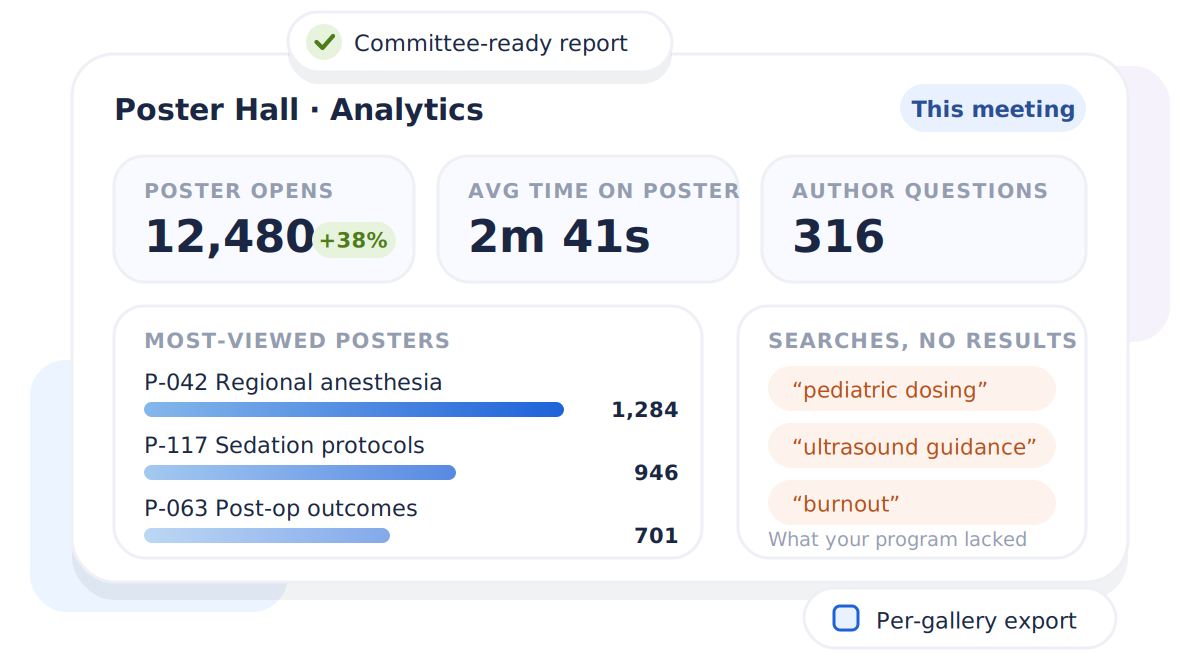
Poster opens, dwell time, most-viewed posters, author questions, and the searches that returned nothing — the clearest signal of what your program lacked.
Associations and societies publishing poster sessions online, from 40 posters to 3,000.
Consent capture, disclosure display, embargo timing, and automatic exclusion of withdrawn abstracts. The compliance work is in the product, not in your inbox.
A branded poster hall on your own event's look, published from the program you already built. No second vendor, no re-import.
Galleries can span events, so a society's poster library persists year over year instead of resetting each cycle.
The same link serves the hall floor via QR signage, remote attendees at home, and members who browse after the meeting ends.
The gallery reads from accepted abstracts and speaker portal uploads. There is no spreadsheet import step anywhere in the flow.
Versioned publication consent at upload, disclosure fields on the poster page, embargo with a teaser mode, and withdrawn abstracts excluded from the query itself.
Poster opens, dwell time, top posters, ask-the-author questions, and zero-result search terms per gallery.
Posters render sharply in the browser at the device's native resolution, including PDFs on iPhones, where most poster sites quietly break.
How the Poster Gallery works, what it costs authors in effort (nothing), and where it fits.
Authors upload in the Sessionboard speaker portal, the same place they submit bios and headshots. Accepted abstracts already carry the title, authors, and program number, so the poster file is the only thing anyone adds.
No. The gallery is a web link. Attendees open it from your event site, an email, or a QR code on signage, and search immediately. Bookmarks work without a login.
You write the consent language once and turn on the requirement. Authors accept it during upload, the acceptance is stored with a version stamp, and posters without consent stay out of the public gallery until it is recorded.
Yes. Set an embargo date and choose whether the gallery hides entirely or shows title-only teaser cards until it lifts. Withdrawn abstracts never publish at all.
With one click, the gallery writes a two-to-three sentence plain-language summary for each poster from its title and abstract, so a general attendee can decide whether to open a specialist poster. You trigger it, review it, and nothing generates without you.
Poster opens, average time spent, most-viewed posters, questions submitted to authors, and the search terms that returned no results. The zero-result list is the clearest signal of content your audience wanted and your program did not have.
Yes. Each gallery has a sponsor logo and link slot in the header, which gives you a sellable placement on one of the most-visited pages of the meeting.
Dedicated tools re-import your program data and manage authors as a separate population. Because the gallery reads your live program, it is current by construction, and your authors keep one portal. See our comparison pages for an honest fit assessment.
Talk through your event workflow — abstracts, speakers, content, and marketing on one program graph.
Editorial guides from the Sessionboard blog.
 Learn
Learn
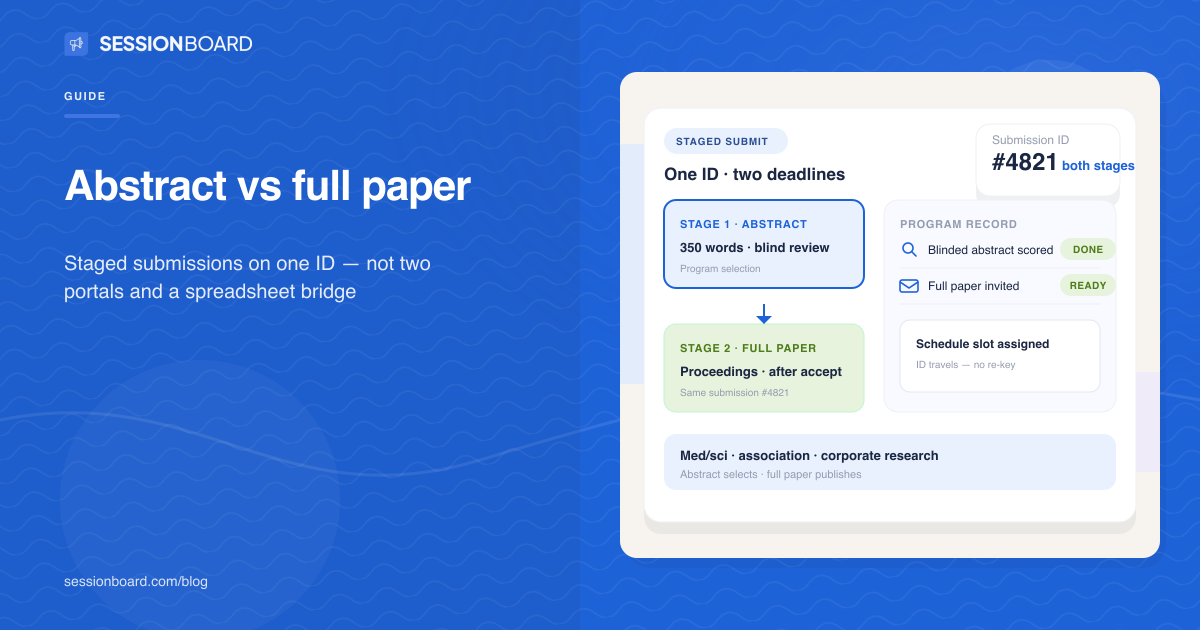
Abstract for selection; full paper for proceedings — what to collect when.
Read article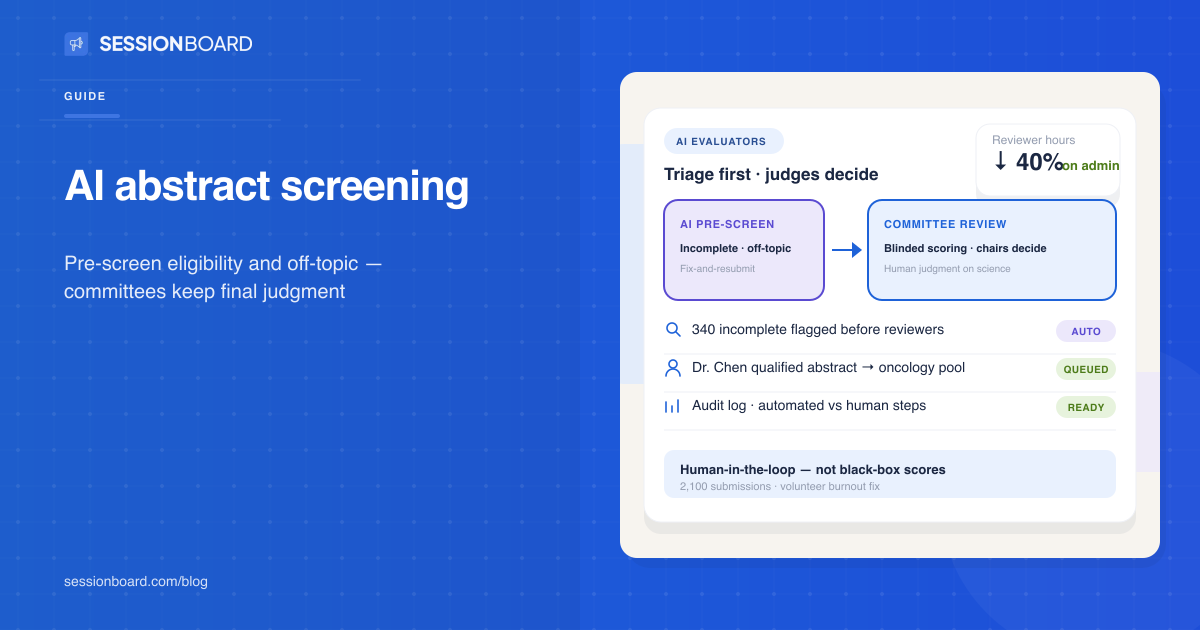 Learn
Learn
AI triage for abstracts — not replacing committees, saving volunteer hours.
Read articlePublishing posters at your next meeting?
Request a demo